Installation
- 22 -
optek-sensors AS56, Version 04.2010_1.2US, 15.04.2010
www.optek.com
5.3 Airpurge
Should the temperature of the process medium be too low, the temperature of
the air inside the optical housing might fall below dew point. This leads to
condensation deposits on the window surfaces. For this case, the sensor is
equipped with airpurge connections on the backplate.
Tool • Screw driver
• Wrench 7 mm
At delivery, the drill hole of the airpurge connection is sealed with O-Ring and
sealing screw M5 x 6 (DIN 84).
1. Loosen the sealing screw.
2. Check if there is an O-Ring on the airpurge connection.
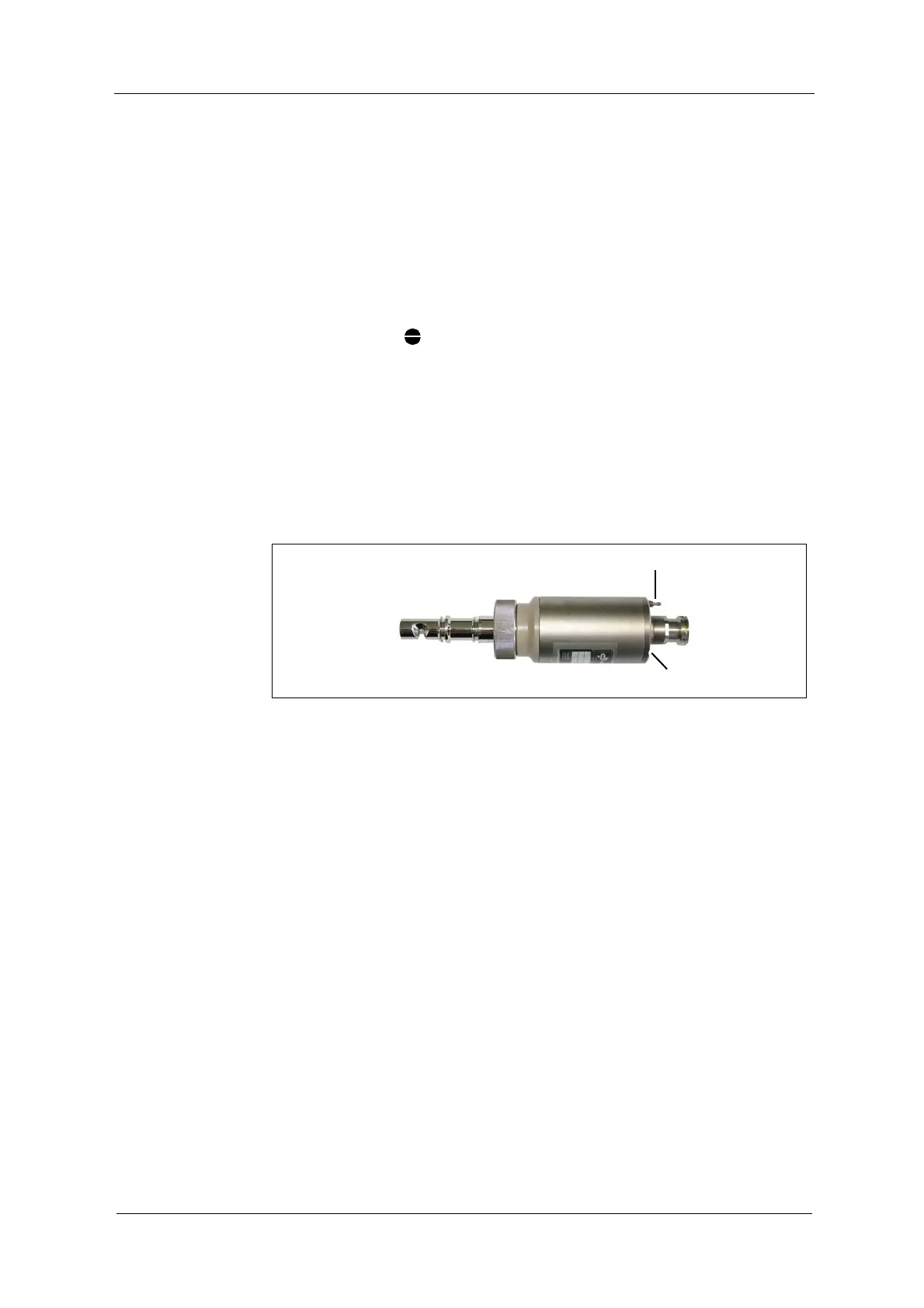
3. Install airpurge connection (22, fig. 14) screwing.
4. Place the airpurge hose on the airpurge connection (22).
Fig. 14 Airpurge connection on sensor
After connecting the sensor to the power supply and putting it into operation,
rinse it as described below:
1. Loosen the cylinder nut (3) turning it 2-3 turns anticlockwise.
2. Rinse the optical housing by aerating it with dry, oil and dust free air for
approx. 10 minutes at a maximum of 0.5 bar (7.25 psi) gauge pressure.
In case you do not have airpurge supply of appropriate quality, you can use
the optek Air Drying System ADS.
3. Reduce air pressure to approx. 0.1 bar (1.45 psi).
4. Retighten the cylinder nut (3). Keep up the gauge pressure. Air consumption
in this operational state is minimal.



 To Next Page