Maintenance
- 34 -
optek-sensors AS56, Version 04.2010_1.2US, 15.04.2010
www.optek.com
7. Insert the new lamp module into the sensor.
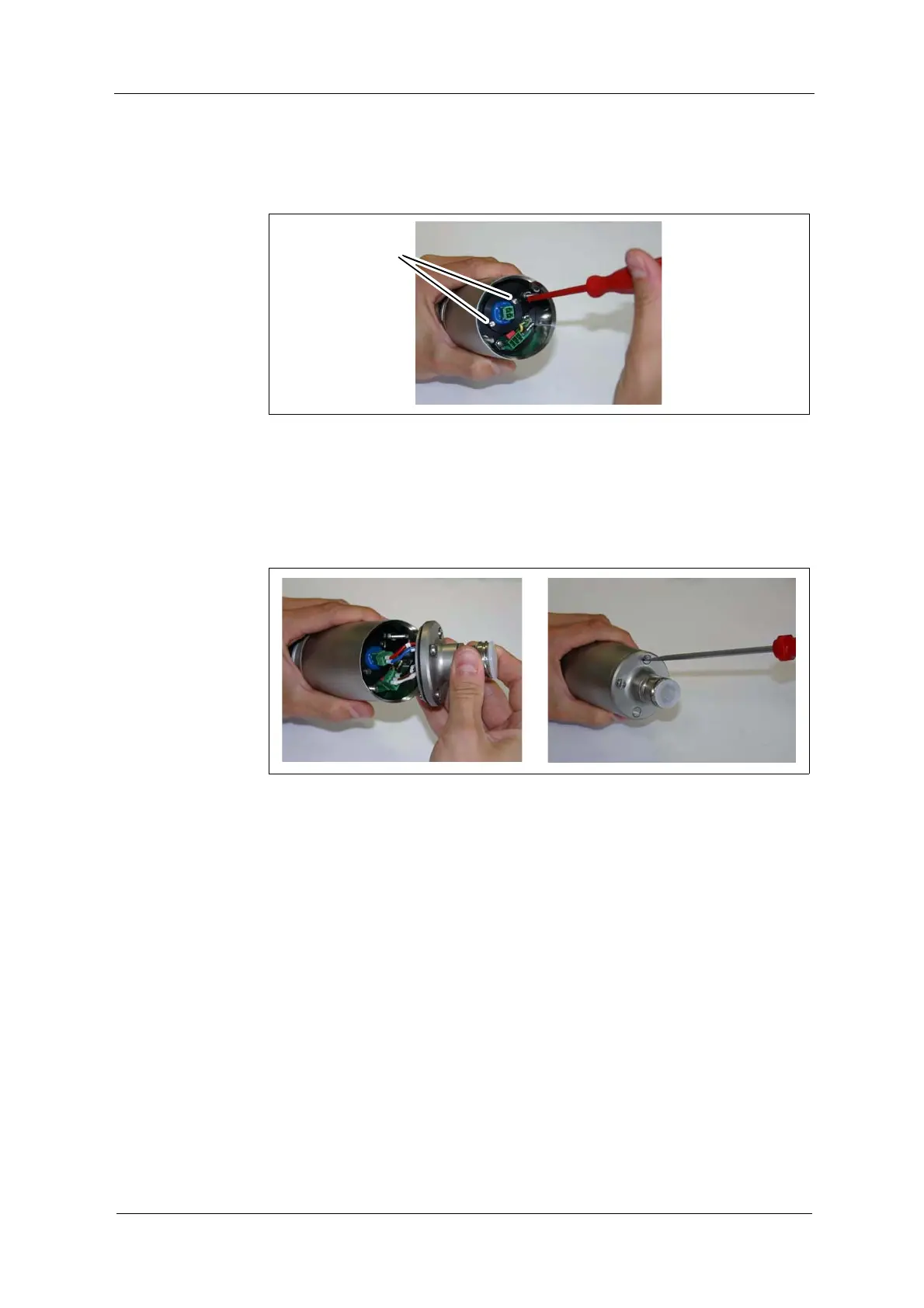
8. Fasten both screws (10). Now, the lamp module is fit in the sensor.
Fig. 24 Screws of lamp module
9. Verify that the O-Ring is provided on the backplate. Replace it if necessary.
10. Connect the 2-pin plug to the lamp module and the 3-pin plug to the detector.
11. Place the backplate on the housing, so that the drill holes correspond.
12. Fasten both cylinder nuts.
Fig. 25 Placing backplate and fastening cylinder nuts
13. Re-connect the sensor cable.
14. Switch on the measuring system.
15. Follow the instructions given in chapter 9.3, page 35.



 To Next Page