U
U
s
s
e
e
r
r
m
m
a
a
n
n
u
u
a
a
l
l
8
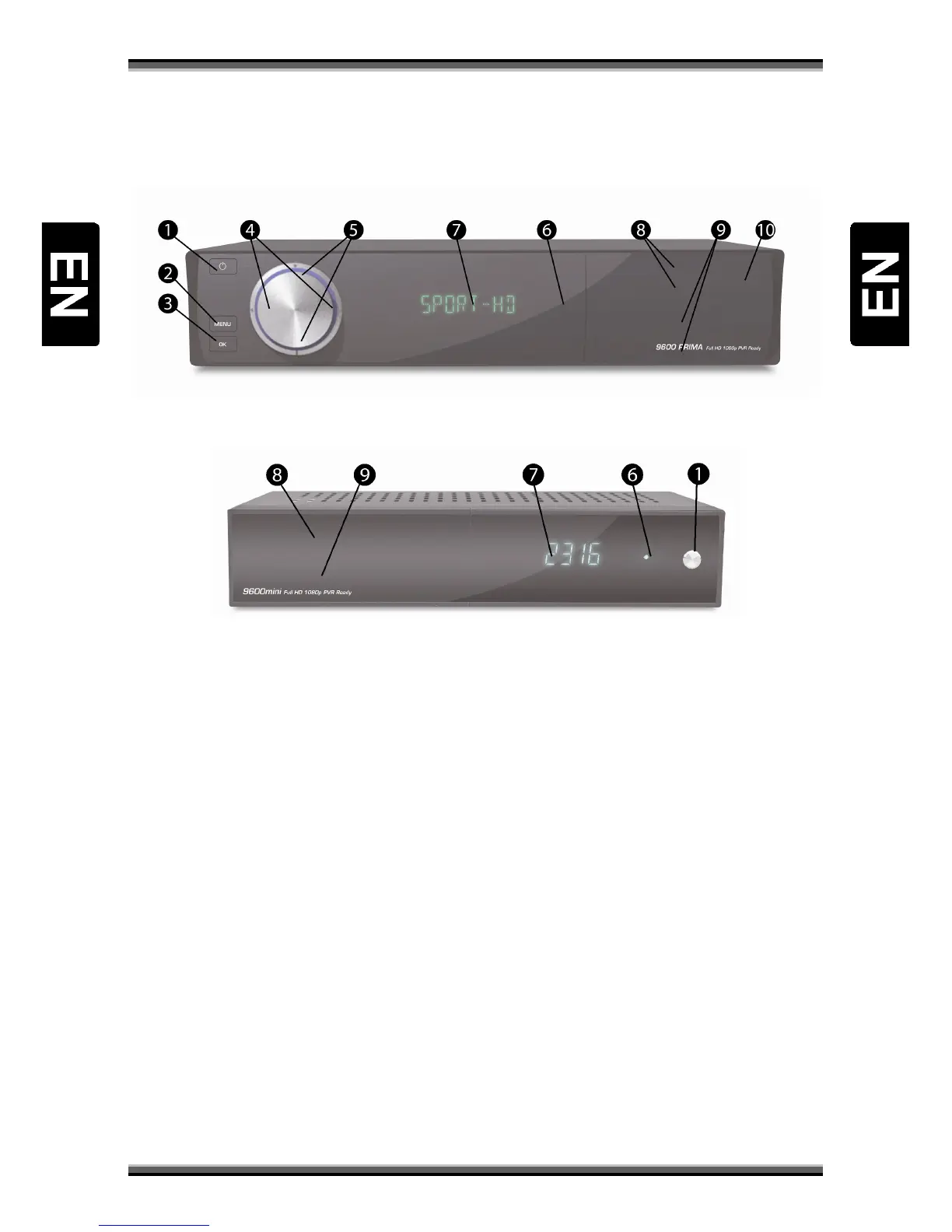
6. Front panel
A:
B:
1.Power button: Switch receiver between standby and working mode.
2.MENU button: Display menu on screen or return to previous menu.
3.OK button: Display channel list on screen, select item in menu.
4.VOL-/VOL + buttons: Decrease / increase sound volume.
5.CH-/CH+ buttons: Switch to previous / next channel.
6.Remote sensor: Detects infrared signal from remote control unit.
7.Display: Indicates operating status of receiver (VFD/LED type).
8.Card slot: One (optionally 2) CA interface slots for Conax.
Insert the smart card chip side down!
9.Common interface: One (optionally 2) socket for Conditional Access Module CAM.
10.USB Slot: Enables connection of external USB hard disk or flash disk.



 To Next Page