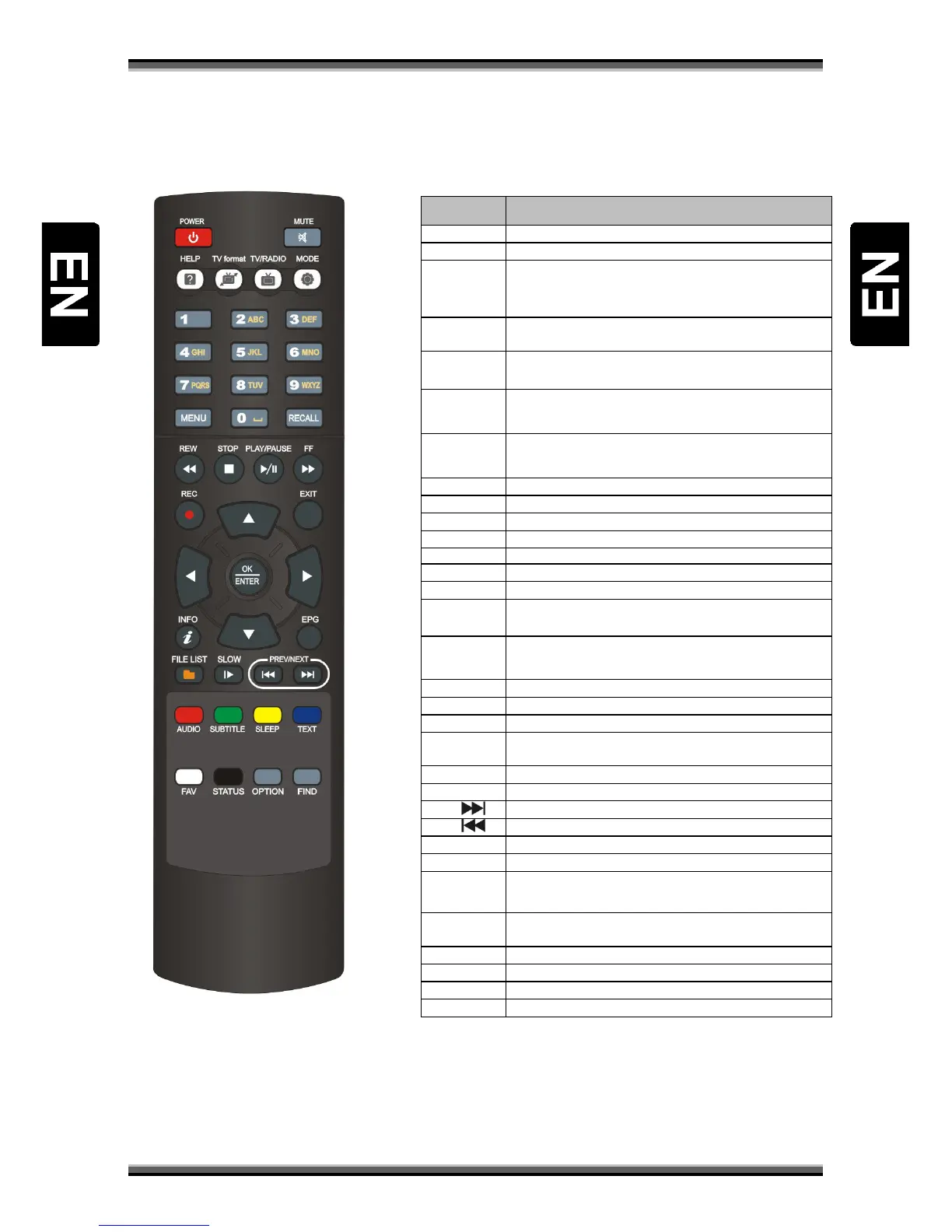
HELP (Optional function)
TV format Switch the TV Standard of the Screen. If you have problem
with video format setting, switch this button until set the
best video resolution
Numeric
buttons 0-9
Select the TV or Radio services and menu options.
MENU
from submenu.
REW Fast rewind when the progress bar is displayed. Start
reverse playback. Change the speed of reverse playback.
STOP Stop time shift, playback or recording. Stop the MP3 or
JP EG playe r.
REC Start recording.
INFO Display the program information box on the screen.
FILE LIST Display file list.
SLOW Start slow motion playback.
AUDIO Select Sound Track and the multilingual if multilingual is
available.
SUBTITLE Activate the subtitle selection Window. Select the subtitle
language in the list.
FAV Display the favorite service list.
STATUS Display window with information about actual channel.
OPTION Multifeed – Option (Optional function)
FIND Find service by name in service list, organizing services, EPG
menu and normal picture mode.
SLEEP Set time of automatic turning receiver into standby mode..
TEXT Enable the teletext.
NEXT
Slide channel list to next 10 channels
PREV
Slide channel list to previous 10 channels
EPG Display the EPG on screen when available.
EXIT Return to the screen.
PLAY/PAUSE Stop playing video. Enable continue play video. (USB drive
mount required)
FF Start fast forward or fast motion playback. Change the
speed of forward playback.
RECALL Select the previously viewed service.
TV/RADIO Select the TV/ Radio mode.
MODE Select the screen aspect ratio
MUTE Enable / Disable the Audio.



 To Next Page