U
U
s
s
e
e
r
r
m
m
a
a
n
n
u
u
a
a
l
l
10
8. Connecting
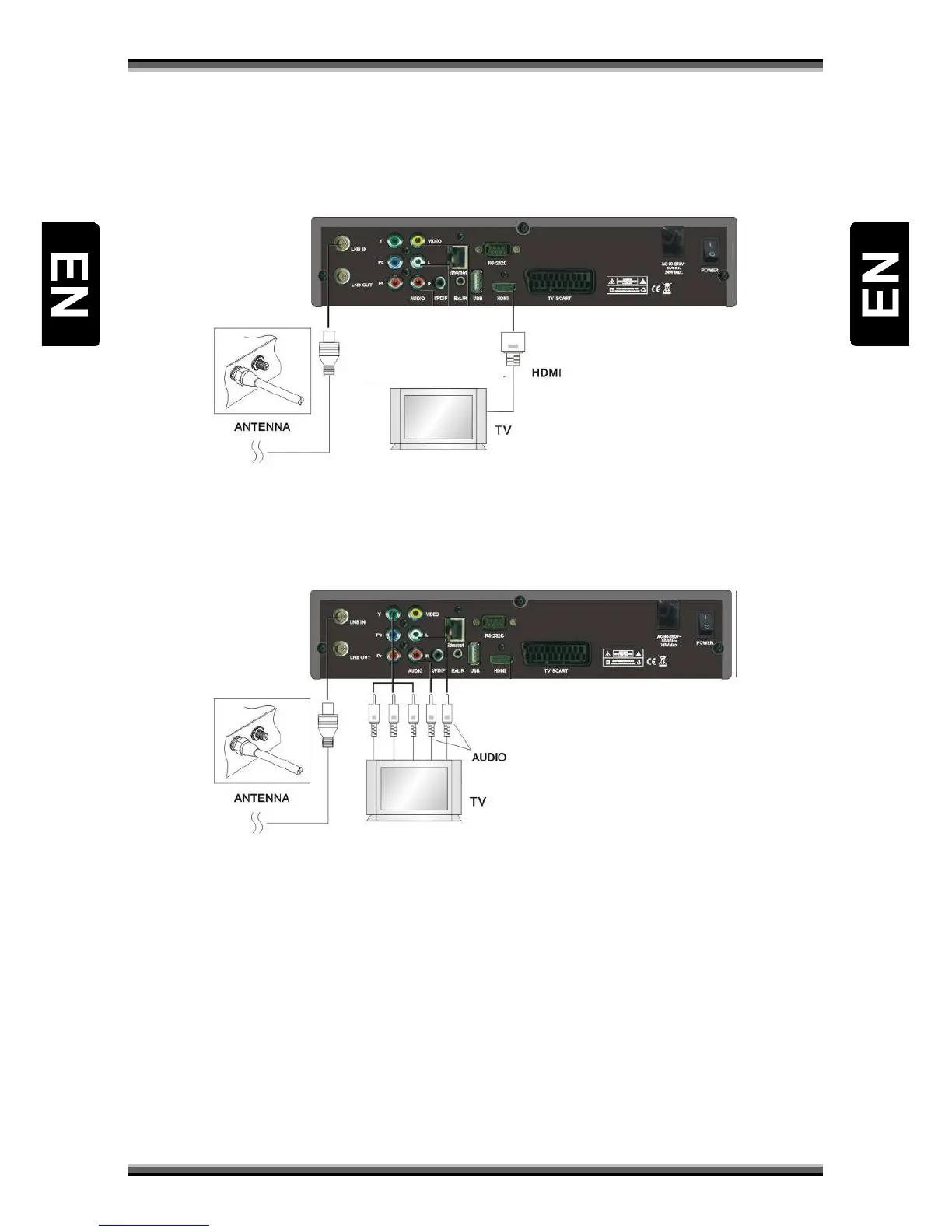
8.1. Connecting receiver to TV set using HDMI cable
a) Connect the coaxial cable to “LNB IN” terminal marked at the rear of the receiver.
b) Connect HDMI cable to HDMI ports of TV and receiver.
8.2. Connecting receiver to TV set using component cable (optional)
a) Connect the coaxial cable to “LNB IN” terminal marked at the rear of the receiver.
b) Connect the Component cable to port “YpPbPr” and “Audio L/R” of the Receiver with the
respective RCA ports of your TV Set.
c) Select Component in Menu “AV Setting”



 To Next Page