U
U
s
s
e
e
r
r
m
m
a
a
n
n
u
u
a
a
l
l
11
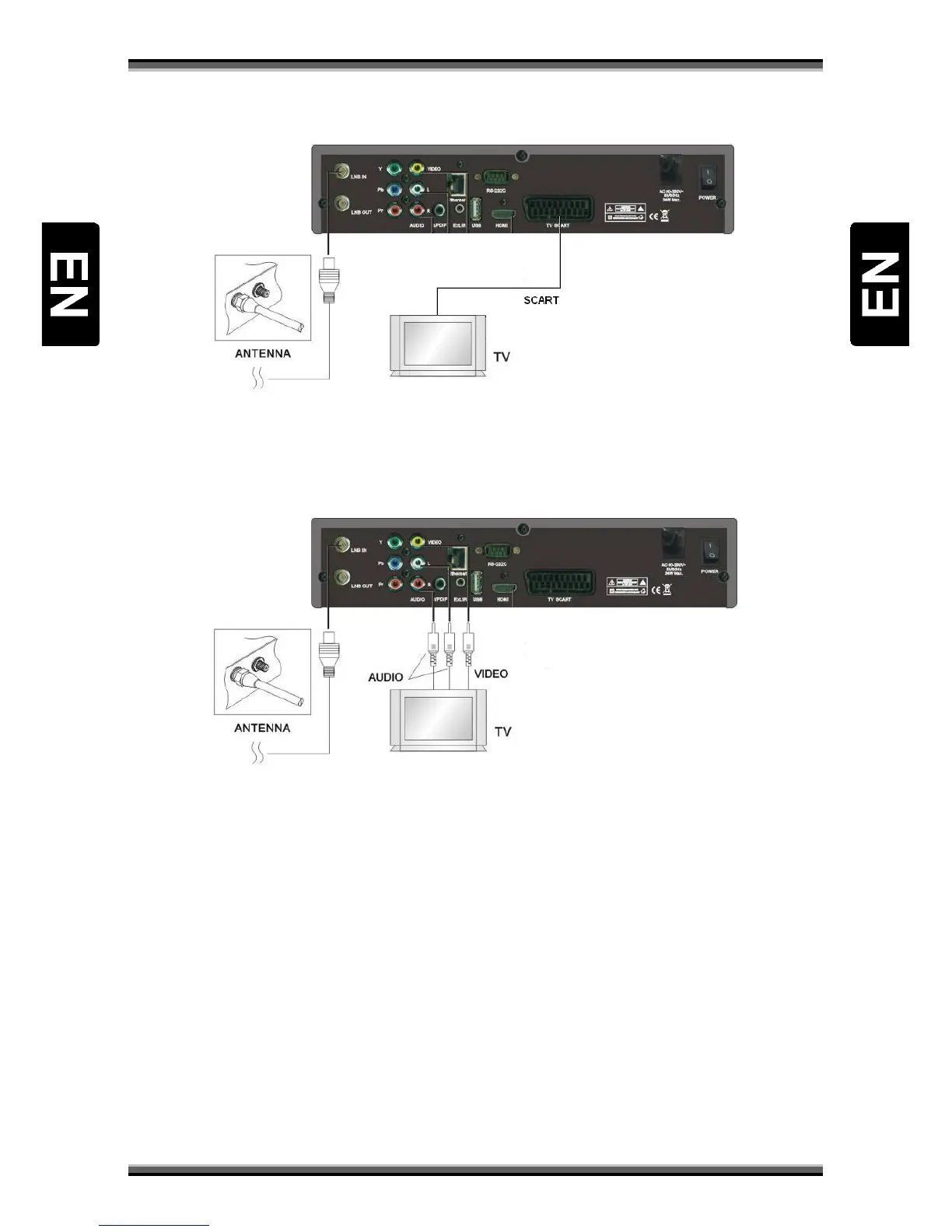
8.3. Connecting receiver to TV set using SCART cable (optional)
a) Connect the coaxial cable to “LNB IN” terminal marked at the rear of the receiver.
b) Connect the SCART cable to port “SCART” of Receiver to the respective SCART port of TV
8.4. Connecting receiver to TV set using RCA cable
a) Connect the coaxial cable to “LNB IN” terminal marked at the rear of the receiver.
b) Connect the RCA cable to port “Video” and “Audio L/R” of Receiver with the respective RCA
port of TV.
NOTE: On above pictures, positions of connectors may be different. To locate connectors on receiver,
see chapter “Rear panel”.



 To Next Page