PULSAR Minimal Stress Installation and operating Manual
OPTIKON 2000
Cod. 111001EN 2012-02-16 Rev.J
7-7
5) COLLECTION BAG SUPPORTS
These two brackets support and hold in place the collection bag at the end of
the aspiration path.
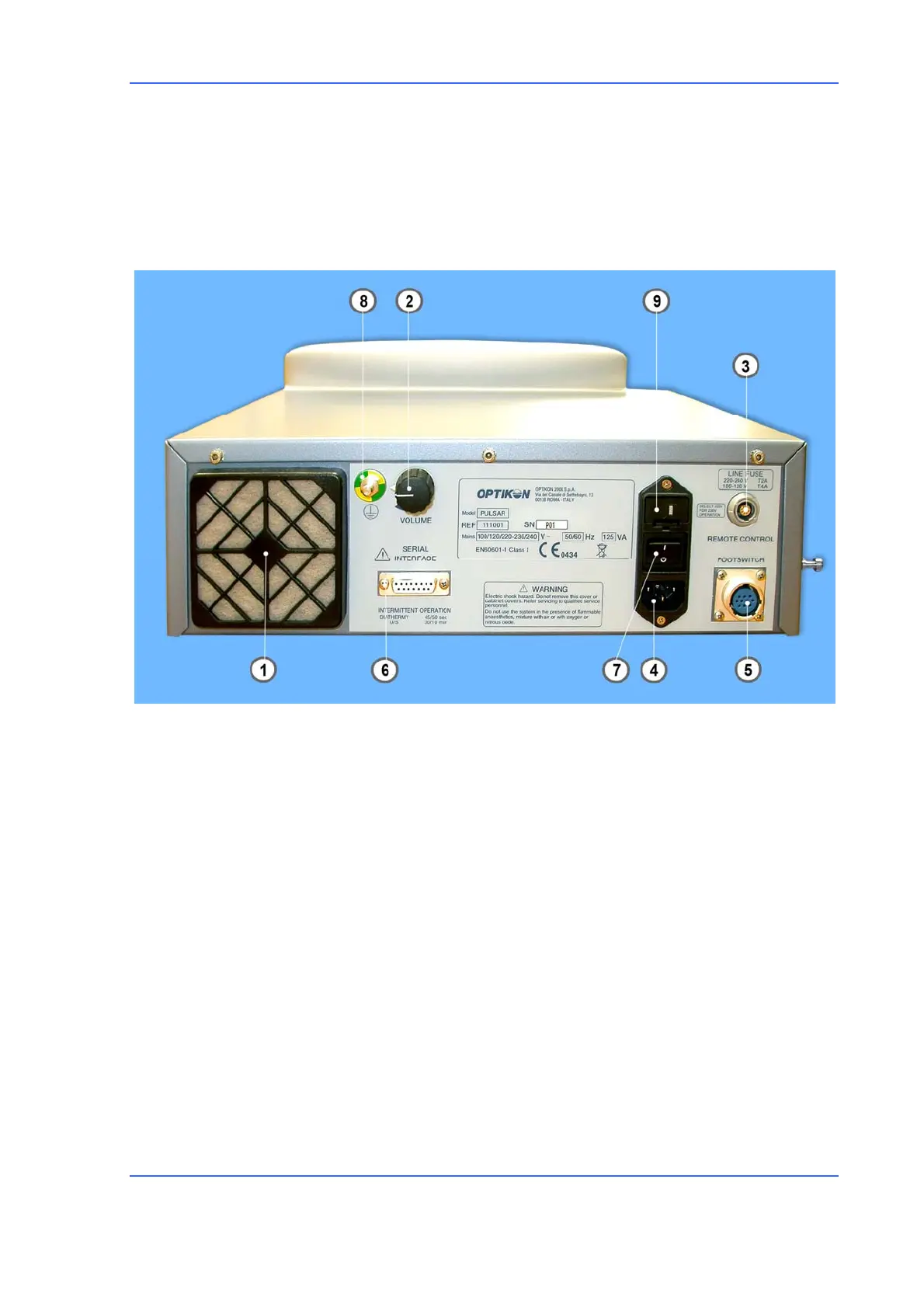
Rear panel (fig. 3)
1) COOLING FAN
Removes hot air from the unit.
2) VOLUME CONTROL KNOB
This control knob allows adjustment to the surgeon's taste of the loudness of
voice and sounds generated by the PULSAR unit.
3) REMOTE CONTROL
This is the remote control connector.
4) POWER
Mains input. The same module contains the power switch, the mains fuses, and
the input voltage selector switch.
A



 To Next Page