PULSAR Minimal Stress Installation and operating Manual
OPTIKON 2000
Cod. 111001EN 2012-02-16 Rev.J
8-10
8.4 VITRECTOMY
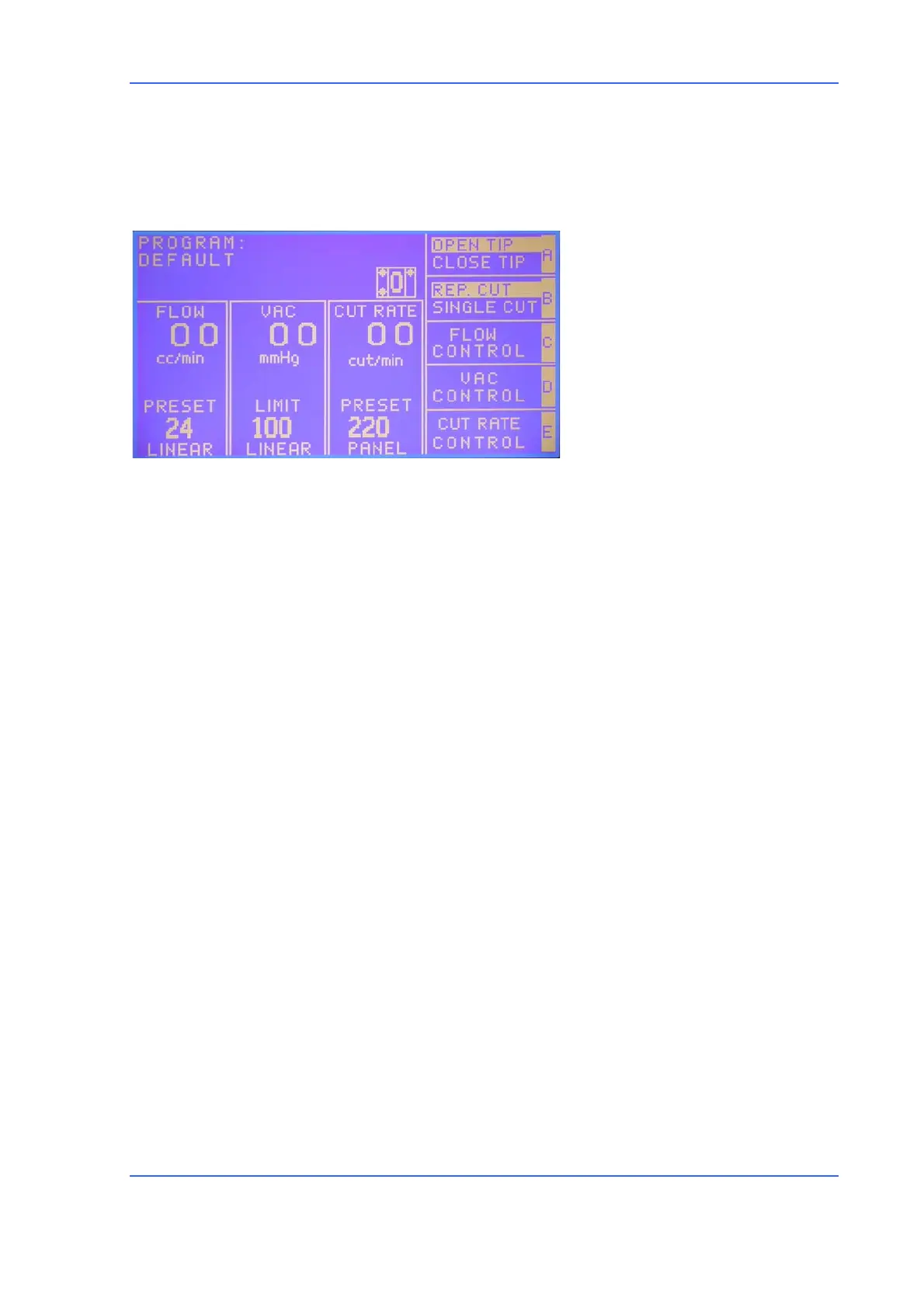
User Interface
• Parameter windows
available
- FLOW (aspiration flow)
- VAC (limit vacuum)
- Cut rate
• Irrigation parameters
- Status (ON/OFF)
- I.V. Pole height
• Aspiration parameters
- Vacuum mmHg (5 – 500)
Flow rate cc/min (2-50,
peristaltic mode only)
- Mode (linear/panel)
• Cutter Parameters
- Cut rate cuts/min (60-
2000)
- Mode (linear/panel)
- Tip port (open/closed)
- Cut type
(multiple/single)
Operation
Touching the VIT function key will cause the VITRECTOMY memory screen to be
displayed. For footswitch operation please refer to the relevant section.
1) Attach the IRRIGATION tube from the I/A lines by pushing the end fitting male
Luer lock into the corresponding fitting on the semi-disposable scleral guide
tubing (female Luer lock).
2) Attach the ASPIRATION tube from the I/A lines by pushing the end fitting into
the corresponding fitting on the semi-disposable vitrectomy handpiece tubing
(male Luer lock).
3) Connect the vitrectomy handpiece tubing (longer tube) female Luer lock
connector to the control console "VIT" connector (Fig.1, No.5).
4) Touch <VIT> key on the LCD screen to select the Vitrectomy mode. <VIT> soft
key is depressed and the speech syntetizer announces “VITRECTOMY”. Cutter
window will display preset cutting rate (CUT RATE), cutting mode (REP. CUT and
SINGLE CUT), <OPEN TIP> and <SINGLE> toggle keys.
5) Adjust aspiration by means in the Aspiration window (see I/A operation).



 To Next Page