PULSAR Minimal Stress Installation and operating Manual
OPTIKON 2000
Cod. 111001EN 2012-02-16 Rev.J
7-9
screen in the appropriate areas. The seven-section display to the right of the front
panel shows the height of the I.V. pole. If a sterile cloth is placed on the monitor,
the unit can be activated by a sterile instrument nurse.
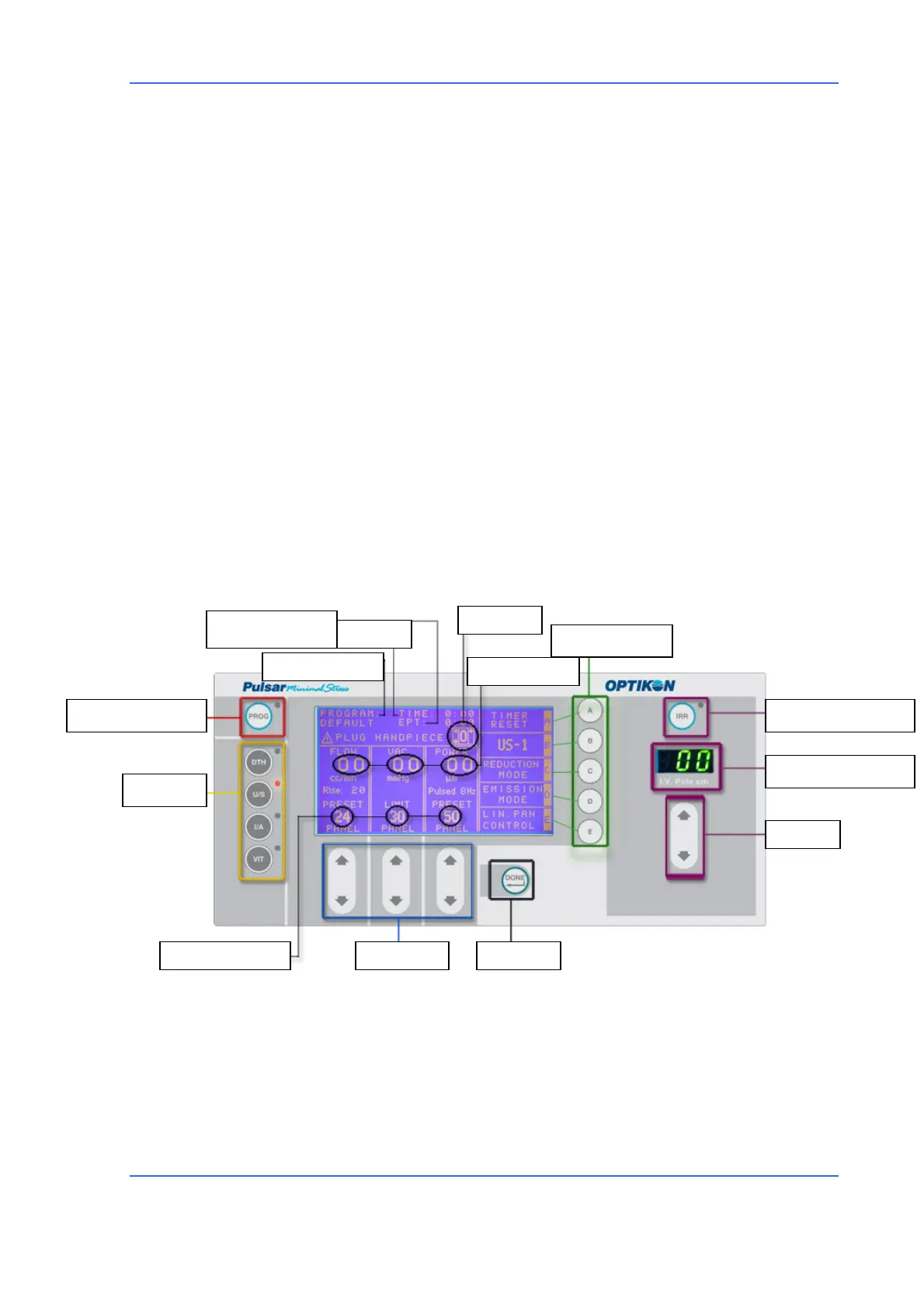
The PULSAR system's user interface is structured so as to be easily understandable.
On the left side of the panel are located the keys for selecting the instrument's four
main functions (DTH = DIATHERMY, U/S = PHACOEMULSIFIER, I/A = IRRIGATION
ASPIRATION, and VIT = VITRECTOMY) as well as the PROG function for storing
programs.
The display is located in the middle of the control panel; it shows the screen for
the selected function each time. The PULSAR unit's user interface was developed so
that the preset and effective values of the parameters are always visible in the
foreground in dedicated windows. To adjust (increase or decrease) a specific value,
the user must press the arrow keys <UP> and <DOWN> located at the bottom of the
display next to the fields to be modified. Once the parameter's values or the
functioning modes have been modified, an asterisk will appear next to the program
name to indicate that the program has been modified.
For a better explanation of user interface glossary and layout see following figure.
Function screen
The <DONE> key allows the instrument to return to the standard view mode. The
letters to the right of the display make it possible to modify the instrument's
settings. The box to the right of the control panel regards the settings of the BSS
bottle, the IRR key makes it possible to have continuous irrigation (the illuminated
CONTINUOUS IRRIGATION
PRESET VALUES ARROW KEYS ENTER
I.V. POLE HEIGHT
I.V. POLE
CURRENT VALUES
FOOTSWITCH
PROGRAMS MANAGEMENT
FUNCTIONS
SUB-FUNCTIONS
U/S TIME
PROGRAM NAME
U/S EQUIVALENT TIME



 To Next Page