PULSAR Minimal Stress Installation and operating Manual
OPTIKON 2000
Cod. 111001EN 2012-02-16 Rev.J
8-21
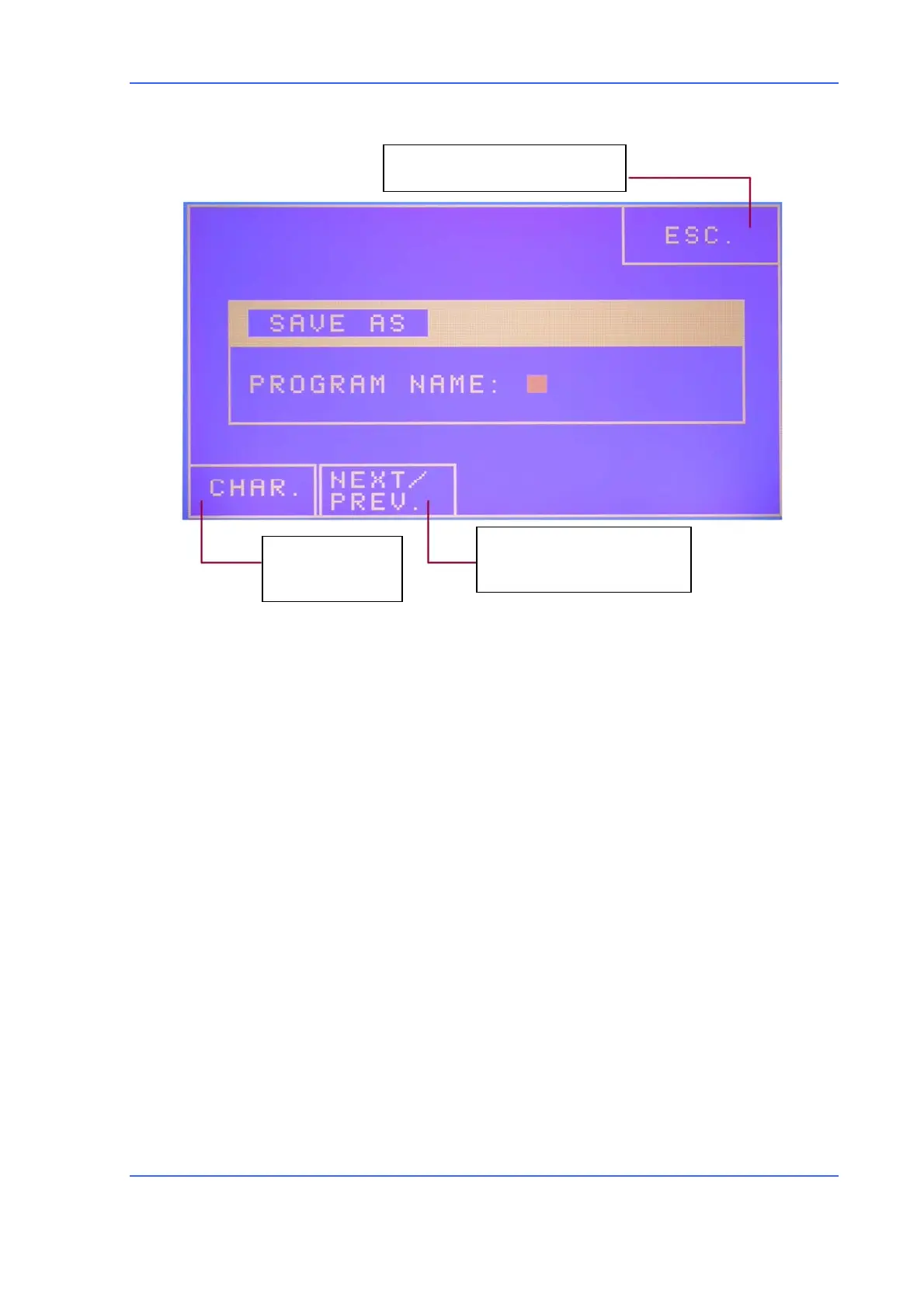
SAVE AS box
Set the name using the <UP> arrow keys next to the "CHAR" and "NEXT/PREV."
windows. The "CHAR" key allows you to change the letter and the "NEXT/PREV." key
allows you to advance to the next letter. Lastly press <DONE>; a window will
appear informing you that it has been saved. Press <DONE> to return to the
programs area.
To load a different program from the one that is set, select it using the arrow keys
next to the programs area and press "LOAD" key <C>.
To undo all the modifications made to the active program's parameters, press
"UNDO" key <D>.
To permanently delete a program on the list, first select it using the arrow keys
near the programs area. After you have selected the program that you would like to
delete, press "DELETE" key <E>.
The PULSAR unit can be programmed to use footswitch 112101. The footswitch can
be used in single or double linear (for right-handed and left-handed people), MMP,
and IVP modes.
To set a different pedal, from the FTSWTCH box select the desired pedal by means
of the <UP> and <DOWN> arrow keys on the front panel next to the pedals window
Character
selection
Next/previous cursor
position
Exit without saving



 To Next Page