EasyManua.ls Logo

Optimus STA-795 - Adjusting the Sound; Balance; Bass and Treble

Optimus STA-795
20 pages
Print Icon
To Next Page IconTo Next Page
To Previous Page IconTo Previous Page
Loading...
ADJUSTING
THE
SOUND
Use
the
following
information
to
adjust
the
sound
to
suit
your
listening
preferences.
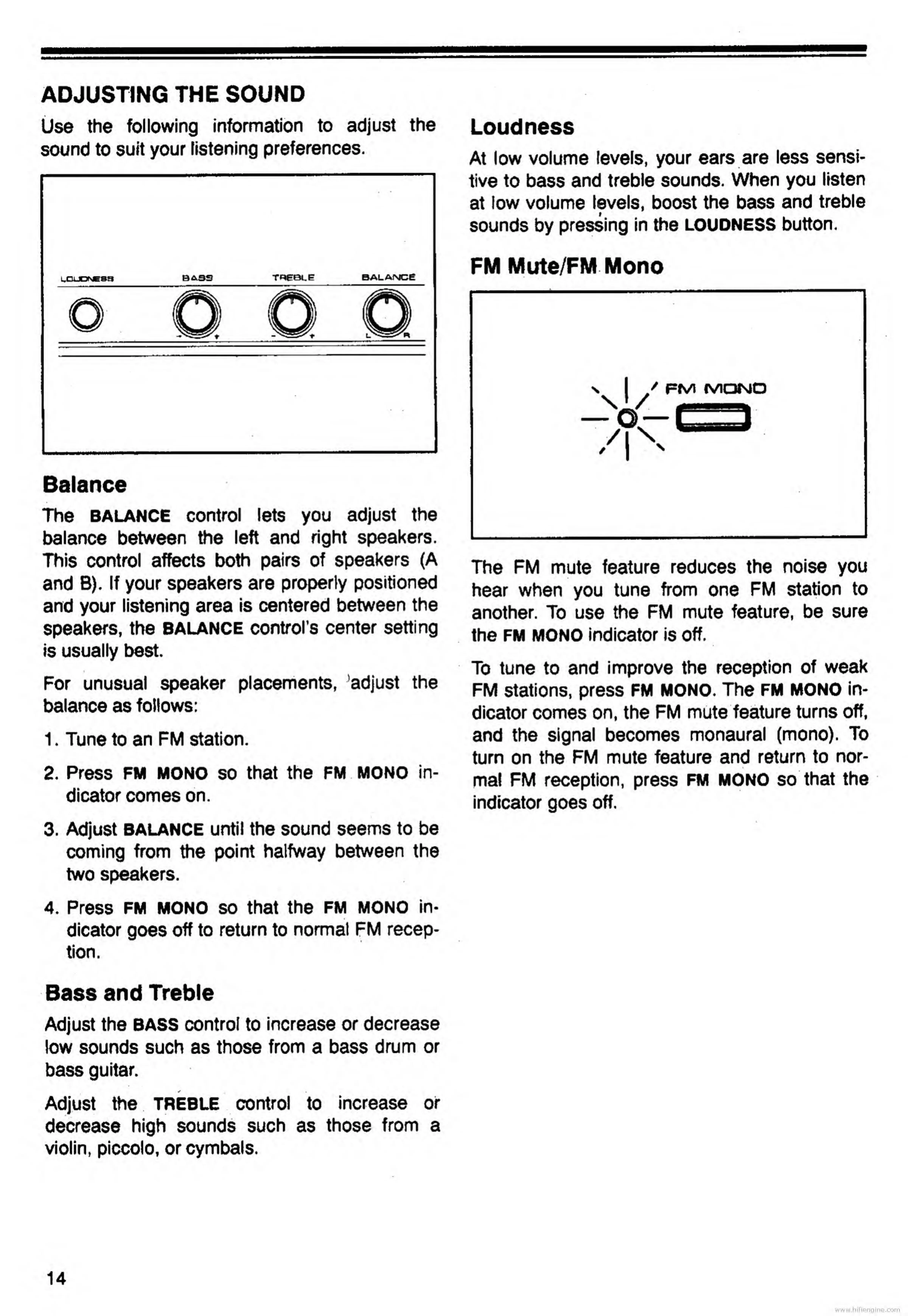
Balance
The
BALANCE
control
lets
you
adjust
the
balance
between
the
left
and
right
speakers.
This
control
affects
both
pairs
of
speakers
(A
and
B).
If
your
speakers
are
properly
positioned
and
your
listening
area
is
centered
between
the
speakers,
the
balance
control’s
center
setting
is
usually
best.
For
unusual
speaker
placements,
’adjust
the
balance
as
follows:
1.
Tune
to
an
FM
station.
2.
Press
FM
MONO
so
that
the
FM
MONO
in¬
dicator
comes
on.
3.
Adjust
BALANCE
until
the
sound
seems
to
be
coming
from
the
point
halfway
between
the
two
speakers.
4.
Press
FM
MONO
so
that
the
FM
MONO
in¬
dicator
goes
off
to
return
to
normal
FM
recep-
S
tion.
Loudness
At
low
volume
levels,
your
ears
are
less
sensi¬
tive
to
bass
and
treble
sounds.
When
you
listen
at
low
volume
levels,
boost
the
bass
and
treble
sounds
by
pressing
in
the
LOUDNESS
button.
FM
Mute/FM
Mono
l
fs/lONO
The
FM
mute
feature
reduces
the
noise
you
hear
when
you
tune
from
one
FM
station
to
another.
To
use
the
FM
mute
feature,
be
sure
the
FM
MONO
indicator
is
off.
To
tune
to
and
improve
the
reception
of
weak
FM
stations,
press
FM
MONO.
The
FM
MONO
in¬
dicator
comes
on,
the
FM
mute
feature
turns
off,
and
the
signal
becomes
monaural
(mono).
To
turn
on
the
FM
mute
feature
and
return
to
nor¬
mal
FM
reception,
press
FM
MONO
so
that
the
indicator
goes
off.
Bass
and
Treble
Adjust
the
BASS
control
to
increase
or
decrease
low
sounds
such
as
those
from
a
bass
drum
or
bass
guitar.
Adjust
the
TREBLE
control
to
increase
of
decrease
high
sounds
such
as
those
from
a
violin,
piccolo,
or
cymbals.
www.hifiengine.com

Related product manuals