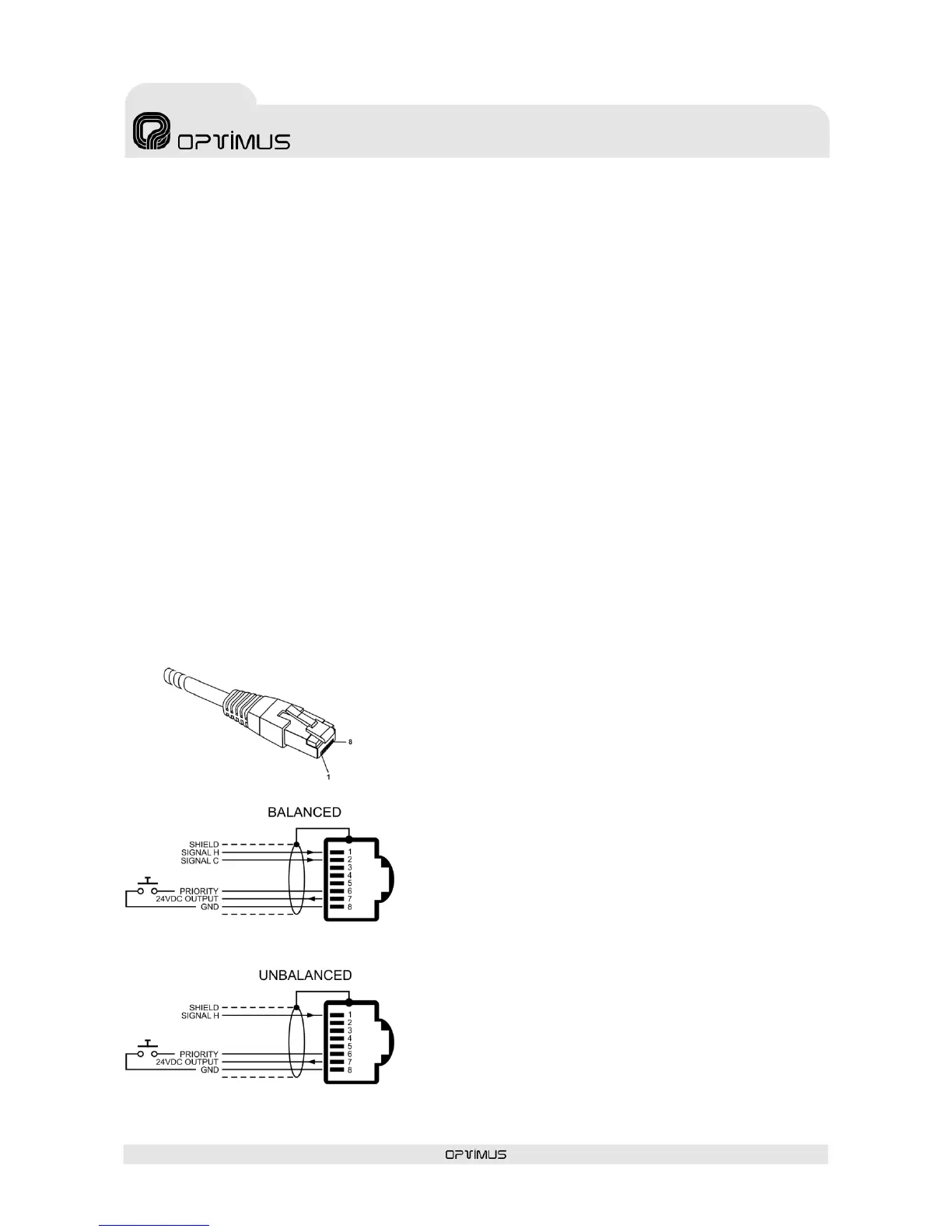
Pin 1: Audio H (hot).
Pin 2: GND
Pin 3: Acknowledge. Allows synchronisation with
external desks (MD-94 family).
Pin 4: Not used
Pin 5: Not used
Pin 6: Priority contact. Priority is activated when pin
number 6 is connected to pin number 8.
Pin 7: Supplies a voltage of 24 V DC that can be used
to power low consumption devices. The maximum
current supplied is 200 mA.
Pin 8: GND
To be able to view these alarms, it is necessary to enable their reception through the P.A. Manager
software. To do this:
1. From the installation screen, open the Options menu and select Alarms Management.
2. On the list of UP-ETH alarms, enable the Emerg. Contact Surveillance, Evac. Contact
Surveillance and Warning Contact Surveillance alarms.
3. Open the File menu and select Save.
4. Open the Optimax menu and select Send configurations to all Optimax equipments.
4.14. Priority input (PRIORITY IN)
Unbalanced analog input with an RJ45 connector and a sensitivity of 0 dBu (775 mV).
It has a priority contact which is activated by connecting pin no. 6 to pin no. 8 of the connector. When
this contact is activated, any signal of a lower priority level is cut off and priority is given to the PRIORITY
IN input, while the paging security auxiliary relay is activated at the same time.
This input is particularly suitable for receiving local announcements (e.g. a microphone with a speech
preference button…).
Cat 5 STP cable must be used for its connection.


 To Next Page