6.7.1. Emergency input surveillance
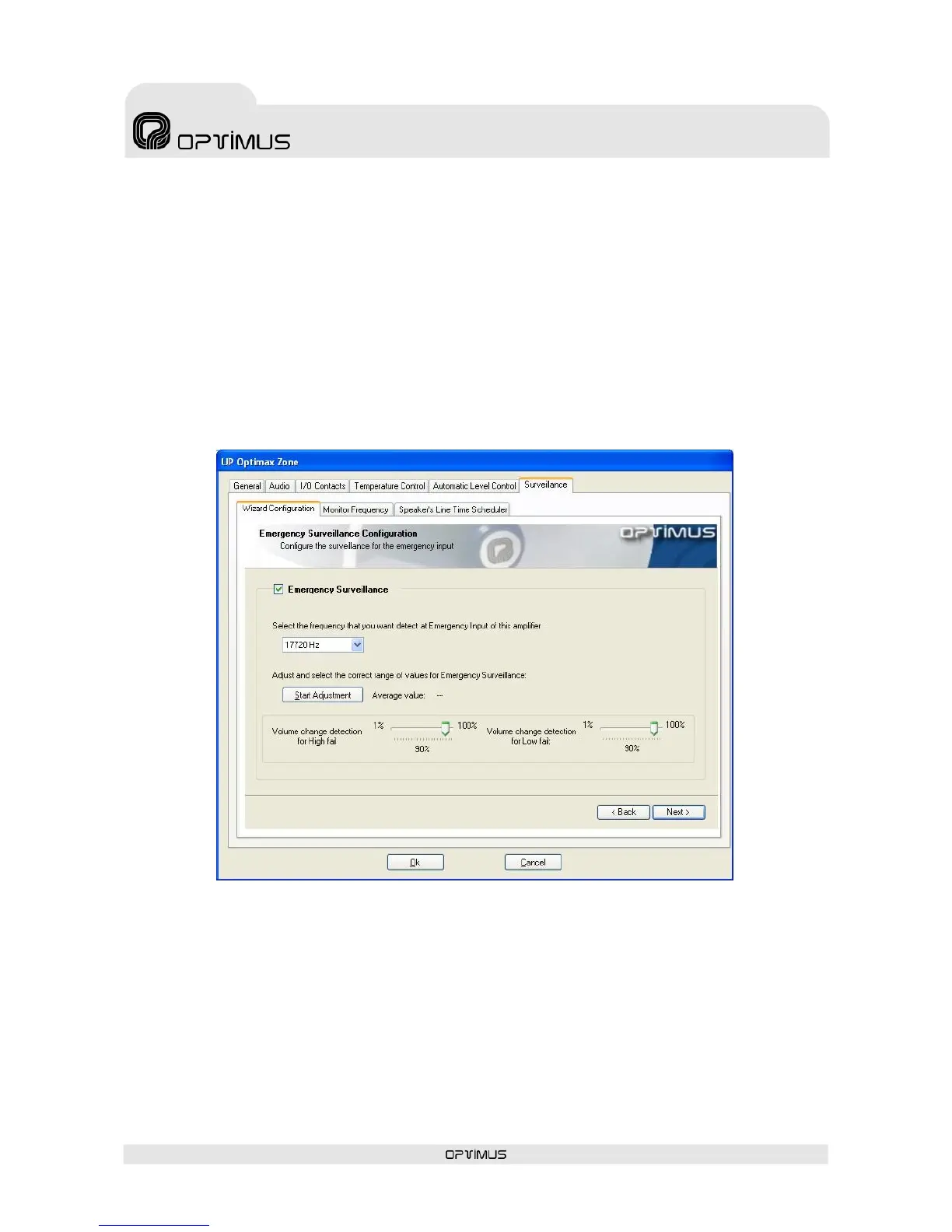
If emergency input surveillance is not required of the unit, click on Next (1).
If you require emergency input surveillance, tick the check box (2) and select a frequency that you
want detect at Emergency Input of this amplifier (3).
Click on the button Start Adjustment (4).
The sliding controls (5) and (6) allow you to set the margin of variation of any volume that may affect
the emergency input, that is to say, how much the volume of the emergency signal can be varied without
affecting surveillance.
Normally, critical path detection is made in all or nothing mode, and so margins of 90% are
recommended.
Once the setting has been made, click on Next (1).


 To Next Page