8. OPERATIONS FROM THE P.A. MANAGER SOFTWARE
Once the installation has been configured, from the Operator screen of the P.A. Manager software it is
possible to modify some parameters corresponding to the digital power unit through the zone selection
button.
8.1. Setting the zone volume
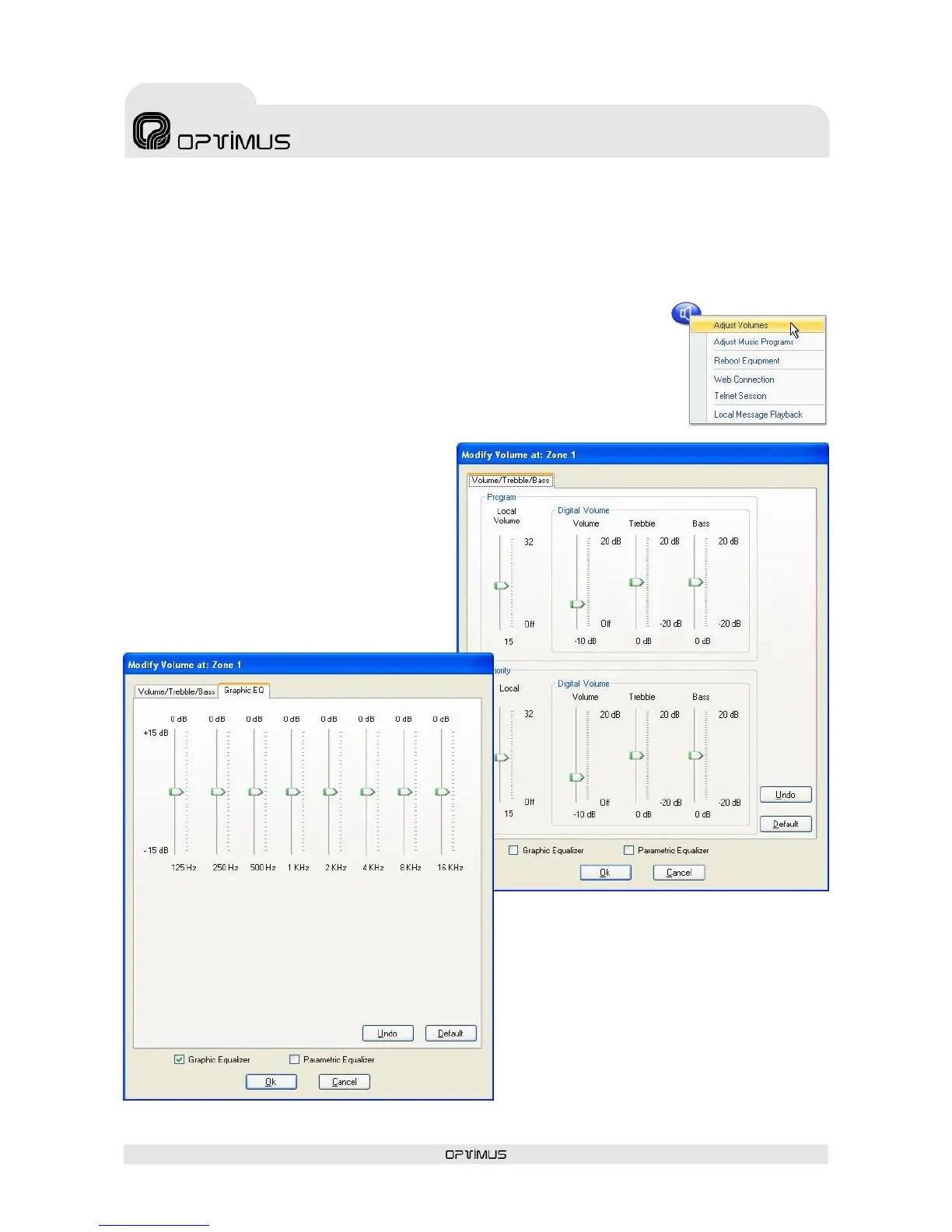
1. Right-click with the mouse on the zone selection button and select the
option Adjust Volumes (1).
2. Move the volume controls to the desired position.
3. Click on OK (2).
8.2. Activation and setting of
the graphic equaliser
1. Right click with the mouse on the zone
selection button and select the option Set
Volume (1).
2. Tick the Graphic Equaliser check box (3).
3. Click on the Graphic EQ tab (4) and
configure the parameters of the equaliser.
4. Click on OK (5).


 To Next Page