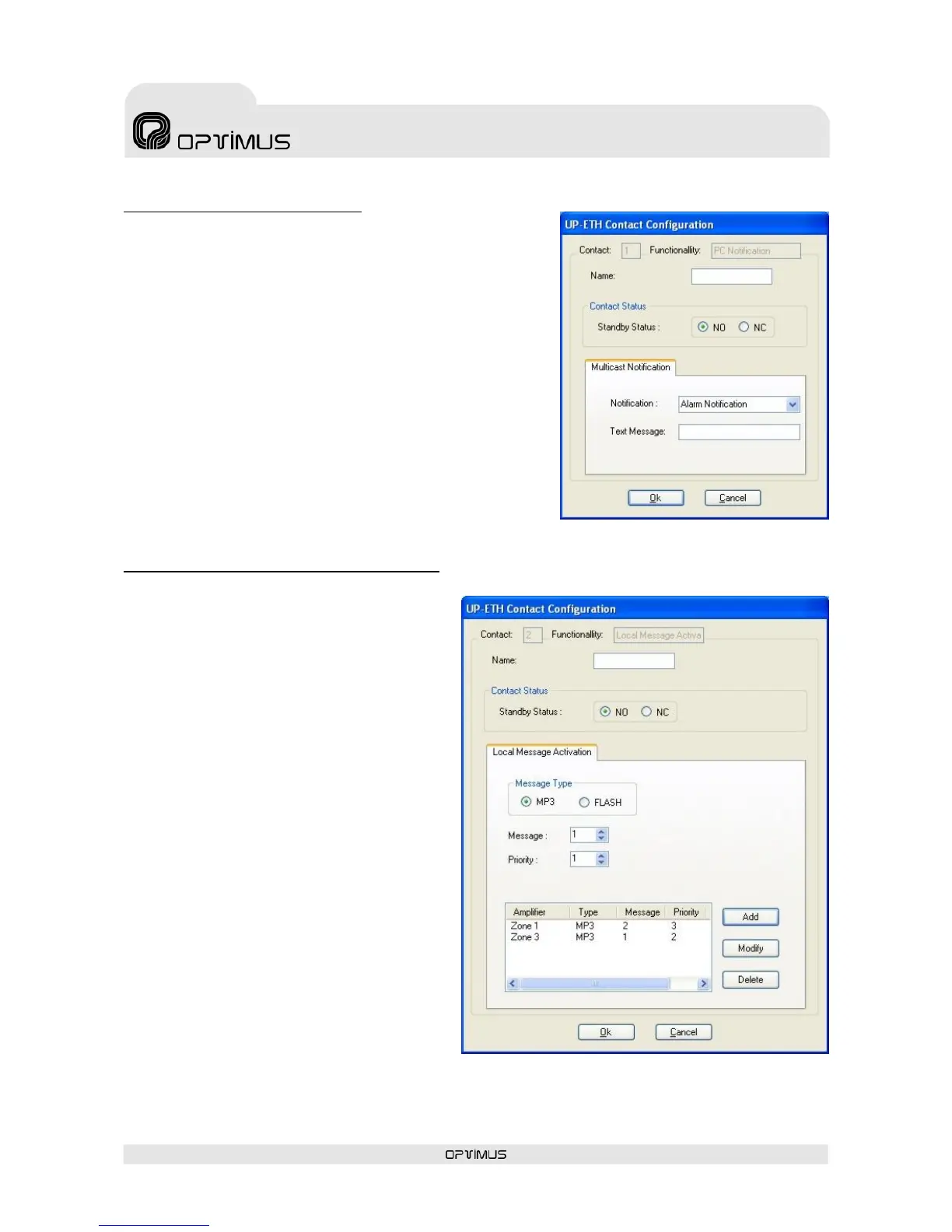
1. Input contact: PC Notification
When the contact is activated, a text message is sent through
the IP connection towards the different units in the installation
that have the capacity to receive it (FC-600ETH, DC-600ETH,
DVA-102ETH, UMX-02/0, control computer…).
(1) Name. Enter a name to identify the contact.
(2) Contact Status. Defines the standby status of the contact
(NO: Contact normally open; NC: Contact normally closed).
Variation in this status will result in PC notification.
(3) Notification. Do not modify the option Alarm
Notification.
(4) Text Message. Enter the text that you wish to be shown
when the contact is activated. Maximum of 50 characters.
2. Input contact: Local message Activation
When the input contact is activated, a pre-
recorded message from the MP3 memory or the
Flash memory of the amplifier is activated. The
message is played locally.
When this contact is activated, it is also possible
to activate local pre-recorded messages from
other ETH amplifiers via IP.
(1) Name. Enter a name to identify the
contact.
(2) Contact Status. Defines the standby
status of the contact (NO: Contact normally
open; NC: Contact normally closed). Variation
in this status will result in PC notification.
(3) Message Type. The amplifier has two
internal memories in which files can be stored
for subsequent use as local pre-recorded
messages: MP3 Memory and Coldfire Flash
Memory. Select the memory in which the
message is located.
(4) Message. Number of the message that will
be played when the contact is activated.
(5) Priority. Priority level of the message with
respect to the other signals that the power unit
has to reproduce.
(6) Add button. This is used to create a list of
ETH amplifiers which will play their own
prerecorded message locally if this input contact
is activated.


 To Next Page