EP776 Series/EP782 Series
Condential
4-14
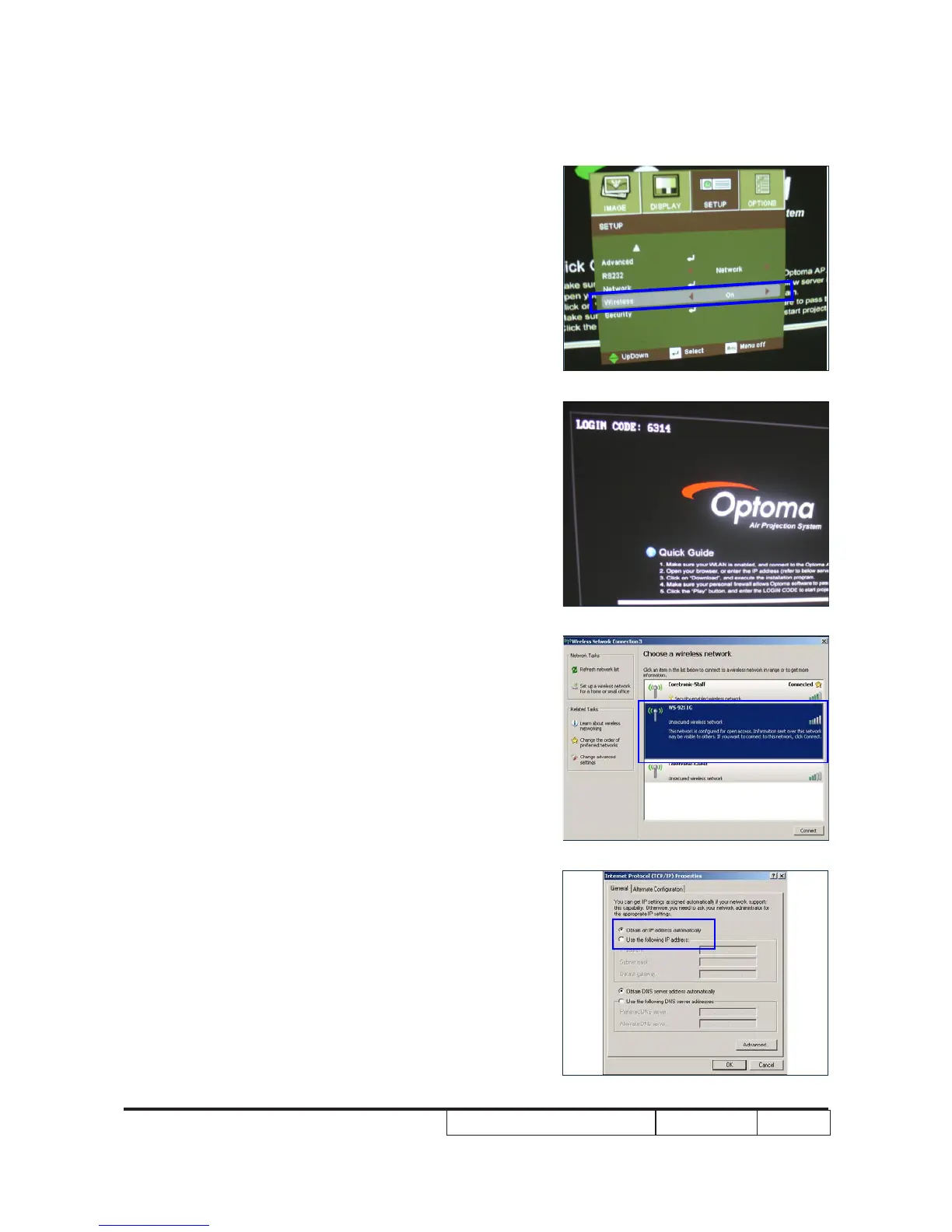
- If the Wireless is “off” ,we must use the Left or
Right button to change it “On”.
- Press “menu” to Exit
- Press “source” button until the screen show
Wireless Logo
2. PC Setting
- Open the “Wireless Network connection”
- Select “WS-9211G”
- Set “Obtain an IP address automatically”
A



 To Next Page