EX556/ES556/EW556/ES555/EX555
Condential 2-3
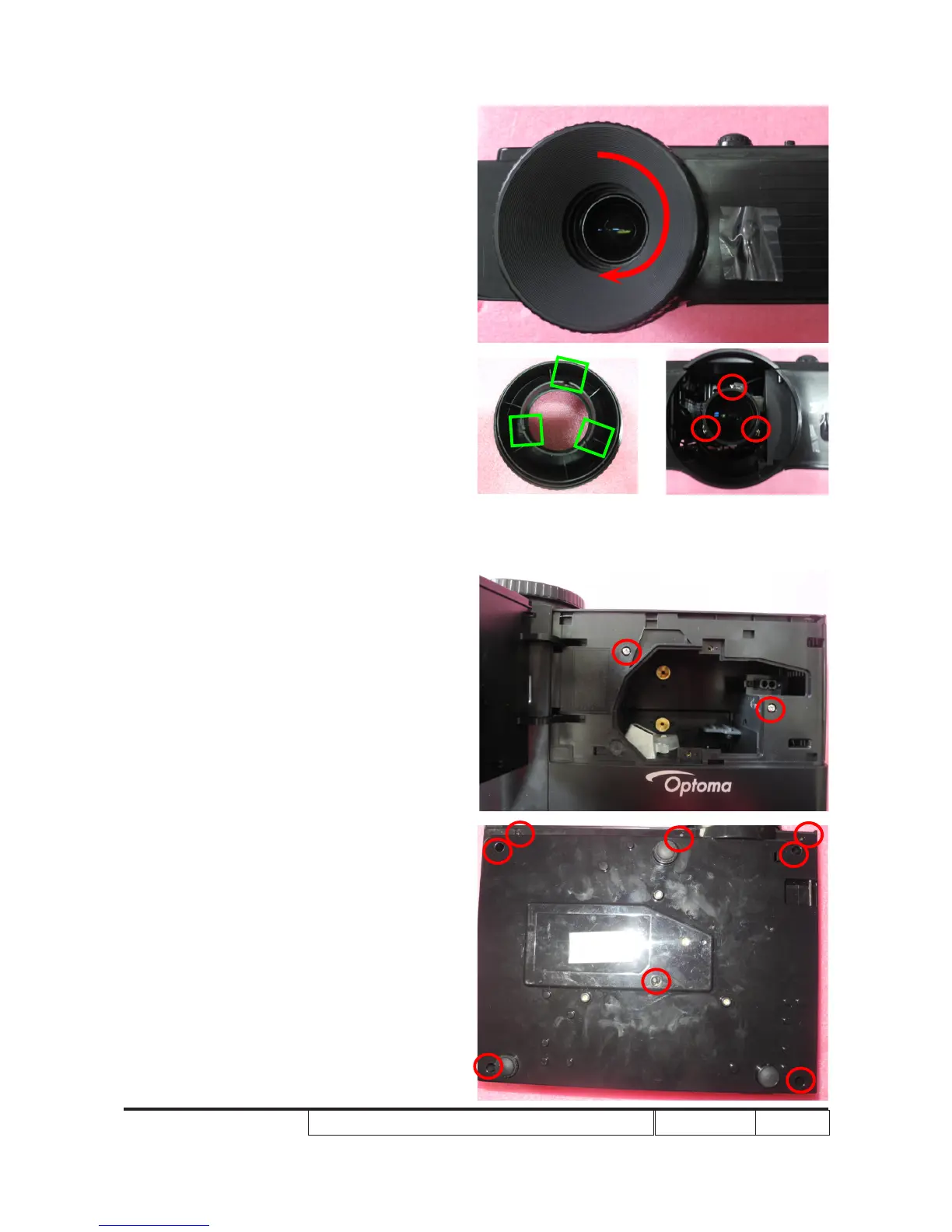
2-2-3 Disassemble Top Cover
Module
2-2-2 Disassemble Focus
Ring
1. Rotate the Focus Ring clockwise until
you cannot rotate any more (as red arrow
direction).
2. Pull out the Focus Ring.
Note: - When you assemble the Focus
Ring, ensure the 3 card slot (as
green square) placed in the 3
double-screw bolt (as yellow circle)
properly, and the Focus Ring can
be well adjusted.
1. Unscrew 2 screws (as red circle) from
the top cover.
2. Unscrew 8 screws(as red circle) from
bottom cover.



 To Next Page