EX556/ES556/EW556/ES555/EX555
Condential 2-4
2-2-4 Disassemble Lamp
Cover
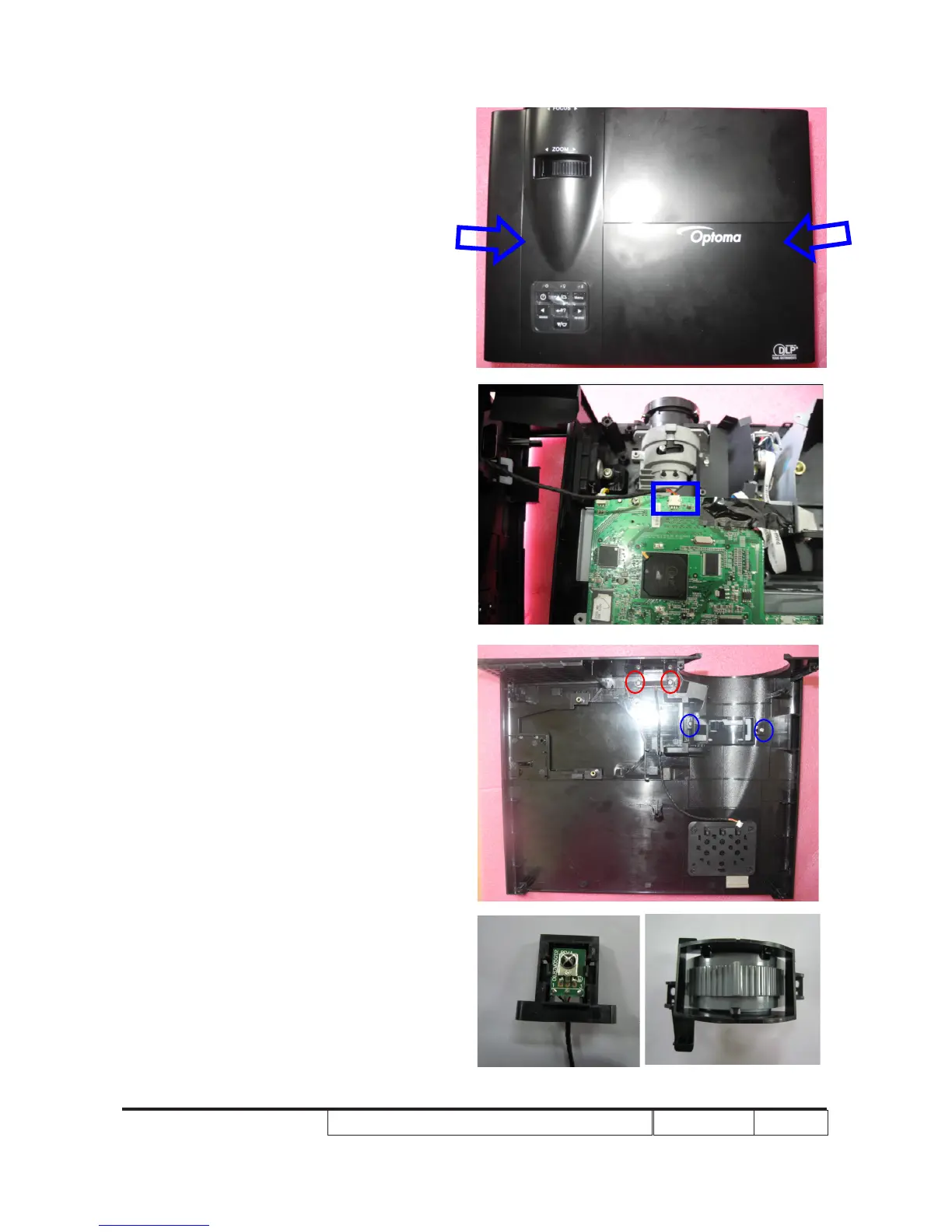
1.Unscrew 2 screws (as red circle) to
disassemble the IR sensor and IR sensor
board.
2. Unscrew 2 screws (as blue circle) to
disassemble the Zoom Ring.
3. Press two sides of the projector as the blue
arrows point.
4. Unplug 1 connector (as blue square),then
remove the Top Cover Module.



 To Next Page