Condential
4-10
EX556/ES556/EW556/ES555/EX555
4-6 Factory Fan RPM
After replacing main board, blower or upgrading
the rmware, please follow steps as below:
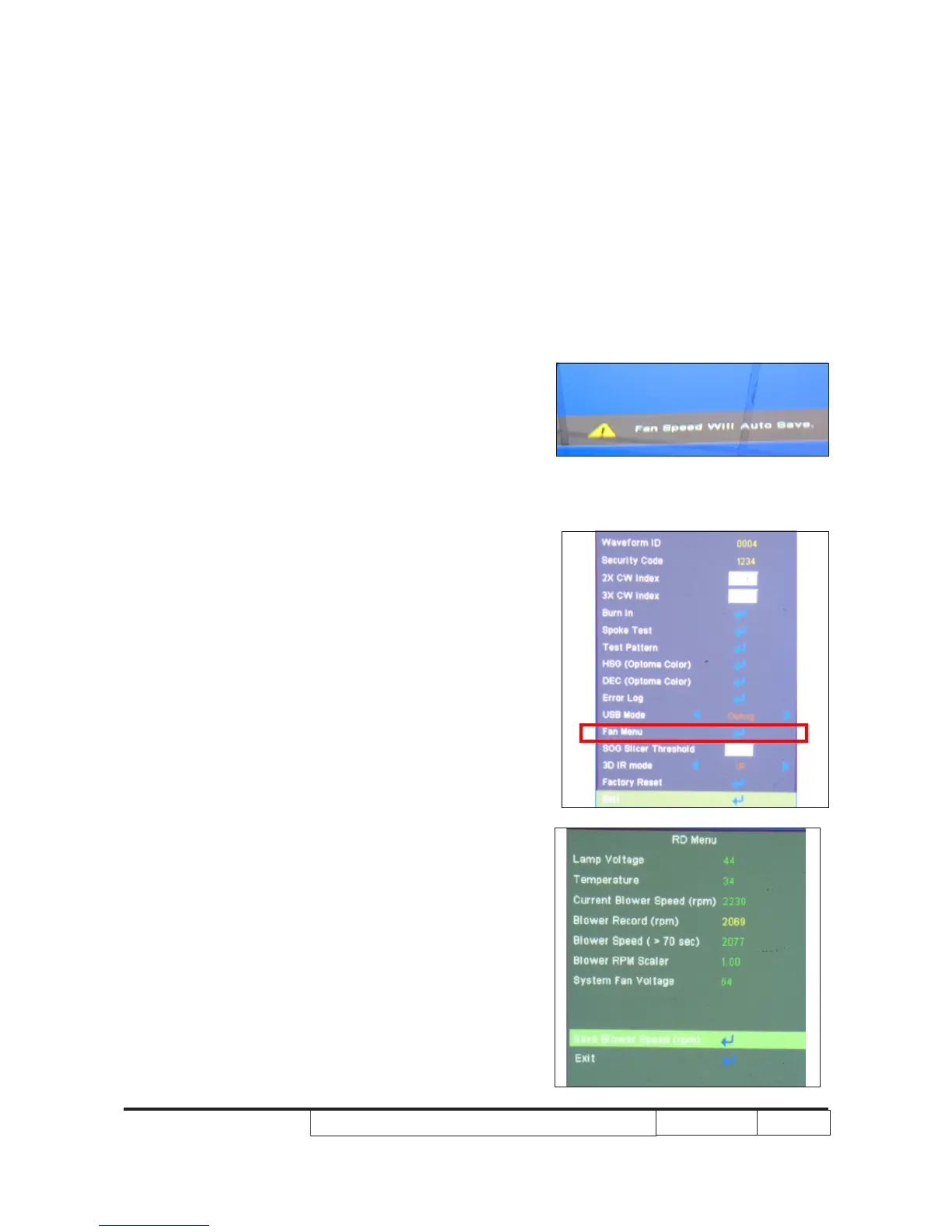
1.Power on the projector,after the “Logo” disappeared,then
press “power”,”left” ”left” “right”,the picture A will show.
2.Wait a moment, please get into service mode,select the
“Fan Menu” ,then enter it to check to check the “Blower
Factory RPM” .
Note:
- If the Factory FAN RPM Value doesn’t show in
service mode, please repeat the step again.
- Make sure the “Blower record (rpm) “is 2000-3400.
Picture A
2. OSD Reset
After nal QC step, we have to erase all saved
change again and restore the OSD default setting.
The following actions will allow you to erase all end-
users' settings and restore the default setting:
(1) Please enter OSD menu.
(2) Choose "Option" and then execute "Reset"
function



 To Next Page