EN-10
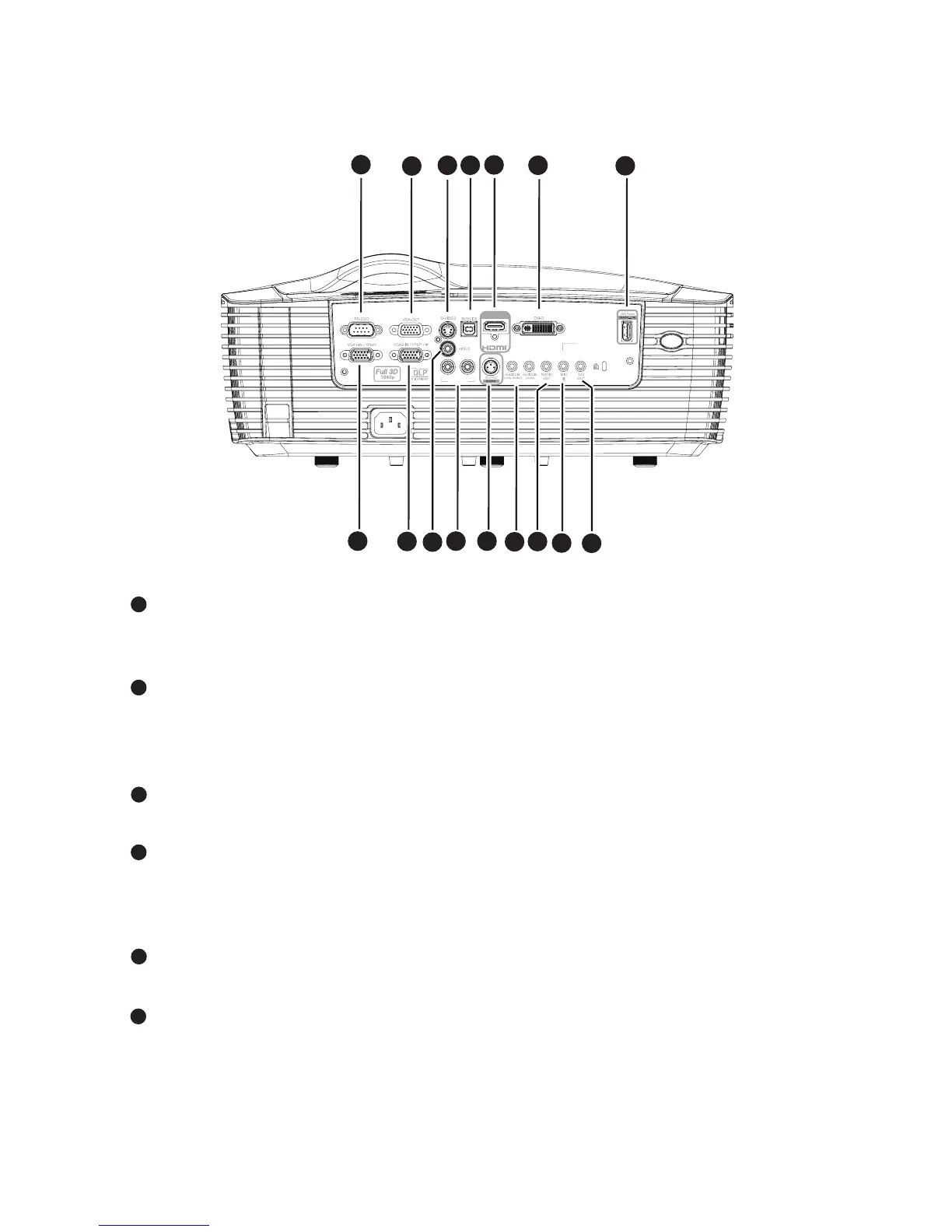
Connection Ports
RS-232C
When operating the projector via a computer, connect this to the
controlling computer's RS-232C port.
VGA-OUT
Connect to an external monitor.
In Eco mode (Standby), VGA-OUT is disabled.
In Active mode (Standby), VGA-OUT is enabled.
S-VIDEO
Connect S-Video output from video equipment to this jack.
MOUSE/SERVICE
This connector supports firmware update, remote mouse and page up/
down.
Remote mouse function is not available in some models.
HDMI
Connect HDMI output from video equipment to this jack.
DVI-D
Connect DVI-D output from computer to this jack.
RL
(S-VIDEO/VIDEO)
HDMI 1
AUDIO3-IN
1
2
3
5
4
6
7
10
11
13
14
15
16
8
9
12
1
2
3
4
5
6


 To Next Page