EN-12
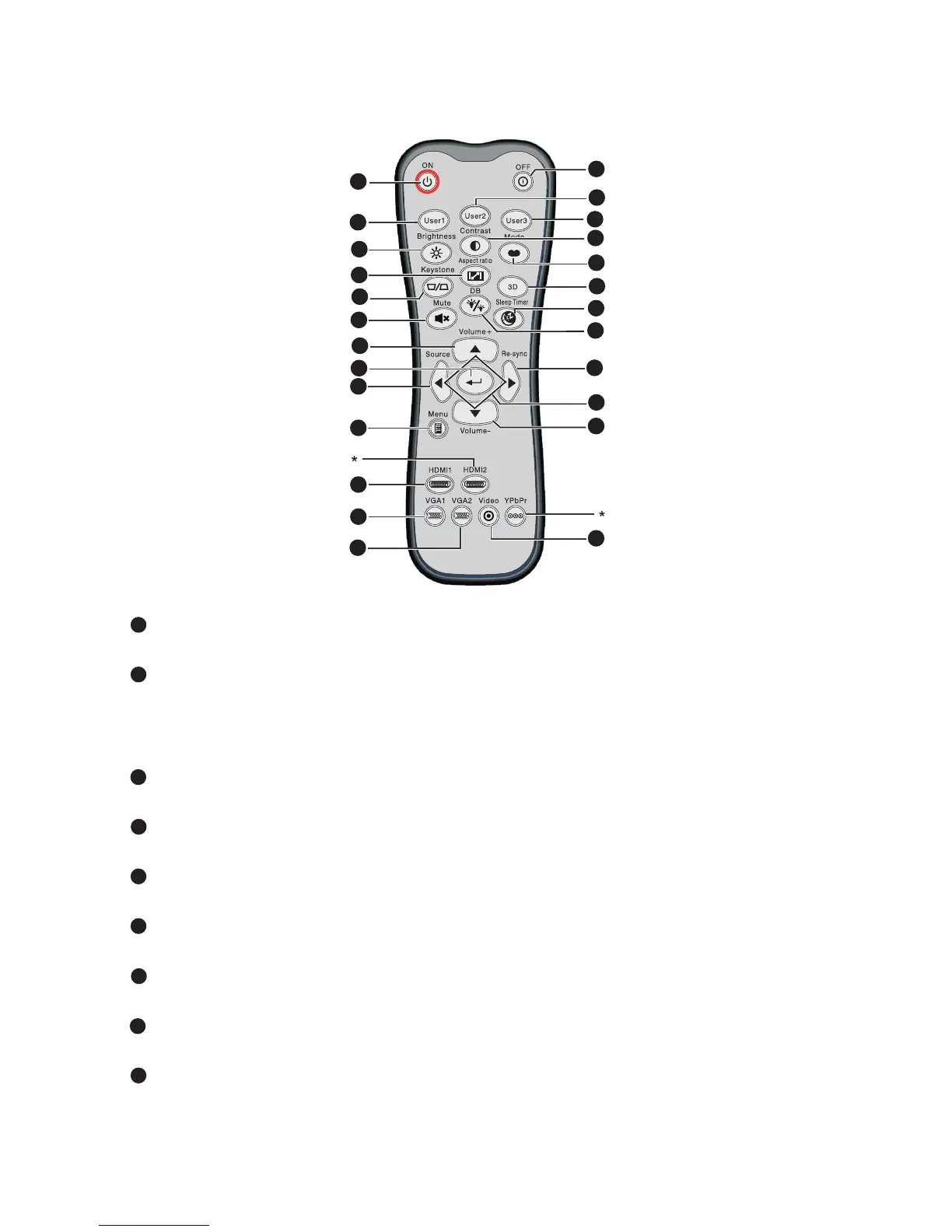
Remote Control
ON
Turn the projector on.
User1
User definable key for customized functions including DVI-D/S-VIDEO/
Color Settings/Color Temp./Gamma/Test Pattern/AV Mute. Default is
Color Settings.
Brightness
Display the setting bar for adjustment of brightness.
Aspect Ratio
Toggle to switch the display aspect ratio.
Keystone (+/-)
Manually correct distorted images resulting from an angled projection.
Mute
Cut off the sound temporarily.
Volume+/Volume-
Adjust the volume level.
Enter
Confirmed selections.
Source
Switch between input signals.
7
4
1
3
2
10
5
6
8
9
11
12
13
14
15
16
17
18
19
20
21
22
23
7
24
1
2
3
4
5
6
7
8
9



 To Next Page