EN-24
Adjusting the Projector Height
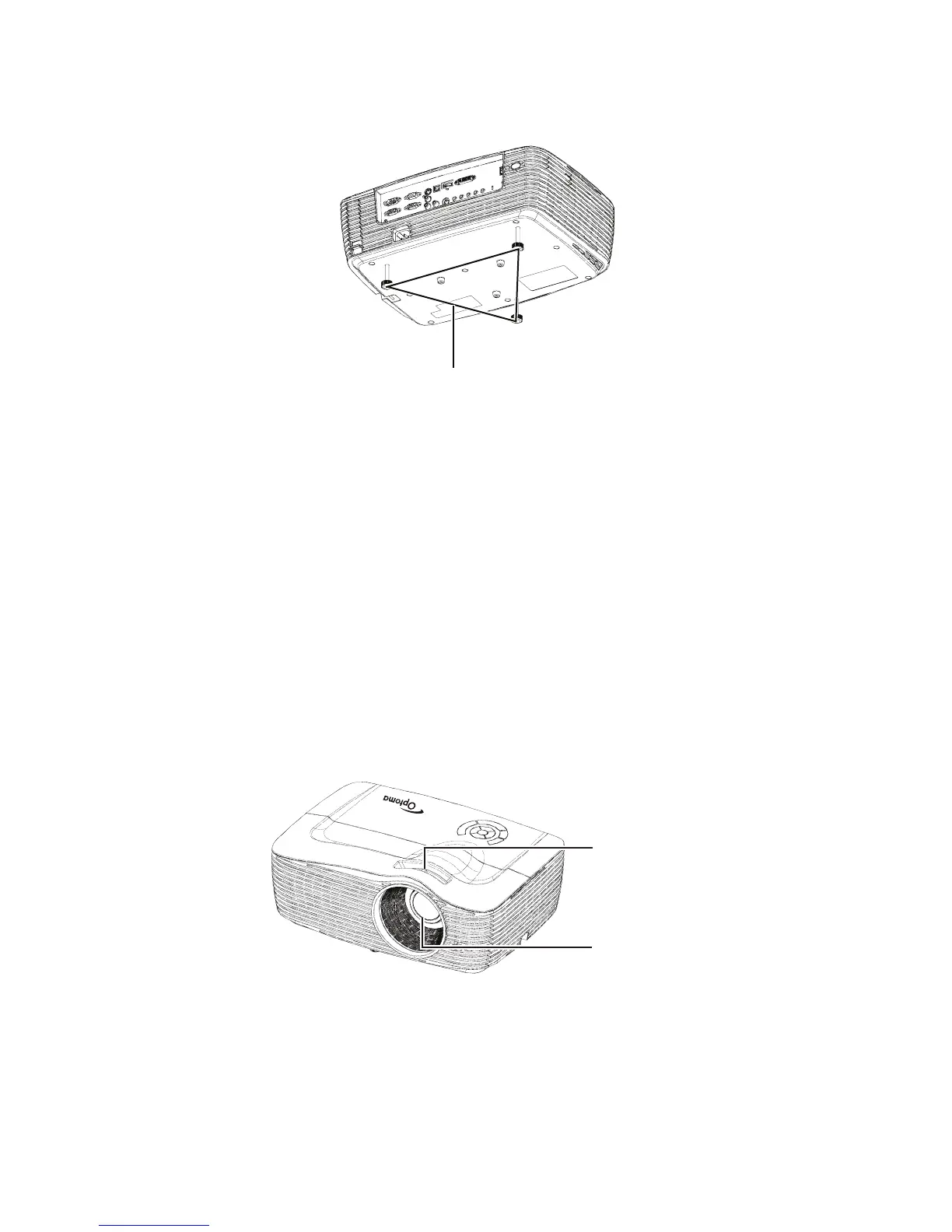
The projector is equipped with three adjustment feet to adjust the image
height.
1. To raise or lower the image, turn the front adjustment foot.
2. To level the image on the screen, turn the rear adjustment feet to fine-
tune the height.
Note
To avoid damaging the projector, make sure that the adjustment feet are fully
retracted before placing the projector in its carrying case.
Adjusting the Projector Zoom and
Focus
1. Focus the image by rotating the focus ring. A still image is recommended
for focusing.
2. Adjust the image size by rotating the zoom ring.
Adjustment feet
Focus ring
Zoom ring


 To Next Page