EN-49
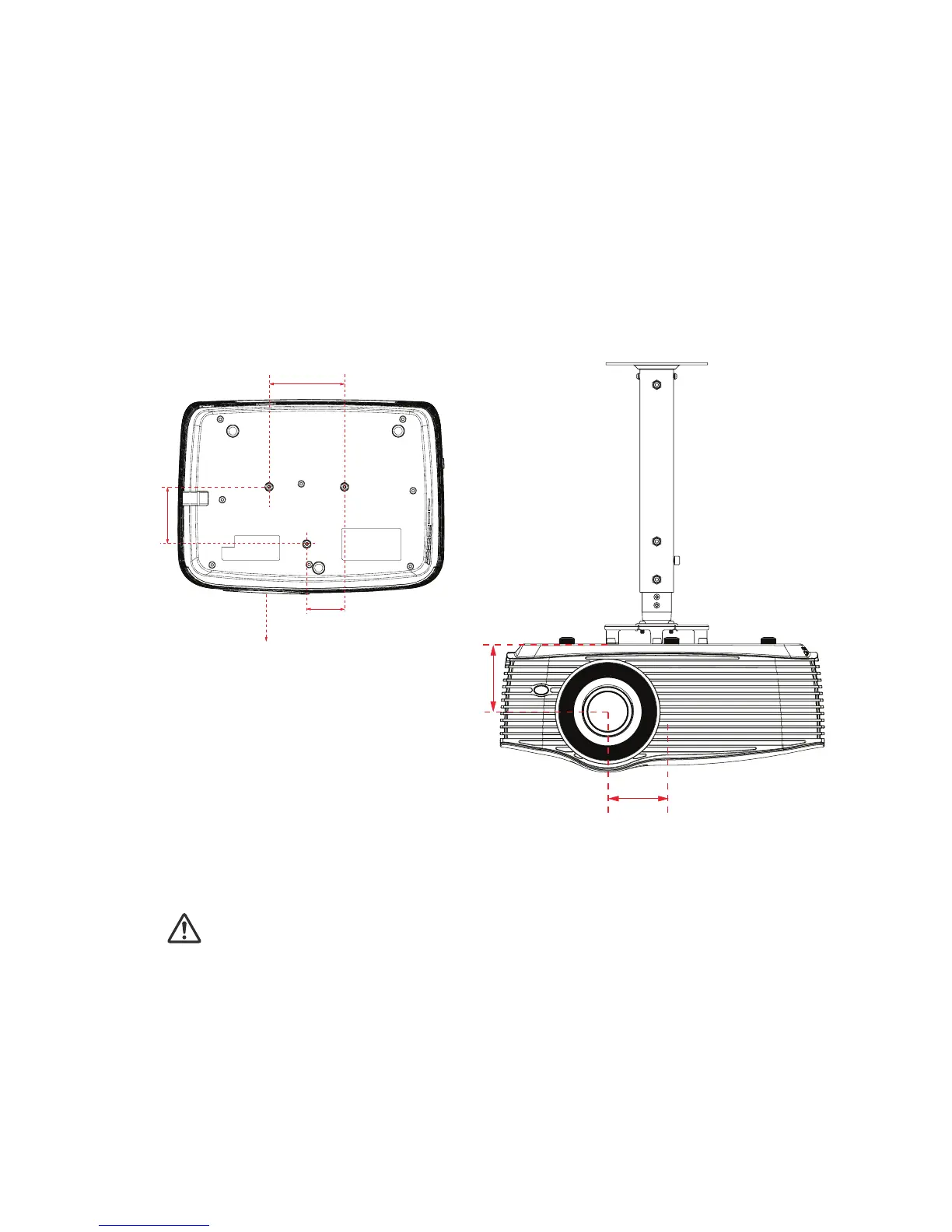
Ceiling mount installation
1. To prevent damage to your projector, please use the Optoma ceiling
mount.
2. If you wish to use a third party ceiling mount kit, please ensure the
screws used to attach a mount to the projector meet the following
specifications:
Screw type: M4*3
Maximum screw length: 10mm
Minimum screw length: 8mm
Note
Please note that damage resulting from incorrect installation will void the warranty.
Warning
1.If you buy a ceiling mount from another company, please be sure
to use the correct screw size. Screw length will vary depending on
the thickness of the mounting plate.
2.Be sure to keep at least 10 cm gap between the ceiling and the
bottom of the projector.
3.Avoid installing the projector near a heat source.
55
82.3
55
110
Unit: mm
Lens
65.04
80.89


 To Next Page