EN-20
Connecting Video source devices
You can connect your projector to various Video source devices that provide
any one of the following output sockets:
HDMI
Component Video
S-Video
Video (composite)
You need only connect the projector to a Video source device using just one
of the above connecting methods, however each provides a different level of
video quality. The method you choose will most likely depend upon the avail-
ability of matching terminals on both the projector and the Video source
device as described below:
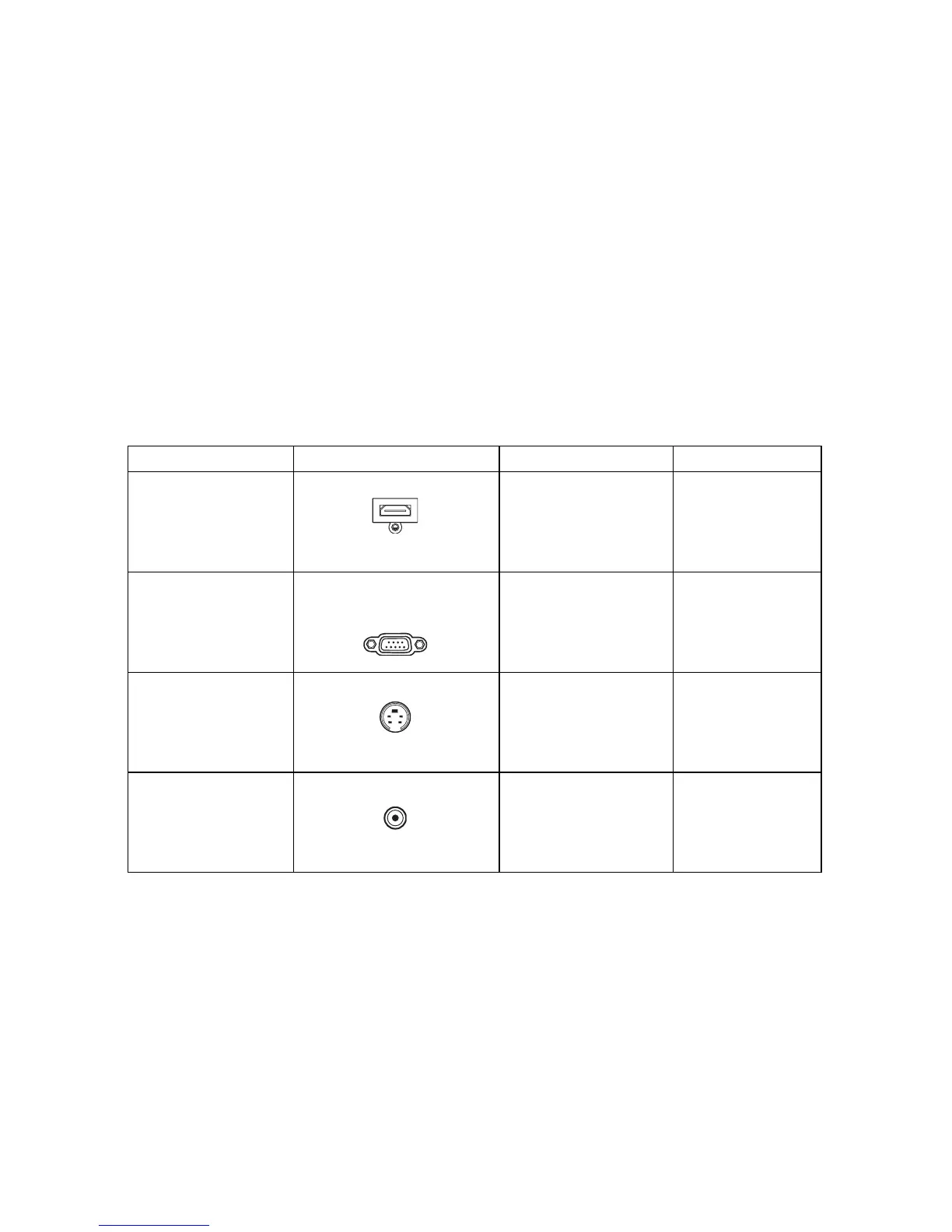
Terminal name Terminal appearance Reference Picture quality
HDMI HDMI “Connecting an
HDMI source
device” on
page 21
Best
Component
Video
VGA1/YPbPr or
VGA2/YPbPr
“Connecting a
Component Video
source device” on
page 21
Better
S-Video S-VIDEO “Connecting an
S-Video source
device” on
page 22
Good
Video VIDEO “Connecting a
composite Video
source device” on
page 22
Normal


 To Next Page