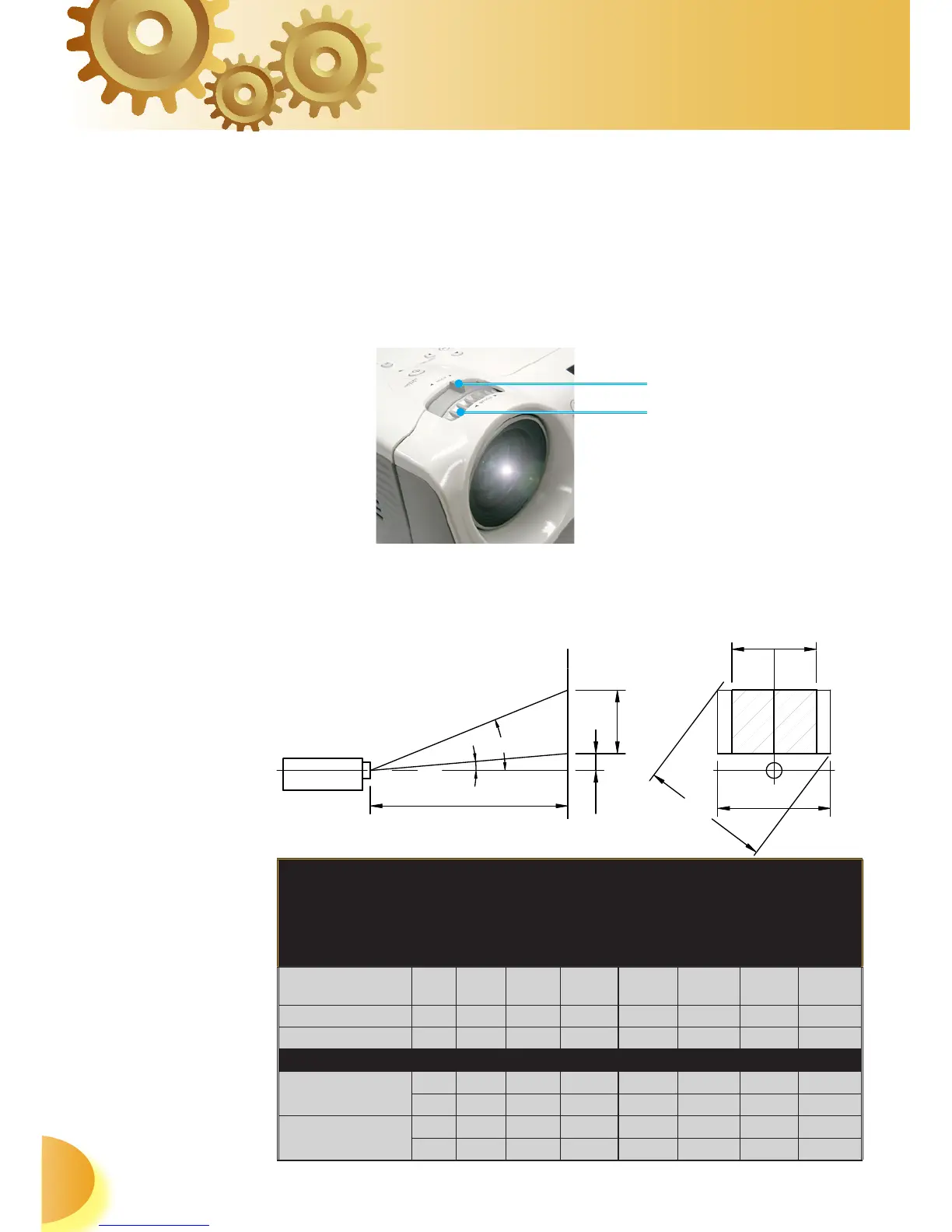
Focus Ring
Zoom Lever
Adjusting the Projector’s Zoom / Focus
Turn the Zoom Lever to zoom in or zoom out. To focus
the image, turn the focus ring until you see a clear image.
The projector will focus at distances from 4.9 to 39.4 feet
(1.5 to 10.0 meters) and the projection screen size from
0.92m~8.857m (36”~349”) at 16:9 mode with mechanical
travel.
Adjusting Projection Image Size
Side View Front View
Throw Ratio (TR)=1.96 as Wide mode
A=8.13°
B
(1280x720)=26.50°
W
0
(1280x720)=L/R
H'=L X tan(A) W
1
(960x720)=W
0
(1280x720) X 0.75
H (1280x720)=W
0
(1280x720) X 0.56 H (960x720)=W
1
(960x720) X 0.75
Display Format A B
L
(cm)
W
(cm)
H
(cm)
H’
(cm)
D
(cm)
D’
(in)
16:9 (1280x720) 8.13 26.50 210 132.83 74.72 30.00 152.4 60.00
4:3 (960x720) 8.13 26.50 210 99.62 74.72 30.00 124.53 49.03
Projection Distance (M) 2.0 3.0 5.0 6.0 7.0 8.0 9.0
Screen Size 16:9
(inch)
Max 57.18 85.77 142.95 171.54 200.12 228.71 257.30
Min 47.55 71.32 118.87 142.65 166.42 190.19 213.97
Screen Size 4:3
(inch)
Max 46.72 70.08 116.80 140.16 163.52 186.88 210.24
Min 38.85 58.28 97.13 116.56 135.98 155.41 174.83



 To Next Page