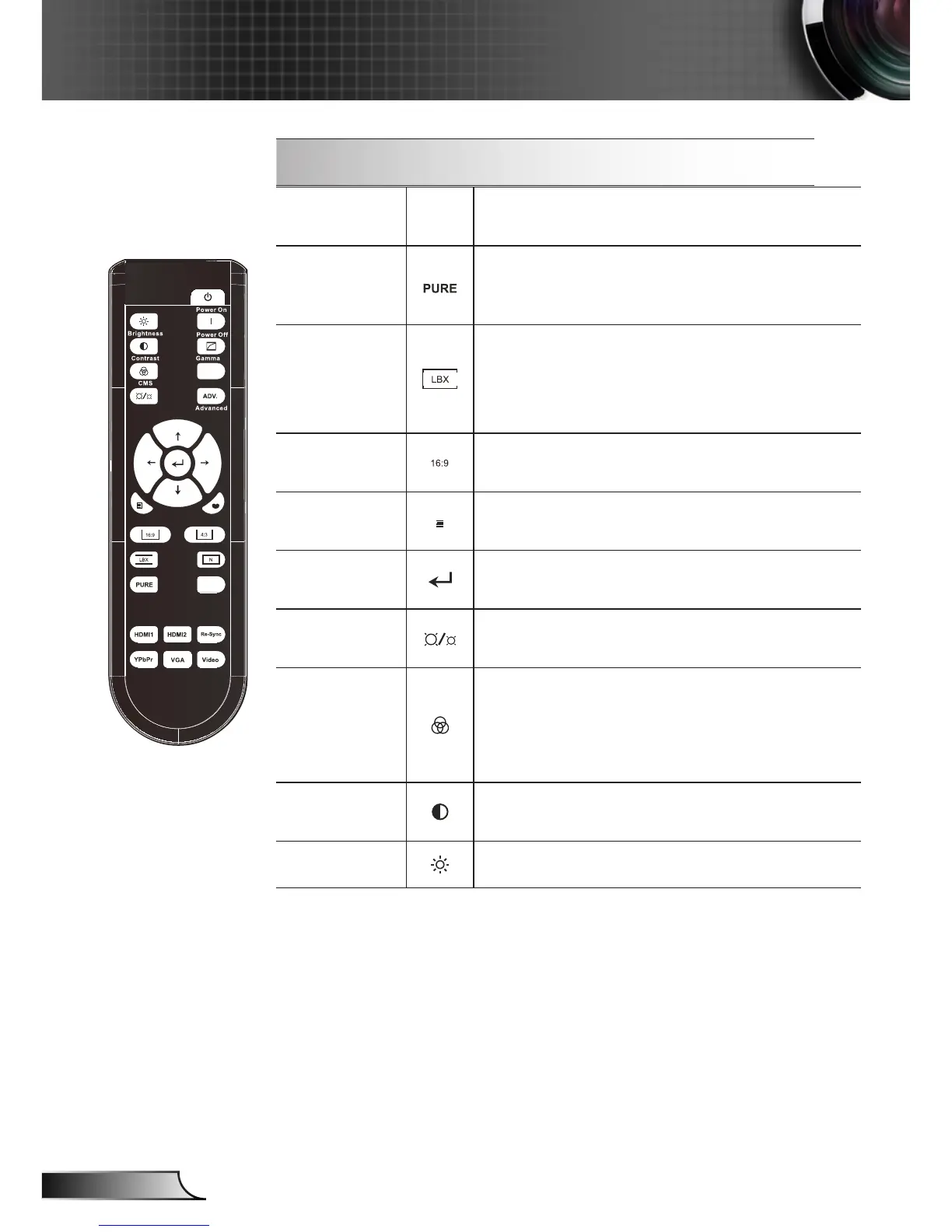
Using the Remote Control
HDMI1
Press “HDM1” to choose source from
HDMI 1 connector.
PureEngine
The PureEngine is a collection of advanced
image processing technologies that enhanc-
es the quality of the displayed image.
LBX
Enable the viewing of the letterboxed nonan-
amorphically enhanced movie at full screen
width. Part of the original image will be lost if
the image aspect ratio is less than 2.35:1.
16:9
Scale the image at a 16:9 (1920x1080)
aspect ratio.
Menu
Display or exit the on-screen display menus
for projector.
Enter
Conrm your item selection.
LED Bright-
ness
Increase/Decrease the luminance of the im-
age. (refer to page 30)
CMS (Color
Manage-
ment Sys-
tem)
Select one of the colors (R/G/B/ C/M/Y) to
adjust its x/y offset and brightness.
Contrast
Control the degree of difference between the
lightest and darkest parts of the picture.
Brightness
Adjust the brightness of the image.



 To Next Page