PK201
Condential
6-5
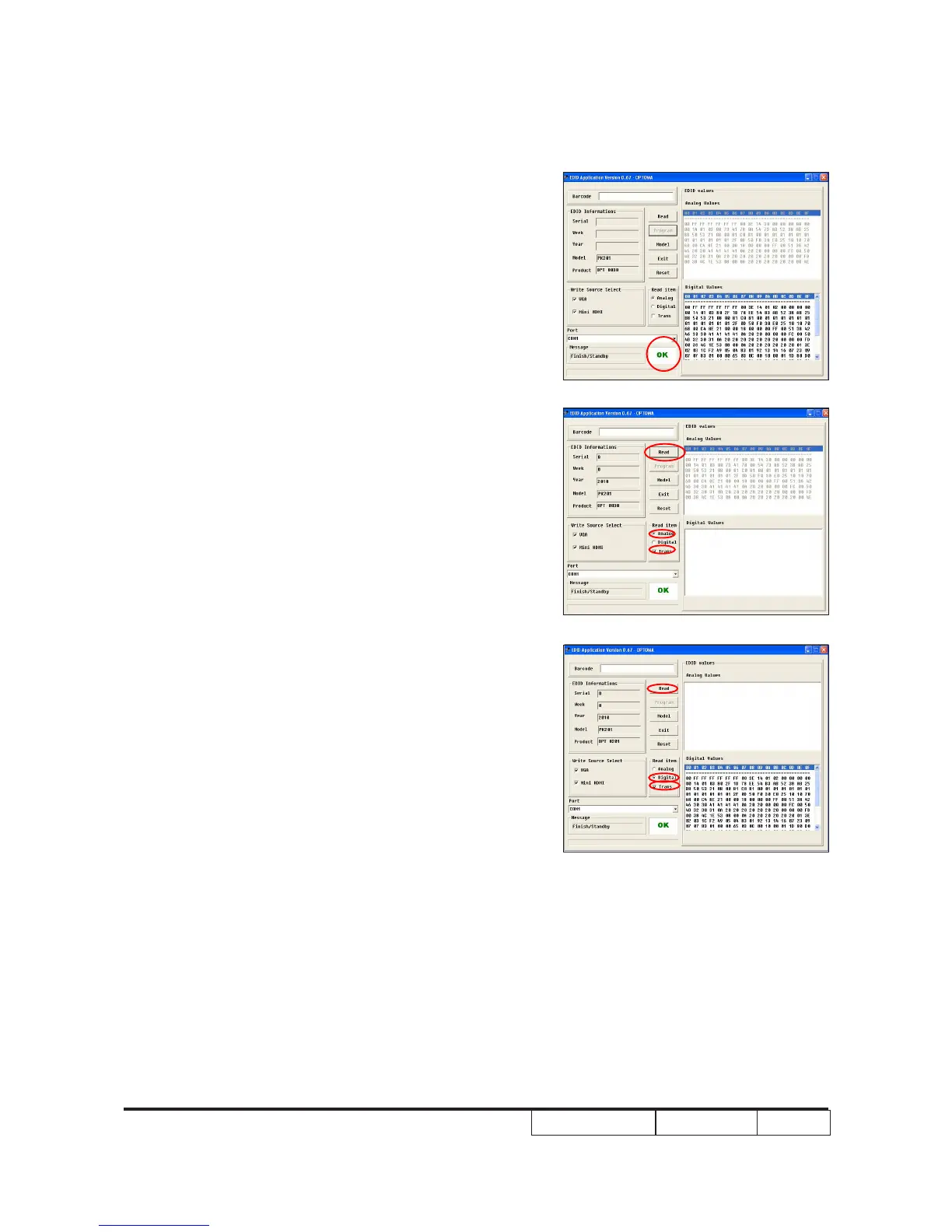
6. When the EDID program is completed,
a message "OK" will appear on the screen.
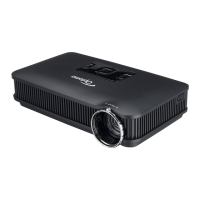
7. Select ''Trans'' & "Analog" in the read
item, and then click ''Read'' button, EDID
informations will show the result.
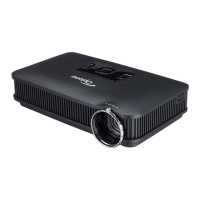
8. Select ''Trans'' & "Digital" in the read
item, and then click ''Read'' button, EDID
informations will show the result.


 To Next Page