Delta Elec. Inc. EP7155i & EP1691i
Company Confidential Optoma_______________________ Delta____________
47
2010/01/11
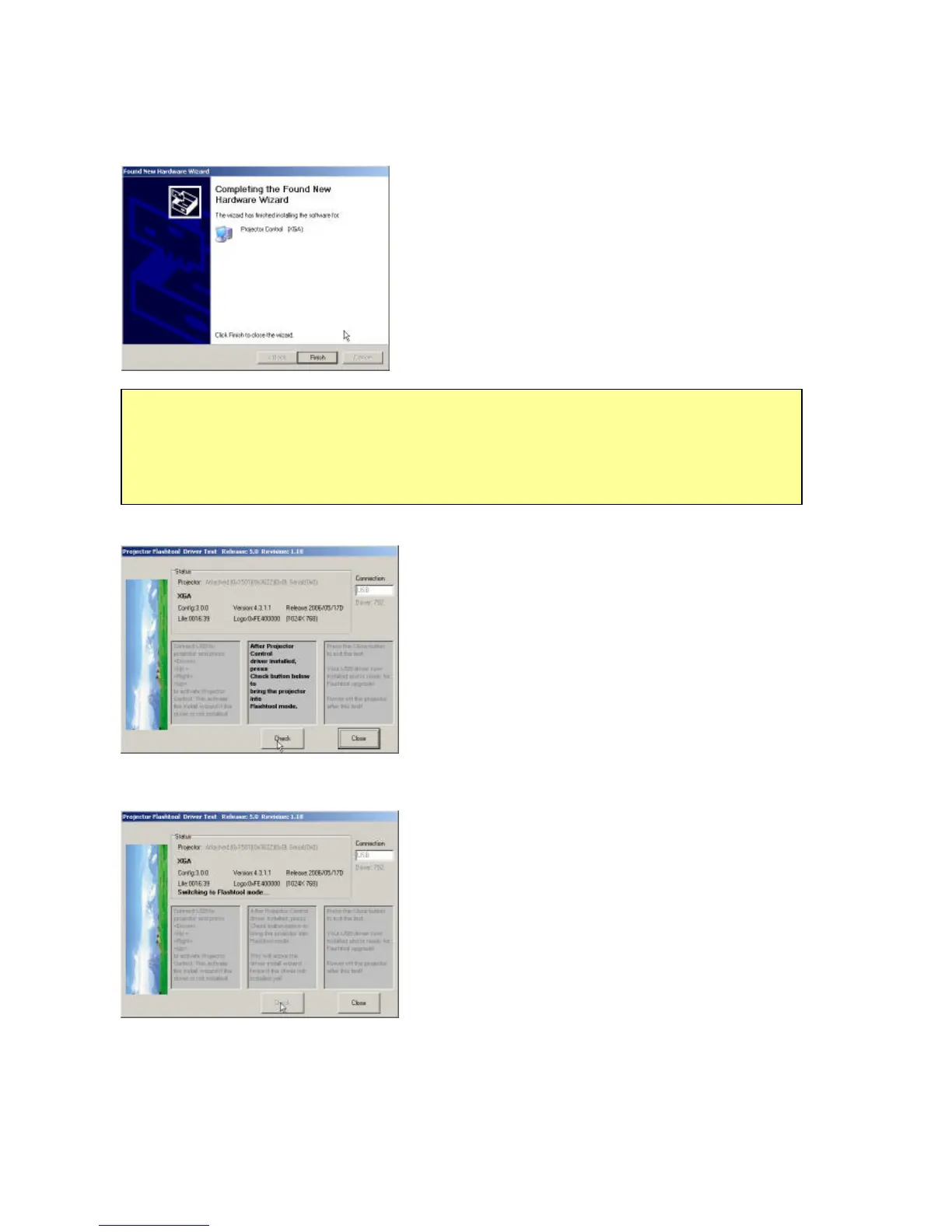
Windows completes the new hardware wizard.
z Press the “
Finish” button to exit.
Once when the Projector Control USB driver is
enumerated, the projector information is displayed in
the status window.
z Click on the “
Check” button to place the projector
in the Flash-Tool mode.
The purpose of this function is to verify whether or not
the project is successfully in the Flash-Tool mode.
The projector is now in the Flash-Tool mode after the click.
Note:
In case that you has USB enumeration problem (i.e., the USB port cannot recognize
your projector), please clear all USB items in the windows registry, and re-install the
Flash-Tool USB driver. See Appendix-A for further details.



 To Next Page