Delta Elec. Inc. EP7155i & EP1691i
Company Confidential Optoma_______________________ Delta____________
80
2010/01/11
8. Projection Lamp
8-1. Replacing the Projection Lamp
The projection lamp should be replaced when it burns out. It should only be replaced with a
certified replacement part, which you can order from your local dealer.
1. The lamp contains a certain amount of mercury and should be disposed according to local
ordinance regulations.
2. Avoid touching the glass surface of the new lamp: Doing so may shorten its operation life.
Warning:
Be sure to turn off and unplug the projector at least 30 minutes before replacing the lamp.
Failure to do so could result in a severe burn.
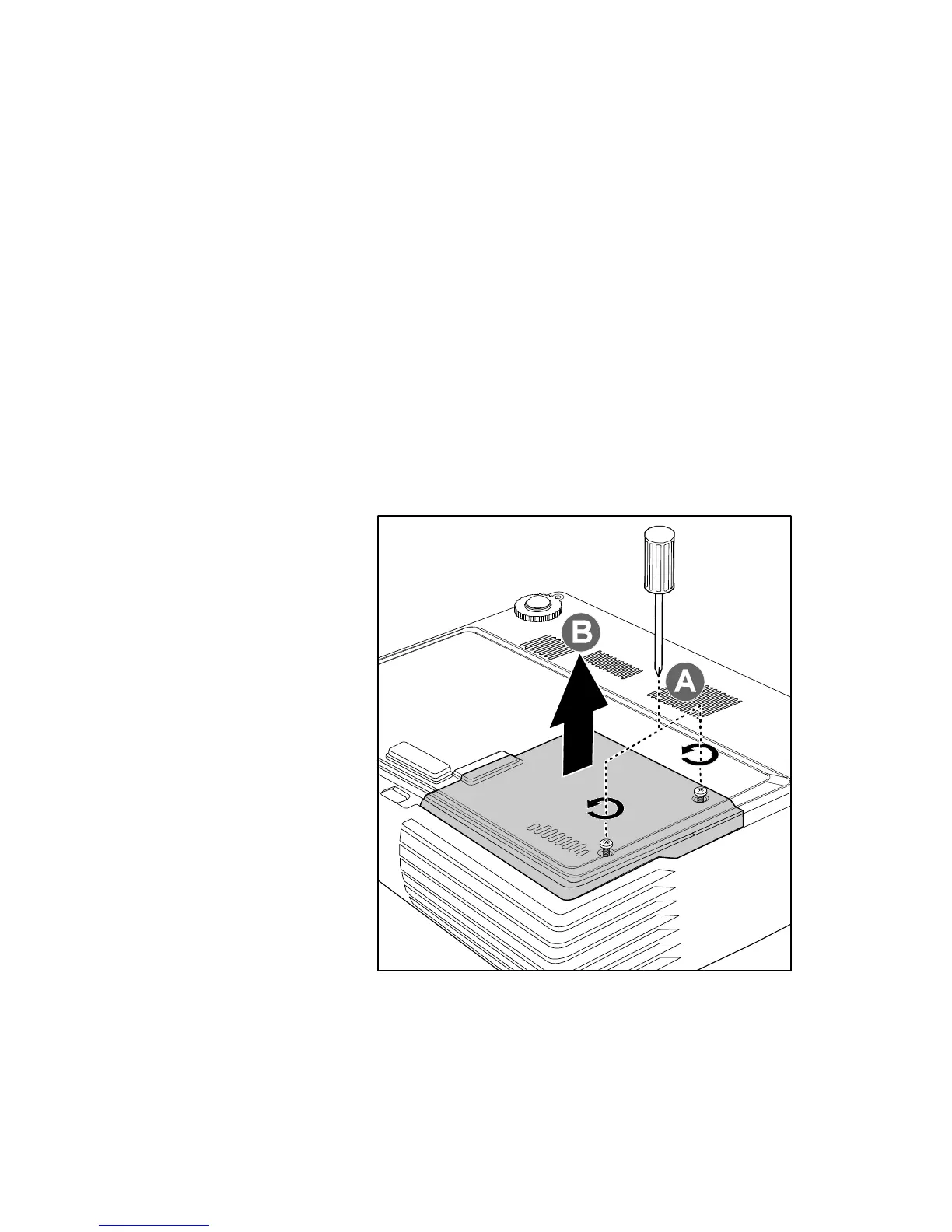
1.
Loosen the two captive
screws on the lamp
compartment cover
(A).
2.
Remove the lamp
compartment cover
(B).



 To Next Page