Delta Elec. Inc. EP7155i & EP1691i
Company Confidential Optoma_______________________ Delta____________
76
2010/01/11
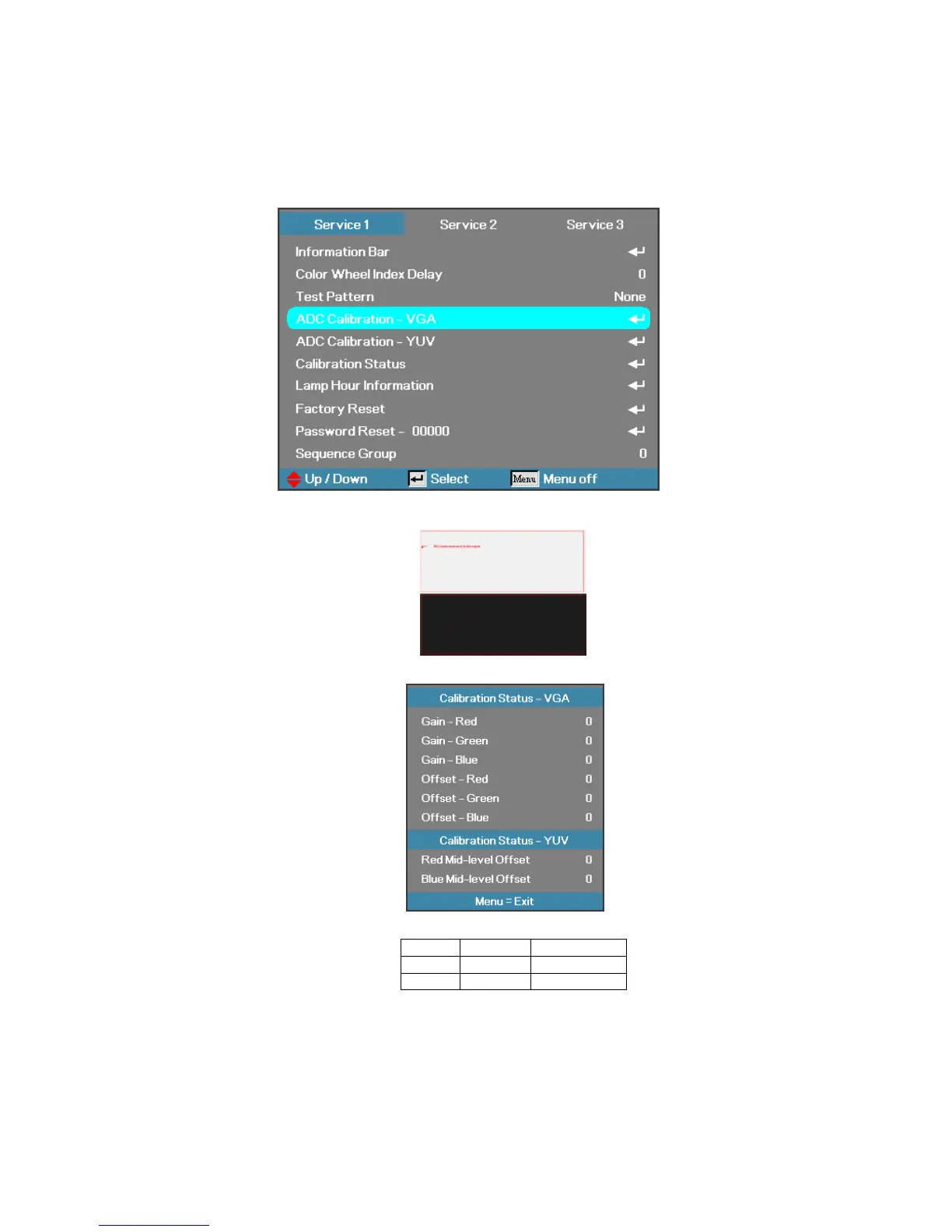
6-1. Calibrate Analog RGB (1024 x 768 @ 60Hz - XGA, 1080 x 800 @ 60Hz - WXGA):
Step 1: In Service 1Mode select ADC Calibration - VGA In this menu input pattern with White(240,240,240)
and Black(16,16,16) for calibrate VGA Source . After input ready press “Enter” or “Right” key to calibration。
Input Pattern
Step 2 : After complete the OSD will show the picture as follow , if not complete, just close the OSD。
Note : Offset & Gain Value
Default After ADC
Offset 127
Gain 127
Step 3 : Compare internal white pattern and RGB source white pattern, if the brightness gap ratio of these two
source is bigger than 3.5%.



 To Next Page