Oracle Field Service
Using Core Application
Chapter 2
Dispatcher Activities
Non-Working Time Option
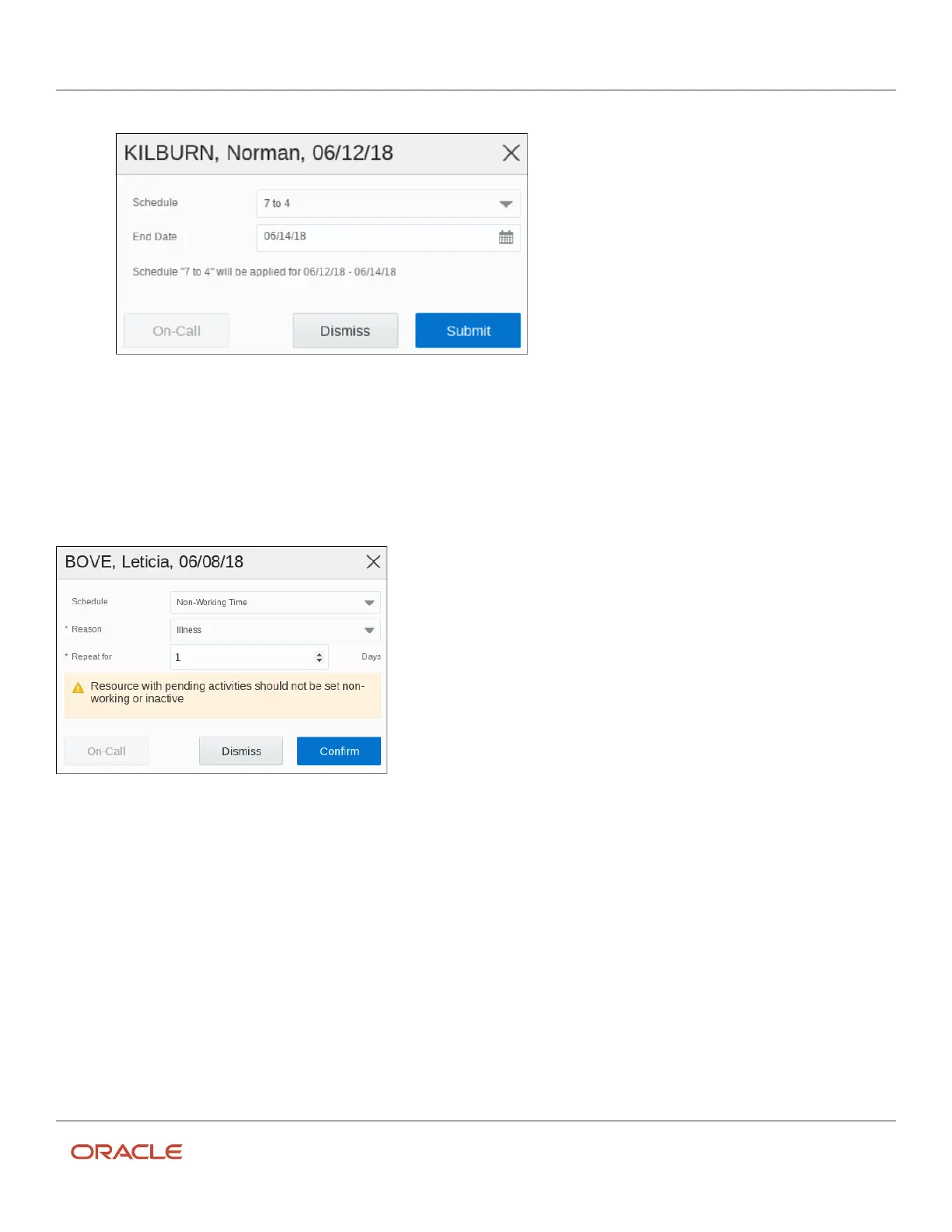
You can schedule an activity under the Non-Working Time category, if a technician needs a day off, because of reasons
such as vacation or illness. However, you cannot apply non-working time if the technician has activities other than
repeating, shift, or mass type activities assigned for the day. A warning message appears on the dialog box, and if you
click Confirm, then the non-working time is applied regardless of the resource’s schedule.
Favorite Group of Resources
Use the Favorites option to get quick access to the most frequently used resources such as Bucket, Field Resource,
Organization unit, Tool, or Vehicle. You can create as many Favorite groups as required.
When a user adds a resource to a Favorite group, the star is filled. Favorite groups are shown at the top of the resource
tree and are saved for a specific user (not a company level configuration).
The favorites group has these characteristics:
• You can view only the Favorites group in the resource tree.
• All warnings shown on the resource icon and resource hint in the resource tree are supported for Favorite
resources.
139













 To Next Page