-11-
Were you able to operate the motor properly? Let’s change some conditions and operate them.
Ex.1) Invert the direction: Enter "DIS= -10," and press the Enter key. Enter "MI," and press the Enter key. The motor
starts to move in reverse direction, and will rotate 10 revolutions at 1 rev/sec.
Ex.2) Change the running velocity: Enter "VR=2," and press the Enter key. Enter "MI," and press the Enter key. The
motor starts to move at 2 rev/sec.
Ex.3) Absolute motion: Check the motor position (value) displayed in the lower right of the IMC window. This is the
current position command that is the distance from the position when the power is turned on. As a trial, enter "MA
10," and press the Enter key. The motor position should move to "10.000" and stop regardless of the current
position.
6 Setting the Baud Rate
Use of the USB communication at a baud rate as high as possible (115200 bps if no problem occurs during communication)
is recommended for operating the IMC. The operation response speed for launching, tab screen change, parameter settings
will be improved. Set the baud rate to the SCX11 according to the following steps.
1. Turn on the power for the SCX11, connect to the computer.
2. Launch the IMC.
3. Click the [System Config] tab.
4. Click the "USB Baud rate" located at the upper-center, and select "115200 bps" from the drop-down list.
(For an operator using RS-232C, set the "RS232 Baud rate.")
5. Click the [SAVE and RESET] to enable the change. At that time, the IMC also changes the baud rate of computer side to
115200 bps. (The SCX11 is already communicating with your computer at 115200 bps.)
Note
When starting communication with the SCX11, be sure to set the baud rate of the IMC to the same
baud rate that has been set to the SCX11. If you are unsure about the baud rate of the SCX11, use
the "Scan Baud Rate" button on the Serial Port Settings window. If the wrong baud rate has been set
in the Serial Port Settings window, not only will the communication not be established, but it may
also be possible that the communication will never be established even if the baud rate is correctly
set afterwards. If this communication problem occurs, turn off the power to the SCX11, wait for a few
seconds and restart. Take the same action when communication is likely to be disconnected.
7 Features
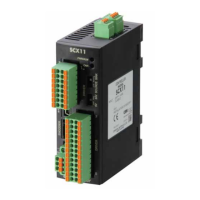
7.1 Features of the SCX11
The SCX11 can be used with ease, in addition, the SCX11 can perform most operations that you can imagine with a feature
rich interface and functions.
See below in the operating manual (in supplied CD-ROM) for instructions.
- For motion types and features: "8 Features"
- For executing sequences: "9 Program Creation and Execution"
- For CANopen communication: "10 Control by CANopen Communication"
- Other functions that has not been explained in above: "Appendix B TIPS"


 To Next Page
 Loading...