-7-
4 Setting the User Unit
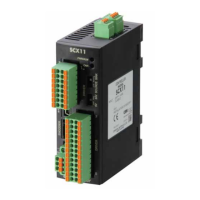
In the SCX11, the actual motion distance of the user application, such as "mm," "inch," "revolution" and "degree" is used,
instead of the pulse unit that is commonly used in pulse generators and motor controllers. This is called "user unit" and is set
initially by the following steps as with the motor resolution.
4.1 Determine Parameters
Three parameters are required to be set.
- Unit that is used in your application (Ex. "Rev,""mm")
- Travel amount per one revolution of the motor shaft (distance per revolution)
- Motor resolution
Referring to the examples shown below determine the unit to a value that is actually used. You can set the indivisible number
as well using the electronic gear (In this case, five parameters are required to be set). More detail and/or more examples of
settings are shown in "7.3 Setting the User Unit" of the operating manual.
Ex.1) You wish to set the travel distance in "revolution" with a resolution of 1000:
The user unit becomes "Rev," the distance per one revolution becomes 1 and the motor resolution becomes 1000.
Ex.2) You wish to set the travel distance in 0.01 mm increments while using a ball screw with a 10mm lead:
The user unit becomes "mm," the distance per one revolution becomes 10 and the motor resolution becomes 1000 (the
ball screw travels 10 mm per one motor revolution while the motor moves 0.01 mm per one pulse, "10/0.01 = '1000'
pulses per revolution).
Ex.3) When an actuator with ESMC controller (0.01 mm resolution) is used:
The user unit becomes "mm," the distance per one millimeter mm becomes 1 and the motor resolution becomes 100.
(1/actuator resolution = 1/0.01= 100)
Memo
Since the resolution of the actuator/ESMC controller is based on one millimeter while the
resolution of other motors/drivers are based on one revolution. Therefore, the "distance per
revolution" parameter on the SCX11 works as a "distance per millimeter" for the ESMC controller.
4.2 Setting Resolution of the Driver
Set the motor resolution, using the switch of the driver.
(For NX Series: Set it using the OPX-2A data setter or the MEXE02 data setting software.)
Ex.1)
Set the resolution 1000. (See the operating manual for the driver.)
Ex.2)
Set the resolution 1000. (See the operating manual for the driver.)
Ex.3)
The setting of resolution is not required. The resolution of the ESMC controller is fixed.


 To Next Page
 Loading...