EasyManua.ls Logo

Oriental motor DSC Series - User Manual

Oriental motor DSC Series
44 pages
Print Icon
To Next Page IconTo Next Page
Loading...
HM-9306-2
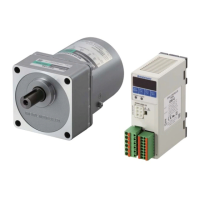
Speed Control Motor and Controller Package
DSC
Series
Standard type
OPERATING MANUAL
Thank you for purchasing an Oriental Motor product.
This Operating Manual describes product handling procedures and safety precautions.
Please read it thoroughly to ensure safe operation.
Always keep the manual where it is readily available.
D-loop represents the speed control motor which adopted Oriental
Motor's unique technology.
This product achieves high reliability using closed loop control in
addition to downsize the speed controller by digitizing the phase
control circuit.

Table of Contents

Questions and Answers

  • F
    Francisco JensenAug 1, 2025
    Why my Oriental motor Controller motor does not rotate?
    • K
      Katherine PhillipsAug 2, 2025
      If your Oriental motor Controller's motor isn't rotating, there are several potential causes. First, ensure that either the FWD or REV input is turned ON, as both being OFF will prevent rotation. Next, confirm that the operation data includes a set rotation speed. The motor will not rotate if this is not set. If using an external speed setter, verify that the 'external speed command input' parameter is set to 'ON (Enable).' Also, check the connections of the AC power supply, motor, and capacitor. Finally, ensure that the FREE input is turned OFF.
  • C
    Catherine PrestonAug 7, 2025
    What to do if the speed cannot change on Oriental motor DSC Controller?
    • H
      Haley MirandaAug 7, 2025
      If the speed of your Oriental motor Controller cannot be changed or the motor isn't rotating at the set speed, check if the operation data selection input is switched correctly using the M0 and M1 inputs. If using an external speed setter, ensure both M0 and M1 inputs are turned OFF, and that the 'external speed command input' parameter is set to 'ON (Enable).' Also, verify the settings for the 'speed upper limit' and 'speed lower limit' parameters, as the rotation speed range might be limited.
  • N
    nkimAug 12, 2025
    Why Oriental motor DSC motor doesn't start instantaneously?
    • I
      ibarrajenniferAug 12, 2025
      If your Oriental motor Controller's motor doesn't start instantaneously, the acceleration time might be too long; try adjusting it. Also, the load inertia or the load itself might be excessive, so reduce them accordingly.
  • S
    Sherry TurnerAug 17, 2025
    How to fix reversed rotation direction on Oriental motor Controller?
    • H
      hcarrAug 17, 2025
      If your Oriental motor Controller's motor rotates in the opposite direction, first check the connections of the FWD and REV inputs to ensure they are correct. If you're using a gearhead that rotates in the opposite direction to the motor, reverse the FWD and REV input operations. Also, verify the setting for the 'motor rotation direction' parameter and change it if necessary.
  • D
    david57Aug 22, 2025
    Why Oriental motor DSC Controller motor rotates without speed command?
    • S
      Stephanie MirandaAug 22, 2025
      If your Oriental motor Controller's motor rotates even without a speed command, the 'speed lower limit' parameter might have a value set. Set the value in the 'speed lower limit' parameter to '0'.
  • T
    Todd SummersAug 27, 2025
    How to unlock settings on Oriental motor DSC Controller operation panel?
    • D
      Douglas JohnsonAug 27, 2025
      If you cannot perform settings using the operation panel on your Oriental motor Controller, the edit lock function may be enabled. Release the edit lock function to make changes.

Summary

Introduction

Overview of the product

Describes the DSC Series.

Safety Precautions

General Safety Guidelines

General safety advice for product use.

Installation Safety

Safety precautions for installing the product.

Connection Safety

Safety precautions for electrical connections.

Operation Safety

Safety precautions during product operation.

Maintenance and Inspection Safety

Safety precautions for maintenance.

Disassembly and Modification Prohibition

Warning against product tampering.

Product Preparation and Identification

Checking the Product Contents

Verifying all items are included in the package.

Identifying Product Model Numbers

Explains how to interpret model codes.

Model Combinations List

Lists available motor, gearhead, and controller combinations.

Part Identification

Names and functions of motor and controller components.

Installation Procedures

Location for Installation

Specifies suitable installation environments.

Motor Installation Methods

Covers mounting the motor unit.

Load Installation

Guidance on attaching external loads to the motor.

Permissible Load Specifications

Limits for radial and axial loads on the shaft.

Speed Controller Installation

Methods for mounting the speed controller.

Capacitor and Potentiometer Installation

Procedures for installing accessories.

Electrical Connection

Connection Methods Overview

General wiring diagram for system setup.

AC Power and Capacitor Connection

Wiring the main power and capacitor.

Motor and Speed Controller Connection

Connecting the motor to the controller.

Grounding Procedures

Essential grounding steps for safety.

DC Power and I;O Signal Connection

Wiring control power and input/output signals.

I;O Signal Wiring Examples

Illustrates I/O signal connections to PLCs.

Operating the Motor

Powering On the System

Initial power up sequence and indicators.

Test Operation Procedure

Verifying basic motor function without load.

Starting and Stopping the Motor

Methods for motor control.

Setting Rotation Speed

How to adjust motor speed.

Adjusting Acceleration and Deceleration Times

Setting ramp-up/down profiles.

Motor Rotation Direction Control

Changing the motor's spin direction.

Multi-Speed Operation

Configuring and operating at multiple speeds.

Multi-Motor Speed Synchronization

Controlling multiple motors with one speed setter.

Product Functions

List of Available Functions

Overview of product features.

Operation Panel Navigation

Understanding panel screen transitions.

Monitored Items and Data Display

What information can be viewed.

Setting Operation Data

Configuring preset operation modes.

Parameter List and Settings

Detailed configuration options.

I;O Signal Assignment

Customizing input/output signal functions.

Data Editing Lock Function

Preventing accidental changes to settings.

Alarms and Warnings

Alarm List and Codes

Details on error conditions and codes.

Alarm Reset Procedures

Steps to clear active alarms.

Warning Conditions and Actions

Pre-alarm notifications.

Troubleshooting and Remedial Actions

Motor Rotation Issues

Diagnosing problems with motor movement.

Speed Setting and Control Problems

Troubleshooting speed-related faults.

Motor Direction and Panel Operation Issues

Resolving direction and control panel faults.

Motor Stability and Start-up Problems

Addressing vibration and slow start.

Uncommanded Rotation and Alarm Display

Handling unexpected operation and alarms.

Product Inspection

Periodic Inspection Checklist

Items to check regularly.

Standards and CE Marking

Product Compliance Standards

Overview of UL, CSA, CE, etc.

EMC Directive Compliance

Guidelines for electromagnetic compatibility.

Static Electricity Precautions

Safety measures against static discharge.

General Specifications

Operating and Environmental Conditions

Temperature, humidity, altitude, atmosphere.

Storage and Shipping Conditions

Environmental parameters for storage and shipping.

Accessories

Connection and Signal Cables

Cables for extending reach.

Optional Accessories

Potentiometers, brackets, and lead wires.

Oriental motor DSC Series Specifications

General IconGeneral
BrandOriental motor
ModelDSC Series
CategoryController
LanguageEnglish

Related product manuals