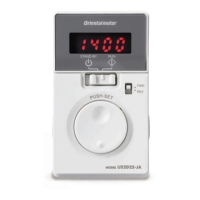
Operation
−20−
Setting method using the operation panel
The rotation speed can be set while rotating the motor, and it can also be set in the motor standstill state.
This section explains as an example for how to set the rotation speed while rotating the motor.
Example: Set the rotation speed to 1000 r/min from 0 r/min
24 VDC±10%
150 mA or more
Speed
controller
CN4
1
2
3
4
FWD
REV
Rotates in the forward direction
Rotates in the reverse direction
Turn on the AC power: POWER LED (green) is lit
Turn on the DC power: "Rotation speed" is displayed
Display on the
operation panel
Power ON
Operation signals
*
Speed teaching function
Motor rotates
Keep pressing the key until
the display becomes "1000"
Determines the data
Turn the FWD input or
REV input ON
The display
blinks
Press
The determined rotation speed is written to the
operation data which is selected based on a combination
of ON/OFF status of the M0 and M1 inputs.
Rotation speed:
0 r/min (Initial value)
*
If the rotation speed is already set, the motor rotates.
(The figure shows an example of sink logic)
If both the FWD input and REV input are turned OFF, the rotation speed can be set in a state of motor standstill.
Setting method
Press
Press
Remote setting method
The rotation speed can also be set remotely by the following two methods.
Set the "external speed command input" parameter to "ON (Enable)" (initial value: OFF), and turn the M0 input and M1 input
OFF. Refer to p.29 for how to set the parameter.
•
Setting with external potentiometer (supplied or sold separately).
Connect the external potentiometer to the CN4.
Turn the external potentiometer clockwise to
increase the speed.
External speed command voltage selection
parameter: "0 to 5" (initial value)
*
The gure and characteristics show examples
for when the supplied external potentiometer or
accessory
PAVR-20KZ
(sold separately) is used.
Pin No.10
VM input
Pin No.9
VH input
Pin No.11
VL input
High speedLow speed
1 2 3
External potentiometer
500
1000
1500
1800
Motor shaft rotation speed [r/min]
Rotation speed characteristics
(representative values)
0 20 40 60 80 100
Potentiometer scale
60 Hz
50 Hz
•
Setting with external DC voltage
Connect an external DC power supply
(0 to 5 VDC or 0 to 10 VDC) with reinforced
insulation on its primary and secondary sides to
the CN4.
"External speed command voltage selection"
parameter:
"0 to 5" (initial value) for 0 to 5 VDC
"0 to 10" for 0 to 10 VDC
The input impedance between the VM input and
VL input is approximately 11.3 kΩ.
0 to 5 VDC
or
0 to 10 VDC
1 mA or more
External DC
power supply
Pin No.11
VL input
Pin No.10
VM input
500
1000
1500
1800
Motor shaft rotation speed [r/min]
Rotation speed characteristics
(representative values)
0 1 2 3 4 5
0 2 4 6 8 10
DC voltage (V)
60 Hz
50 Hz
Note
Be sure to set the external DC voltage to 10 VDC or less. When connecting the external DC power supply, make
sure the polarities are correct. If the polarities are reversed, the speed controller may be damaged.


 To Next Page
 Loading...