Installation
−11−
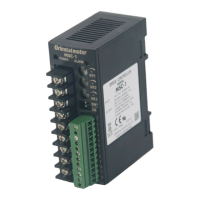
4.5 Installing the speed controller
The speed controller is designed so that heat is dissipated via air convection. Provide spaces so that the speed
controller can be ventilated well through its top and bottom vent holes.
Installation direction
When installing speed controllers, provide a
clearance of at least 25 mm (0.98 in.) in the vertical
direction between the speed controller and enclosure
or other equipment within the enclosure.
When installing two or more speed controllers in
parallel, it is possible to install them closely in the
horizontal direction.
25 mm (0.98 in.)
or more
• Vertical direction
• Horizontal direction
Installation method
•
Mounting to DIN rail
Use a DIN rail 35 mm (1.38 in.) wide to mount the
speed controller.
Pull down the DIN lever of the speed controller
until it locks, and push in the speed controller with
hanging the hook at the rear to the DIN rail, and
then lift the DIN lever. After installation, secure
the both sides of the speed controller with the end
plate that the customer provides.
Hook
DIN rail
DIN lever
End plate
Removing from DIN rail
Pull the DIN lever down until it locks using a at tip
screwdriver, and lift the bottom of the speed controller to
remove it from the rail.
Use force of about 10 to 20 N (2.2 to 4.5 lb.) to pull the
DIN lever to lock it.
Excessive force may damage the DIN lever.
•
Installing with screws
Install the speed controller through the mounting holes using two screws (M4: not supplied).
[Tightening torque: 0.7 N·m (6.1 lb-in)]
Use screws and washers, which sizes are Ø10 mm or less, to secure the speed controller.
111 mm (4.37 in.)
Mounting hole
Pull the levers
Mounting hole
Levers
When installing with screws, pull up and down the upper
and lower levers on the rear side of the speed controller
respectively before doing so.


 To Next Page
 Loading...