37
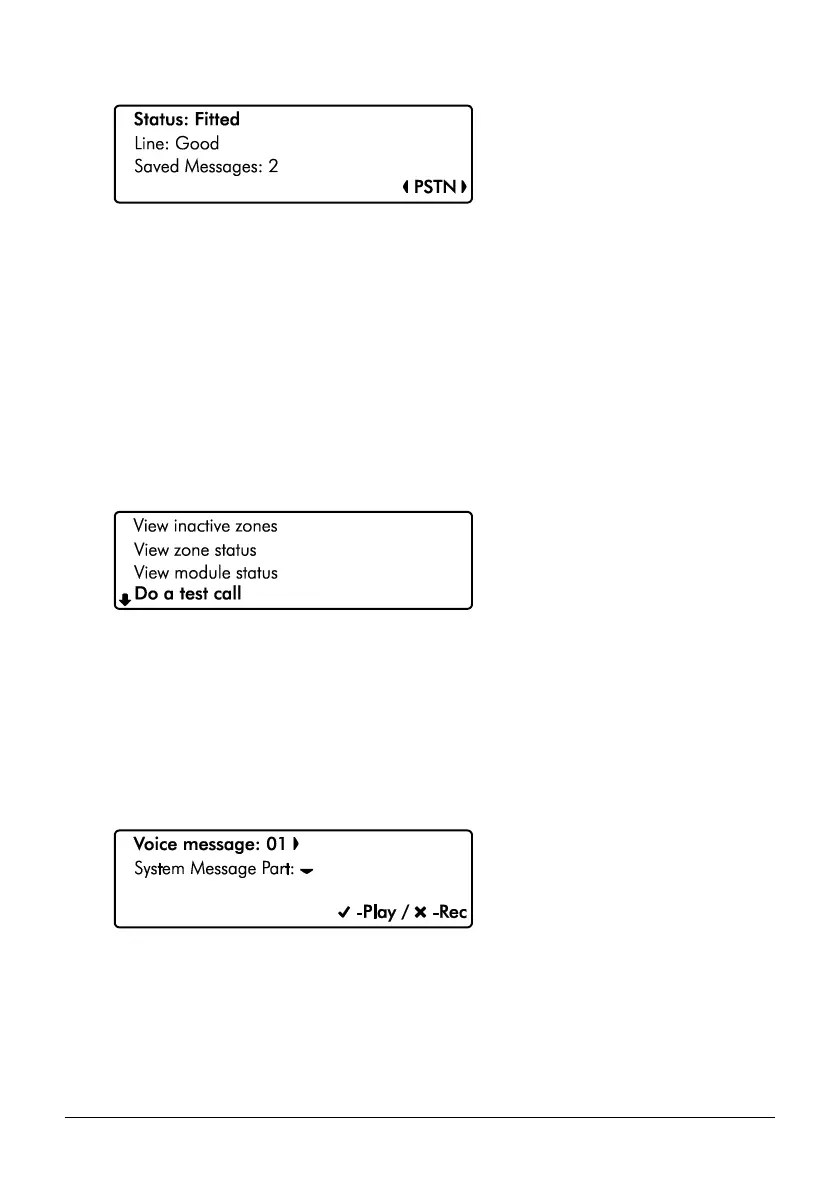
PSTN Module Screen Information
Line 1: If the module is currently ‘Fitted’ or ‘Not fitted’
Line 2: The phoneline status ‘Good’, ‘Engaged’ or ‘Bad’.
Line 3: The number of saved answer machine messages.
2. Hold the B / o or @ key for 2 seconds to exit the menu.
Do a Test Call
Selecting this option will cause connected communication device to send a test call to the alarm
receiving centre using the programmed in information (contact number / Account number/
protocol).
1. Ensure that the ‘Do test call’ menu is selected, see page 31:
2. Press E or k to initiate a test call.
Review Voice Messages
The system has 15 programmable voice messages; each message can be up to 16 seconds
long. The messages can be recorded using software and uploaded into the control panel.
Alternatively, voice messages can be recorded from a telephone handset.
1. Ensure that the ‘Review voice messages’ menu is selected, see page 31:
2. Use the L/ o and R/ r keys to select the voice message (1-15). Press E
or k to play the message or press C or D to clear and record a new message.
3. Press D/ p to select System Message Part:



 To Next Page