Effect
Touch Button
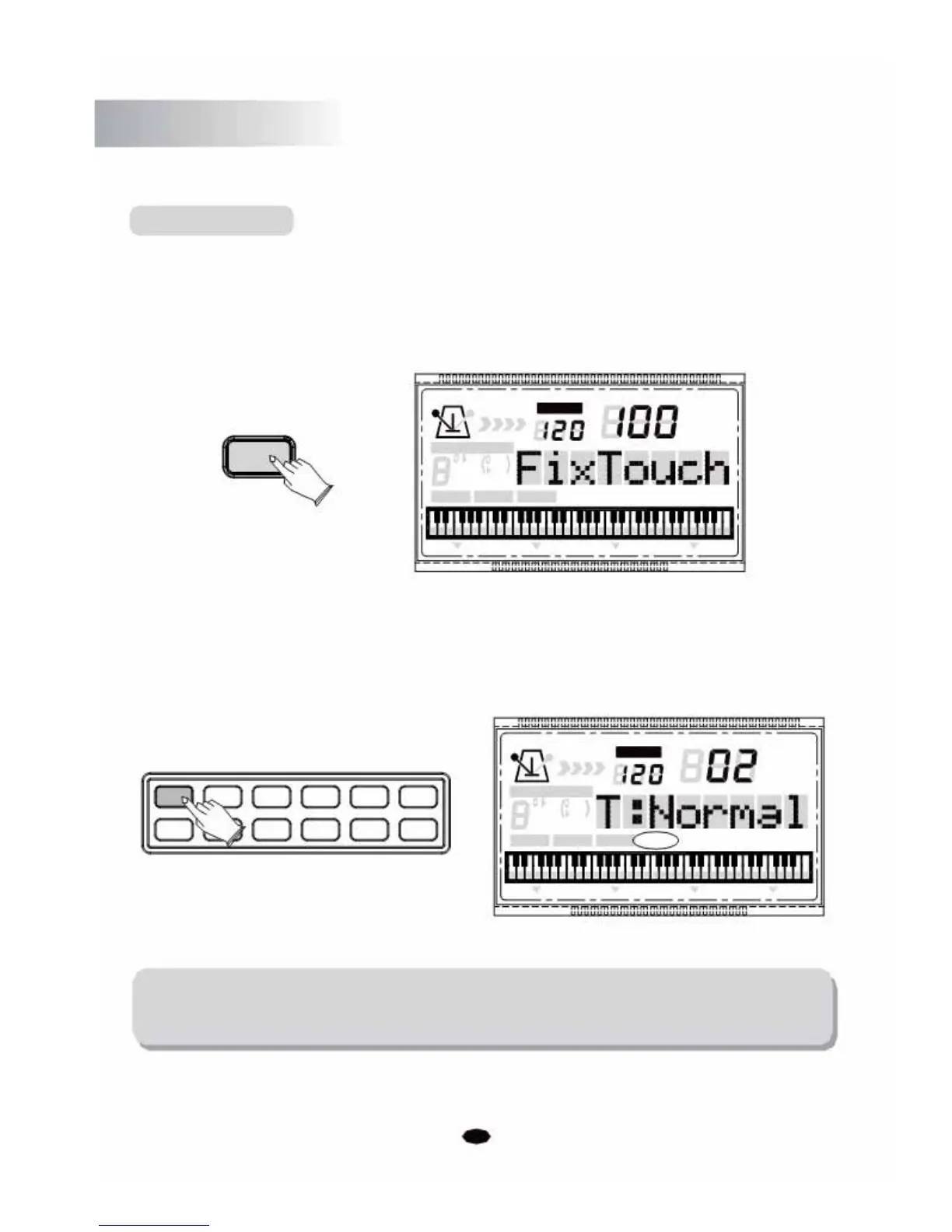
The touch function provides three different types of keyboard touch sensitivity that can be
selected to match different playing styles.
Press the [TOUCH] button. the LCD will display: FixTouch 100, then you can use the [+]
and [-] buttons or the numeric buttons to select the desired
touch sensitivity.
TEMPO
VOICE
TOUCH
STYLE
SONG
CHORD TYPE
dim 6
119
513
m
M
7
augsus4
CHORD SPLIT
DUAL
TOUCHEFFECTSUSTAIN VIBRATO
Press the [TOUCH] button again, the LCD will display: T:Normal (Default:Normal), then
you can use the [+] and [-] buttons or the
type: 01.Low; 02.Normal; 03.High.
+01234
-56789
numeric buttons to select the touch sensitivity
TEMPO
VOICE
STYLE
CHORD TYPE SONG
119
dim
6
513
mM7
augsus4
CHORD SPLIT DUAL TOUCH EFFECT SUSTAIN VIBRATO
NOTE:
If you don't press any button within 3 seconds after entering the Touch setting
mode, it will exit this menu automatically.
12



 To Next Page