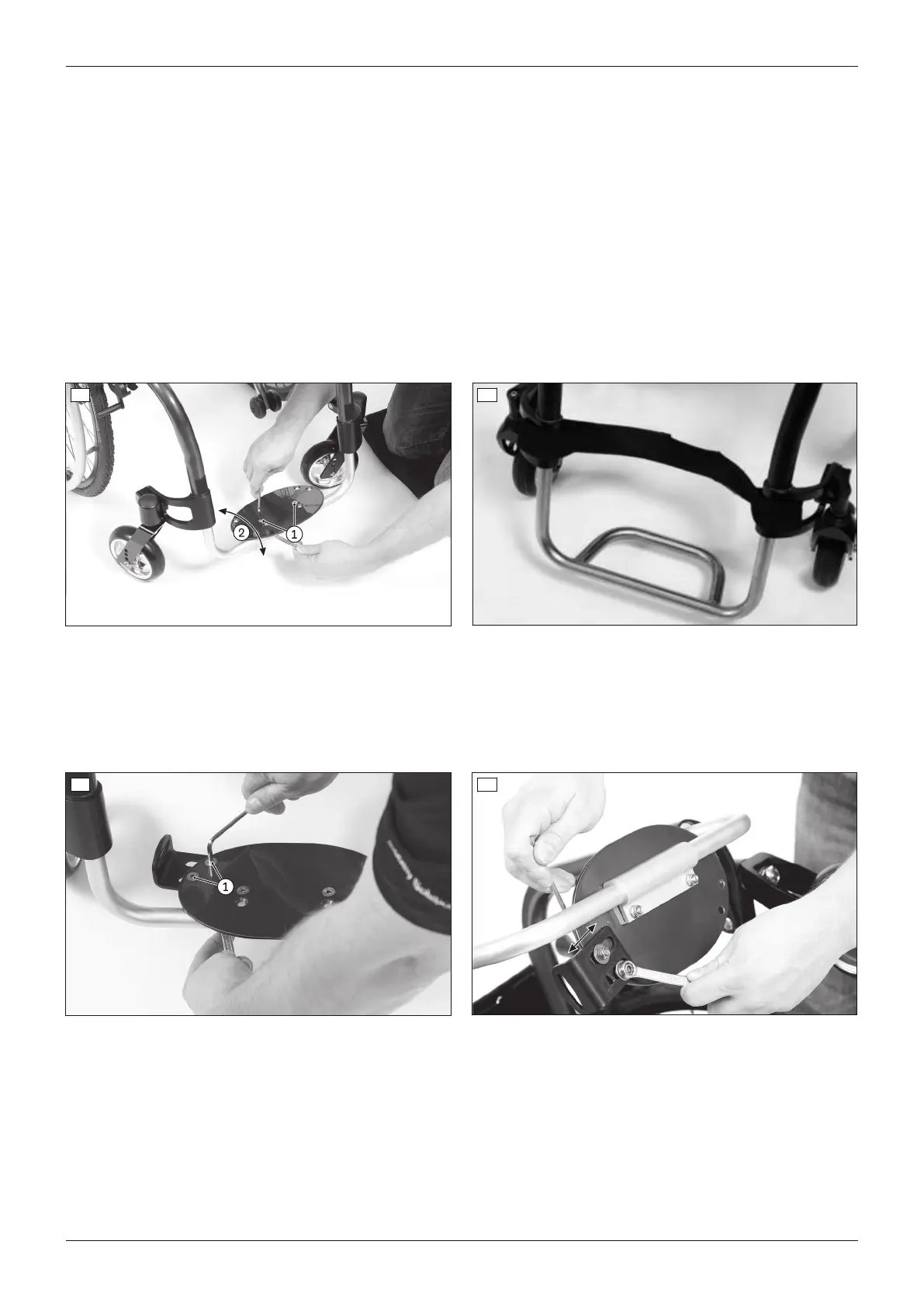
6.7.2 Adjusting the support angle
The leg support angle setting should be chosen so that the ankle is in a relaxed, comfortable position.
“Angle-adjustable” leg support
1) Loosen the Allen head screws on the clamp bracket (see fig.48, item1).
2) Turn the foot plate to the desired angle (see fig.48, item2).
3) Tighten the Allen head screws to 10Nm.
Leg support for short lower leg lengths
1) Loosen the Allen head screws on the clamp bracket (see fig.47, item6).
2) Turn the foot plate to the desired angle (see fig.47, item7).
3) Tighten the Allen head screws to 10Nm.
“Fixed” tube foot support
The angle of the plate cannot be changed (see fig.49).
48 49
6.7.3 Installing and adjusting the lateral heel blocks
The lateral heel block can be installed using the pre-drilled holes on the foot plate.
1) Install the lateral heel block onto the bottom of the foot plate using the Allen head screws (see fig.50, item1).
2) Before tightening, shift the lateral heel block in the slotted hole to set the desired foot width (see fig.51).
3) Tighten the Allen-head screws.
50 51
6.8 Adjusting the side panels
6.8.1 Adjusting the “height-adjustable” arm support
Adjusting the height
1) Press in the release button on the inner side of the side panel (see fig.52, item1).
2) Slide the armrest to the desired position (see fig.52, item2).
3) Let go of the release button.
→ The armrest locks into place automatically.
24
Settings
Ventus














 To Next Page