6.2.5 Adjusting the track
INFORMATION
► The track must be adjusted after the following adjustments have been made:
→ Adjusting the track width: see Page12
→ Adjusting the drive wheel camber: see Page11
► The track setting must be checked and, if necessary, adjusted after the following adjustments have been
made:
→ Adjusting the horizontal position of the drive wheel: see Page9
→ Adjusting the height of the drive wheel: see Page10
INFORMATION
► Always make the track adjustment on both sides and check both sides.
► With each track adjustment, always check the symmetry of the track width setting. To do this, measure the
distance between the outer side of the camber module and the outer side of the clamping flange on both
sides (see fig.15).
► The caster journal angle should be checked immediately after every adjustment to the track (see Page16 ff.).
> The clamping screws on the clamping flanges must be loosened until the camber modules and the drive wheel
axle are only slightly clamped (see Page12).
1) Place the wheelchair on an even surface. Avoid twisting the axle when doing this.
2) Pull the drive wheel out slightly in order to make room for the installation.
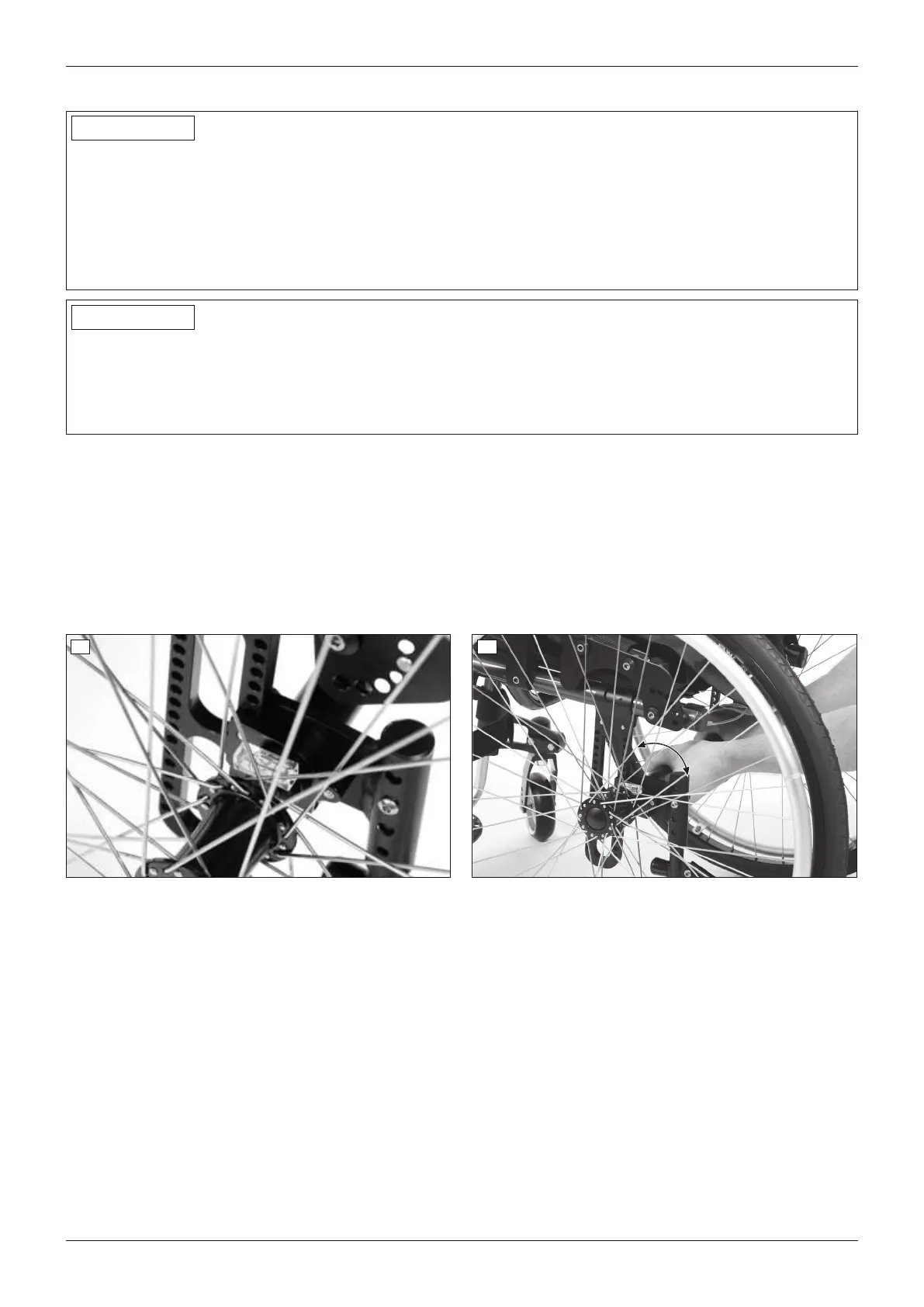
3) Place the spirit level on the camber module (see fig.17).
4) Carefully twist the camber module until the spirit level is centred (not pictured).
If necessary ‒ after changing the wheel camber, for example ‒ twist the drive wheel axle carefully as well until
the spirit level is centred (see fig.18).
5) Tighten the clamping screws on the clamping flanges to 10Nm (see fig.13, item1).
17 18
6.2.6 Adjusting the quick-release axle
The quick-release axle should be set so the wheel is correctly engaged, with no play on the axle.
1) Hold the quick-release axle by the head (wrench size: 19mm) and by the tip (wrench size: 11mm) with a ring
and open-ended wrench respectively.
2) Adjust the play by turning the nut on the end of the quick-release axle (see fig.19, item1) in or out.
14
Settings
Ventus














 To Next Page