15
OutBack Power Systems Inc.
POWERING UP
The MX60 power-up sequence rst activates the unit and brings up a series of screens; some
screens allow the user to change the battery voltage.
Note: Be sure the PV input and battery breakers are o before starting the power-up sequence.
OFF SCREEN (this screen is initially blank at power up)
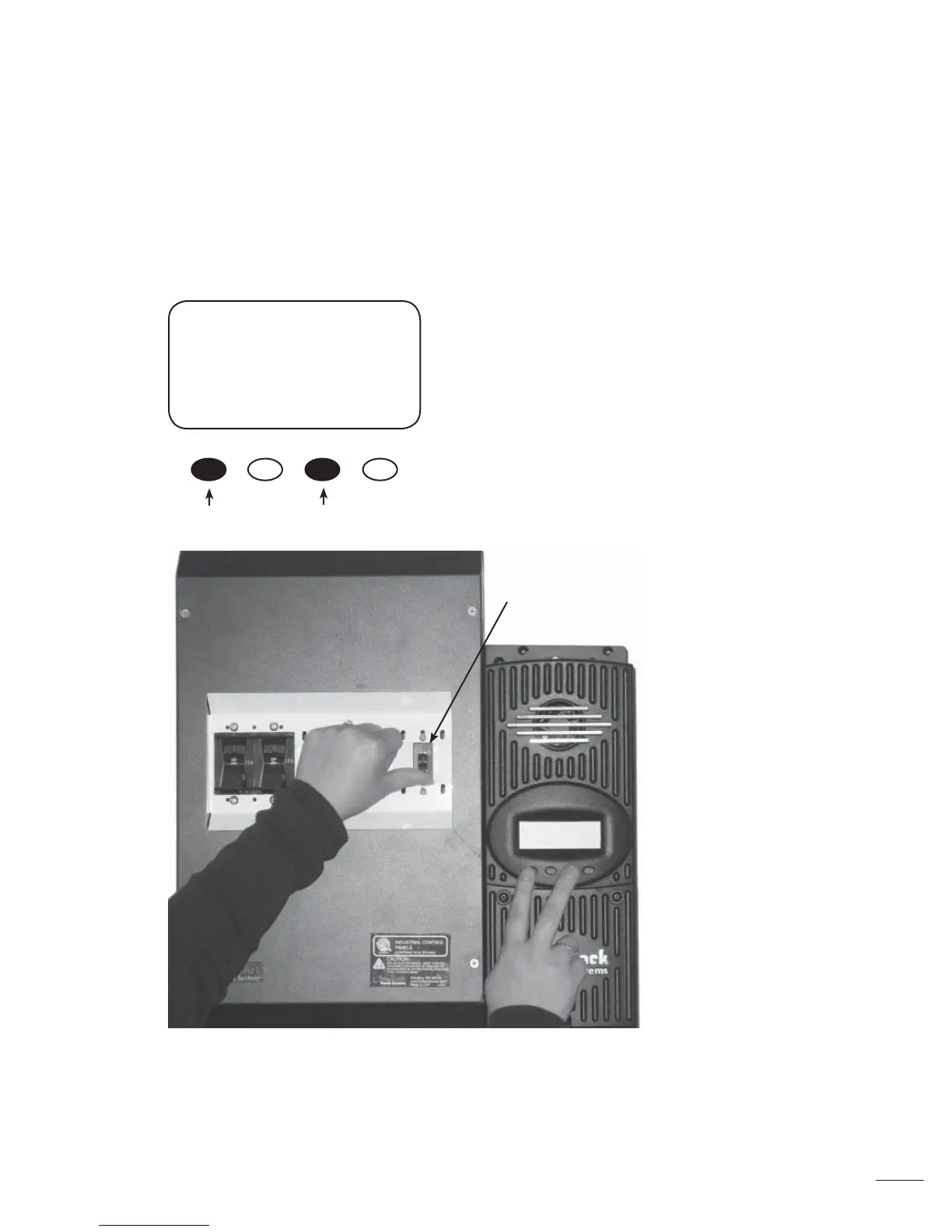
With the PV array and battery breakers o , press and
hold soft keys #1 and #3 and then turn on the battery
breaker (see Figure 4).
Note: The battery voltage must be at least 10.5 V or higher to power up the MX60. If the screen
reads “Got Battery?” please see the Troubleshooting Guide on page 74.
Figure 4
Battery Breaker



 To Next Page