OvisLink
- 20
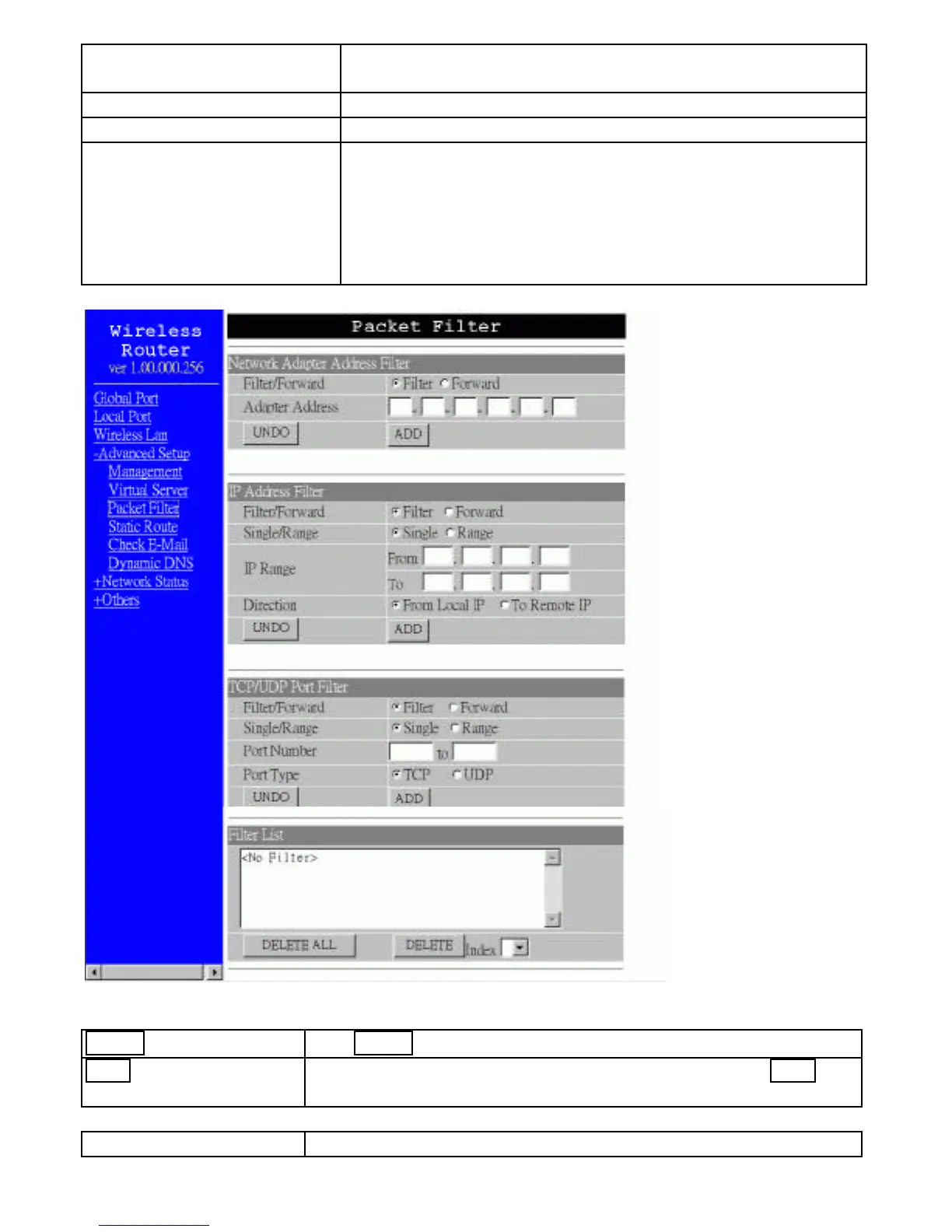
Filter/Forward Select to Filter or Forward for the following assigned
port(s).
Single/Range You can filter a single port, or a range of ports.
Port Number The port number(s) for the filters.
Port Type ? TCP port: filter according to the Connection-Based
Application Service on the remote server using the port
number.
? UDP port: filter according to the Connectionless
Application Service on the remote server using the port
number.
Figure 13
UNDO Click UNDO to clear all the settings in this categrory
ADD Each time you finished setting the filters, click the ADD
button and the added filter will appear on the Filter List.
Filter List Display all the Packet Filters.



 To Next Page