OvisLink
- 22
Static Router
You can set static routes to manually administrate the network topology/traffic when the
dynamic route is not effective enough.
Steps to set the static routers are:
1. Select “Static Route #1” or “Static Route #2”
2. Enter the settings.
3. You can refer to the following two example applications for settings. When
finished, click “SAVE” to save settings. Click “UNDO” to clear all entries.
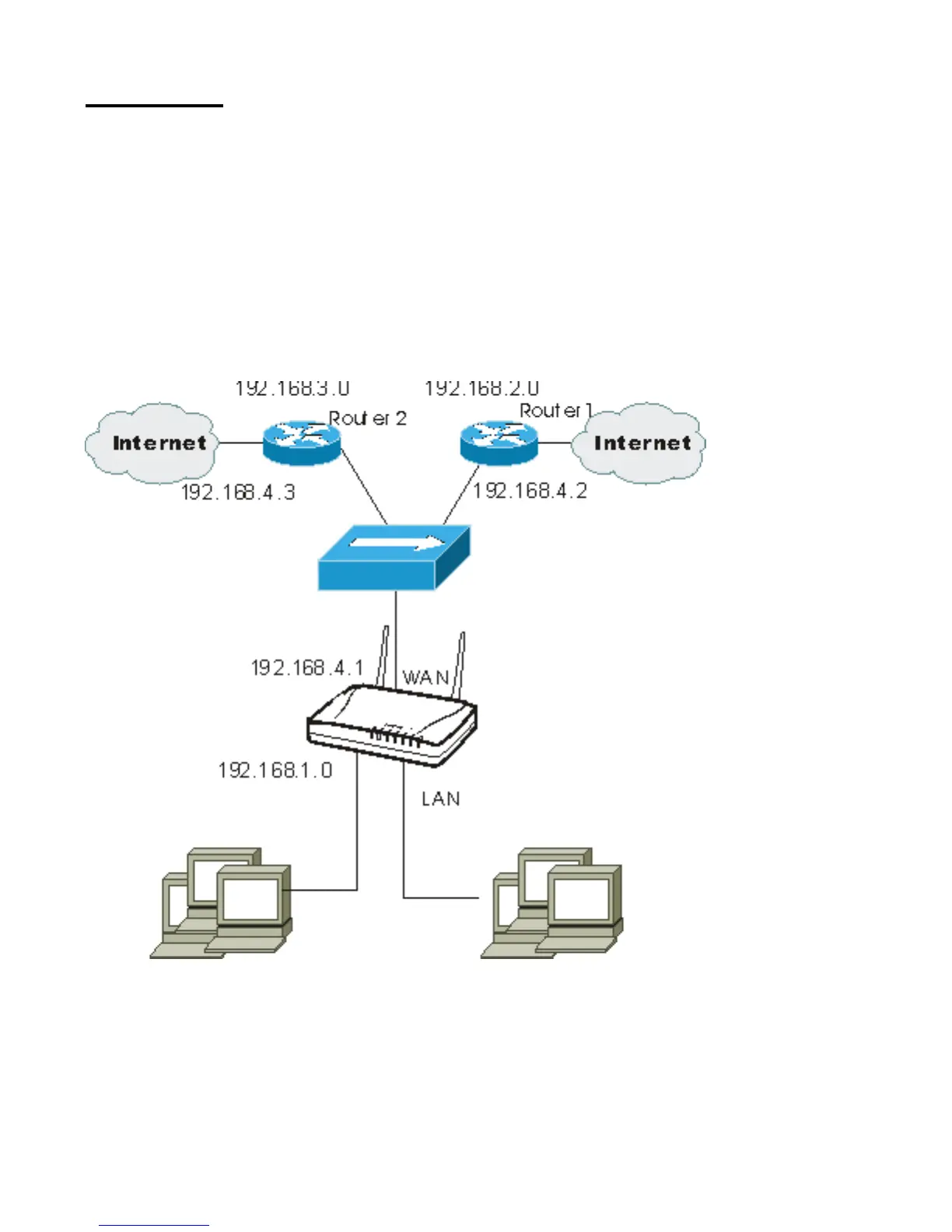
Example Application 1:
Default Gateway: 192.168.4.2.
Destination Network/Host: 192.168.3.0
Figure 14



 To Next Page