OvisLink
- 26
? Enable Wildcard
Check to enable the Wildcard function. To know more about
Wildcard, please refer to FAQ section.
Mail Exchanger To know more about MX (Mail Exchanger), please refer to
FAQ section.
Backup MX? Check to have Backup MX service enabled.
Status Displays the results of the action. If action failed, click Force
Update IP to enable the function.
UNDO Click to clear all the settings on this page.
SAVE After completing the settings on this page, click SAVE to save
the settings.
Network Status
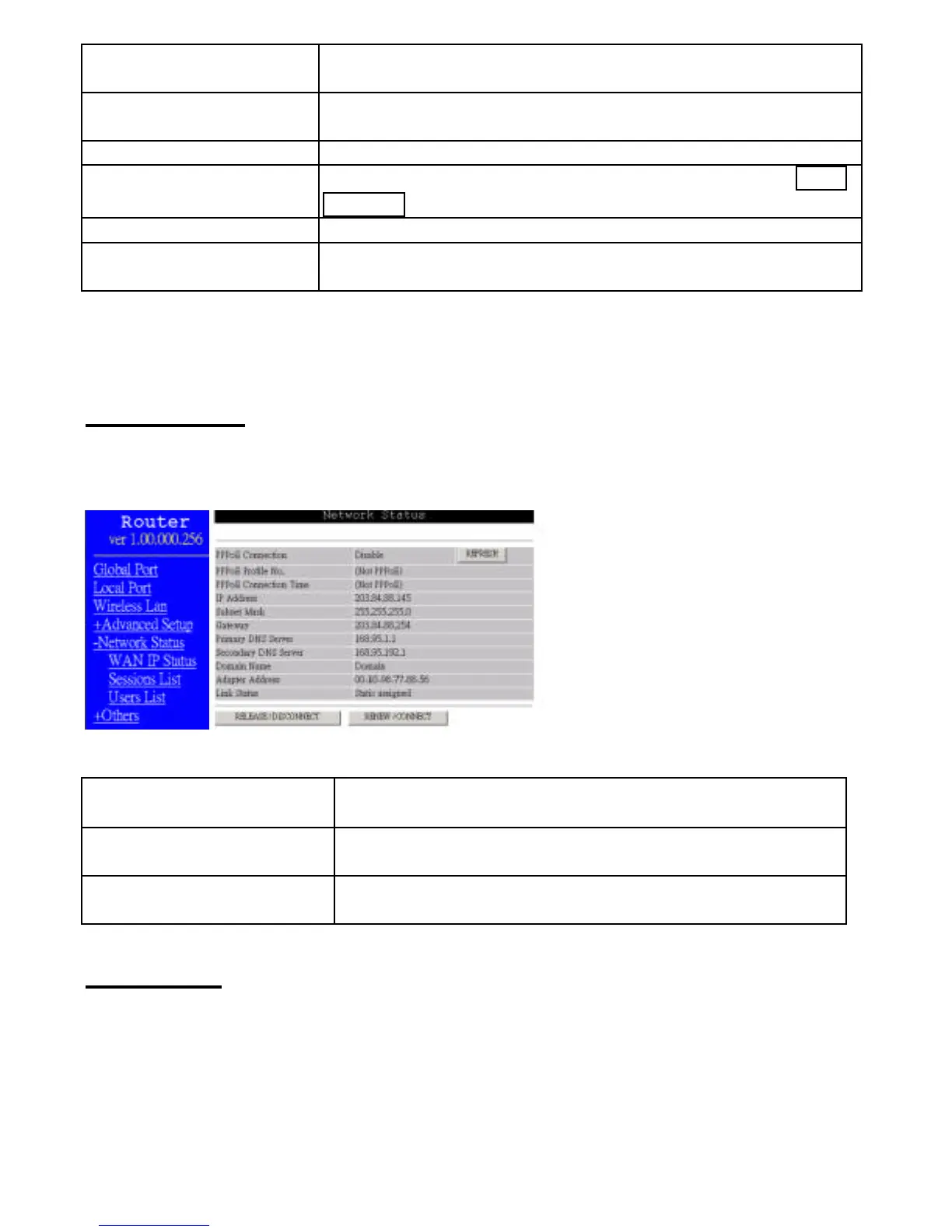
WAN IP Status
Display the current Internet connection status. After the device is connected to the
Internet Service, you will see IP, Subnet Mask, Gateway and DNS IP addresses on the
table.
Figure 20
REFRESH



 To Next Page