OvisLink
- 2
∗ Interoperable with IEEE 802.11b (DSSS) 2.4GHz-Compliant equipment
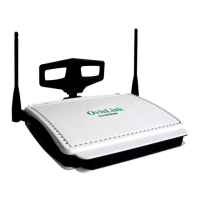
∗ Two adjustable antennas provide for better access angle
∗ Capable of up to 128-bit WEP encryption
∗ 1 port 10/100 Mbps N-Way Fast Ethernet for WAN (Internet connection)
∗ 4 ports 10/100Mbps N-Way Fast Ethernet Switch for LAN
∗ Web UI management
∗ Support PPPoE
∗ Support VPN( PPTP, IP- Sec pass thru )
∗ LED indicator for received E-Mail
∗ Support Auto MDI/MDIX for both LAN/WAN port
∗ Rich Internet applications are supported such as MSN, StarCraft, AOE, Battle.net
multi-user, Crazy Arcade, NetMeeting, ICQ, mIRC, Web browser, FTP, Telnet, E-
Mail, News, Ping, PCAnyWhere...
∗ DHCP server allocates up to 253 client IP addresses
∗ Allow to set 32 Static DHCP
∗ Proxy DNS
∗ Dynamic DNS (DDNS)
∗ Allow to set 24 Virtual Server
∗ DMZ host & Multi-DMZ
∗ Allow to set 24 Packet Filters
∗ Static routing
∗ Super manager
∗ Allow firmware upgrade through network
∗ Natural firewall keeps hackers out
∗ Load/Save device settings from/to a PC file
∗ Good performance up to 22Mbps between Internet and LAN
Parts Names and Functions
Figure 2: LED Indicators on the Front Panel
LED Status
Indicator
Color
Solid Flashing
Power Green



 To Next Page