OvisLink
- 34
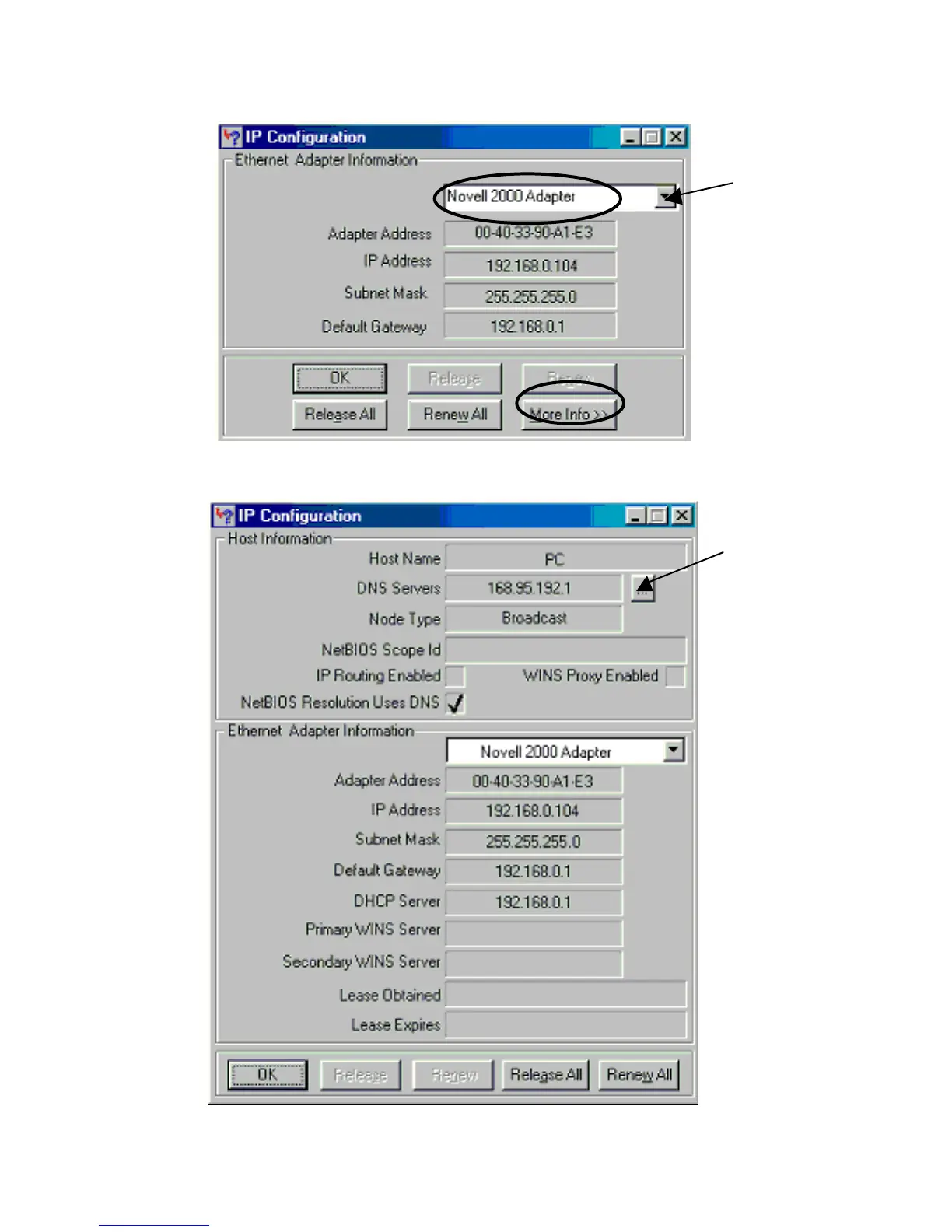
The following figure displays the adapter address and current TCP/IP address.
Note: At the “Ethernet Adapter Information”, select the correct Ethernet adapter that is
installed in this computer.
Figure 30: IP Configuration
Click the More Info button to get detailed configuration information.
Figure 31: IP Configuration



 To Next Page