SIGHT AND TOUCH
–––––––––––––––––––––
The information displayed by the following elements refers to the selected Sequencer.
–––––––––––––––––––––
· GRID
The grid has 128 RGB LED lit pads. On power up, the Piano Roll view is displayed. Here, each
column of pads represents a step of the sequence and each row represents a note (depending on
selected scale) or a track (in Multitrack mode). The grid also shows Keyboard, Arranger and CV Out
layouts that will be explained later.
Independently of the grid layout or screen menu, you can reach the main Piano Roll by pressing
BACK button. Other functions buttons like Keyboard or Arranger , will toggle between
their view and the main Sequencer view.
In Mono, Poly and Chord modes you can move the grid vertically in order to work with higher or lower
notes. To do so, go to the Division menu by pressing Division. The leftmost encoder then moves the
Piano Roll vertically one row at a time, one row being a grade of your scale or a semitone in
chromatic. The highlighted rows when scrolling indicate the position of the root note.
· SCREEN
The screen shows information or parameter values depending on the function button or mode
selected. The default view is the Sequencer view, shown on power up.
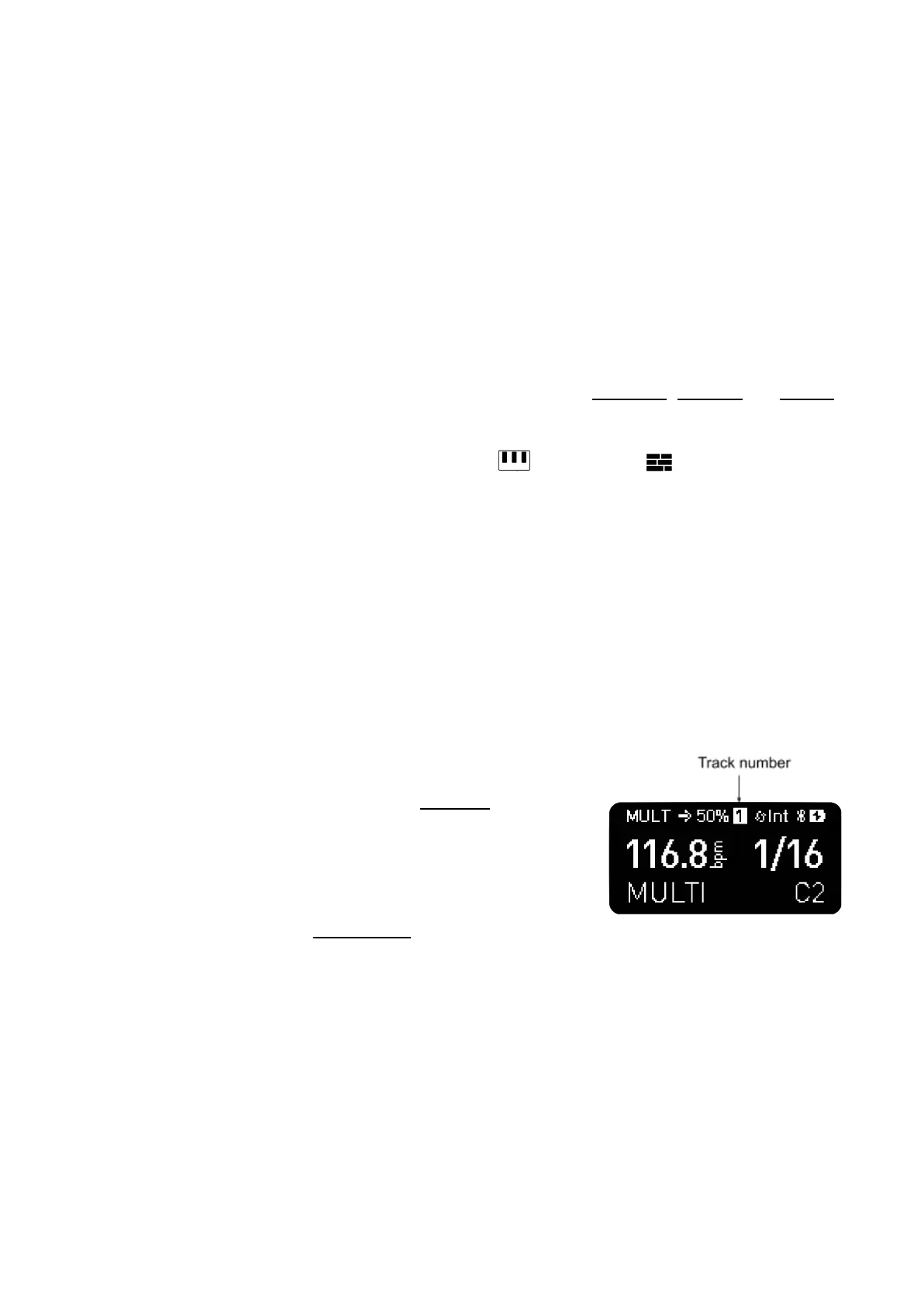
From left to right the top line indicates: active sequencer mode,
playback direction, swing, (track number in Multitrack mode), clock
source, BLE connection and battery state.
Second line: BPM and Sequencer time division or track time division
of the last selected track in the Multitrack mode.
Third line: scale, root note and global octave.
Specific screen interfaces will be later explained.
–––––––––––––––––––––
SHIFT. Hold it and press a button to access secondary functions,
the ones printed in turquoise.
–––––––––––––––––––––



 To Next Page