English -
25
Chapter markers
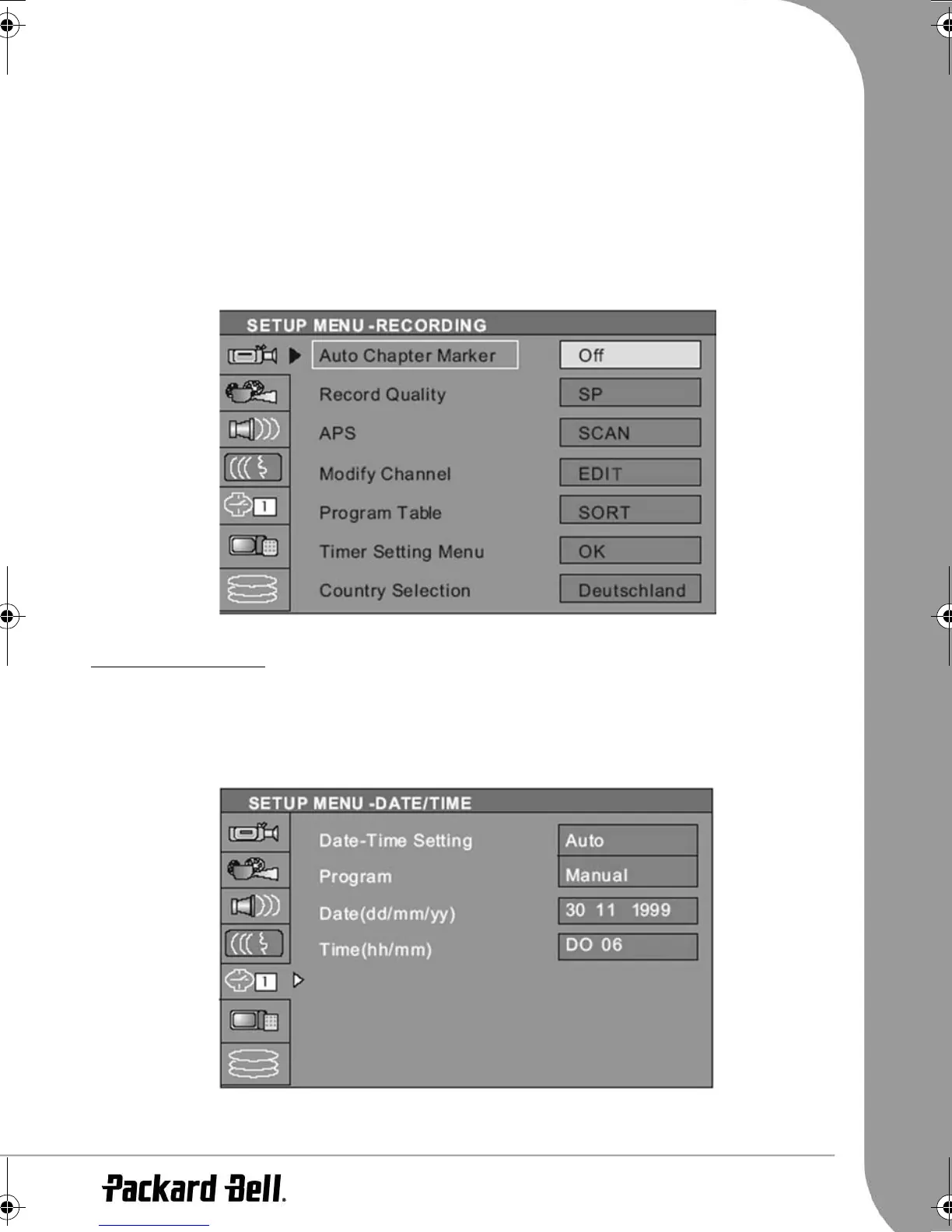
You can set up the recorder to automatically insert chapter markers into each program recording to allow
faster navigation during playback. This feature automatically inserts markers at 10 minute intervals during
recording. The interval can be changed in the Setup menu: OFF (no marker), 5 min., 10 min., 20 min. or 30
min.
• Press the Setup button on the remote control.
• Highlight the
Recording
menu and press the Select button.
• Highlight
Auto Chapter Marker
item and press the Select button.
• Select an item in the list and press the Select button.
TIMER RECORDING
Setting the clock
1. Press the Setup button to access the setup menu.
2. Use the arrow buttons to highlight the
Date/Time
icon, and press the Select button.
3. Change the system date and time with the arrow buttons.
6977030000-EHR2080-UG.book Page 25 Wednesday, September 7, 2005 4:43 PM



 To Next Page