26 -
Packard Bell Easy HDD Recorder User's Guide
Scheduled recording
1. Make sure the clock is set accurately to your local time.
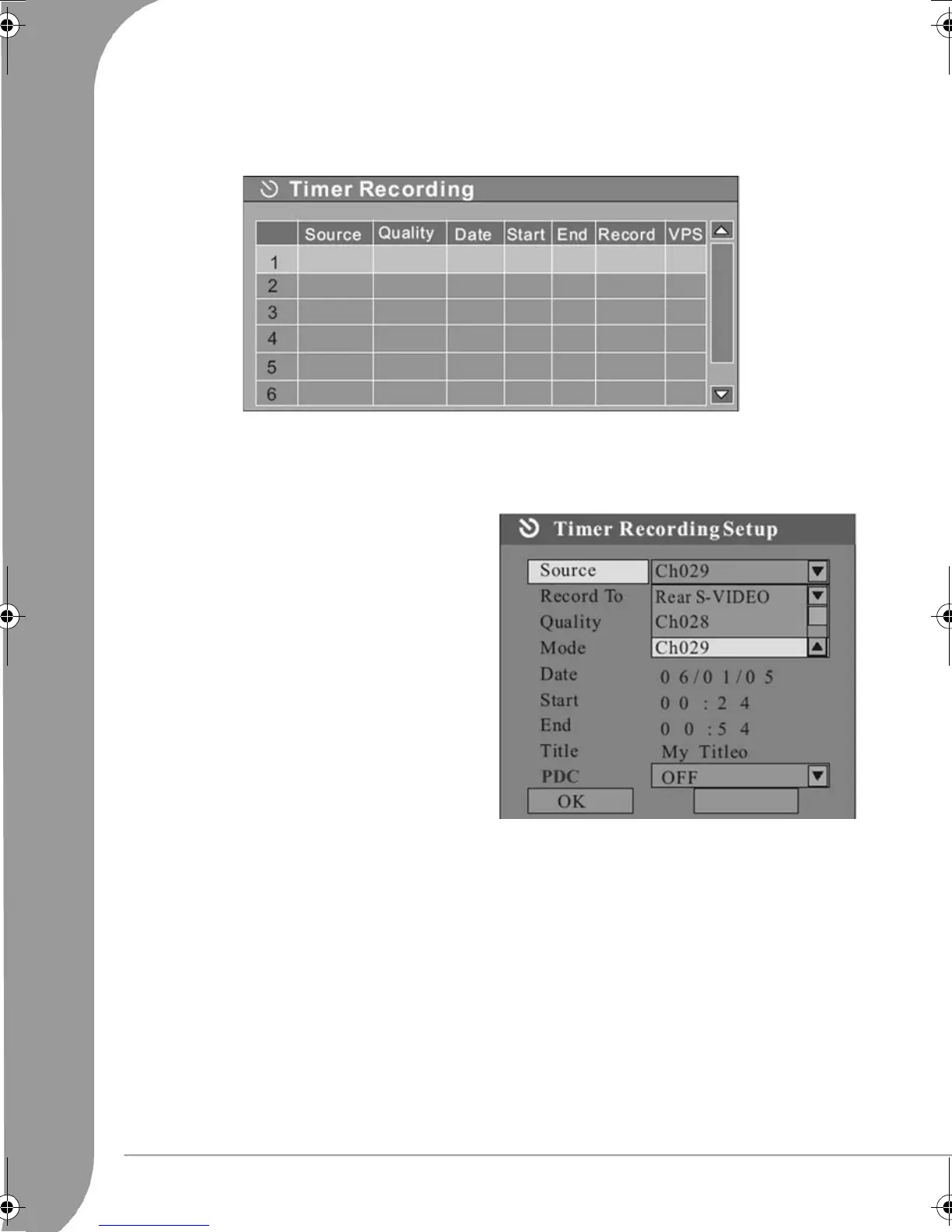
2. Press the Timer button to display the record scheduler.
NOTE: To delete a programmed event, use the Up/Down arrow buttons to highlight it and press the ADD/
CLEAR button.
3. Use the
Up/Down
arrow buttons to highlight an event and press the Select button. The Item Editor dia-
logue box will appear.
4. The following are descriptions of the items in the
dialogue box:
Source: Select your input source.
Record To: Choose between HDD or DVD.
Quality: Select the record quality.
Mode: Select the record mode (once, daily or
weekly).
Start: Select the start time of time recording
event.
End: Select the end time of time recording event.
Title: Input a title for the recording.
PDC: When this function is on, the system will
track down and record the TV signals automat-
ically according to the starting time. It can also
pause or stop recording automatically according
to the information given by the TV signals.
5. Move cursor to the
OK
button and press the Select button to save your settings.
6. Several minutes before the time recording event begins, a dialogue box will appear on your TV screen
prompting you to confirm or cancel the event. If you do not make any selection, the timer recording will
proceed as scheduled.
NOTE:
• If the recorder is in standby status, it will automatically power on two minutes before the start of the
time recording event.
System time adjustment
The Easy HDD Recorder can automatically adjust the system time according to the time code it receives from
the television station. Only the time code integrated in the first TV channel can be used by the appliance.
The TV signal must incorporate a time code for this function to work.
6977030000-EHR2080-UG.book Page 26 Wednesday, September 7, 2005 4:43 PM



 To Next Page