Chopping/Cutting mode5.7.2
Chopping or cutting fresh, non-frozen foods with ei-
ther the 2- or 4-blade-cutter that are included in the
optional Pacojet Coupe Set (see page 21).
Please refer to the separate instruction manual for
the Pacojet Coupe Set (see page 21), giving par-
ticular attention to the safety guidelines.
For further programming the processing options within the chopping/cutting
mode, either the 2- or 4-blade-cutter must be positioned within the spray
guard with the help of the cutter tongs (as supplied within the Pacojet Coupe
Set package) and correctly secured onto the magnetic, splined shaft of the
PACOJET 2 machine.
Then the pacotizing beaker and the protective outer
beaker must be correctly mounted in the machine.
Each processing mode can be selected by press-
ing the appropriate selector button adjacent to each
processing mode icon, as shown on the display.
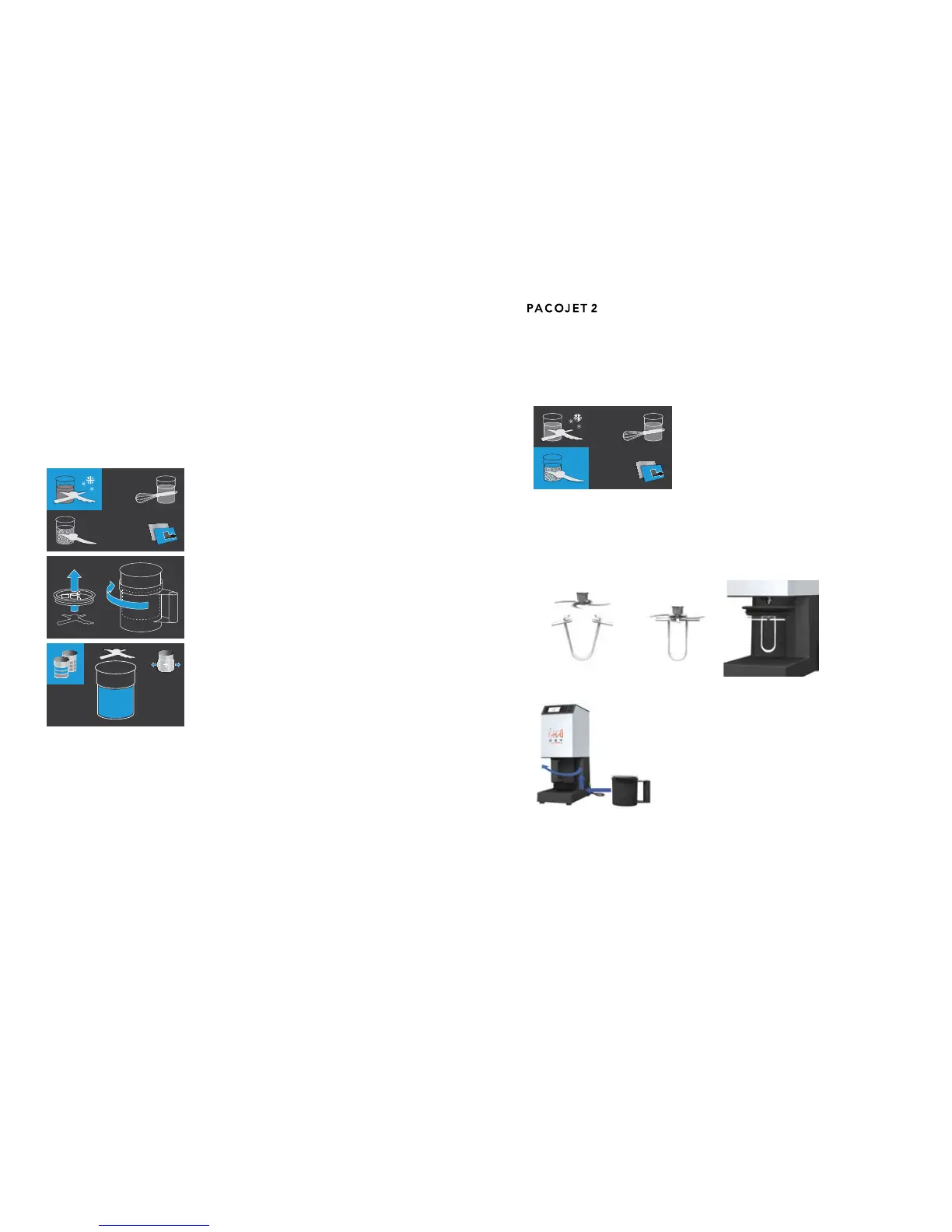
Pacotizing mode5.7.1
Usetopureefresh,frozenfoods(−18°Cto−23°C)
intoanultranetexturewithoutthawing.
All of the necessary accessories for this process-
ing mode are included in the original PACOJET 2
system package.
To access further settings in the pacotizing mode,
the pacotizing blade, the spray guard, the pacotiz-
ing beaker and the protective outer beaker must be
correctly mounted in the machine.
As soon as the protective outer beaker is mounted
and rotated into the correct position, the next dis-
play screen will appear with the default process-
ing settings selected for “Process entire contents
of beaker” and “overpressure”; together, with the
options of selecting the processing options “whole
portions and decimal portions” and/or “deactivate
overpressure before pacotizing”.
Each of the processing options can be selected by pressing the appropri-
ate selector button adjacent to each processing mode icon, as shown on the
display and be further dened using the arrow buttons to increase and/or
decrease the settings.


 To Next Page